Better visibility starts with better decisions
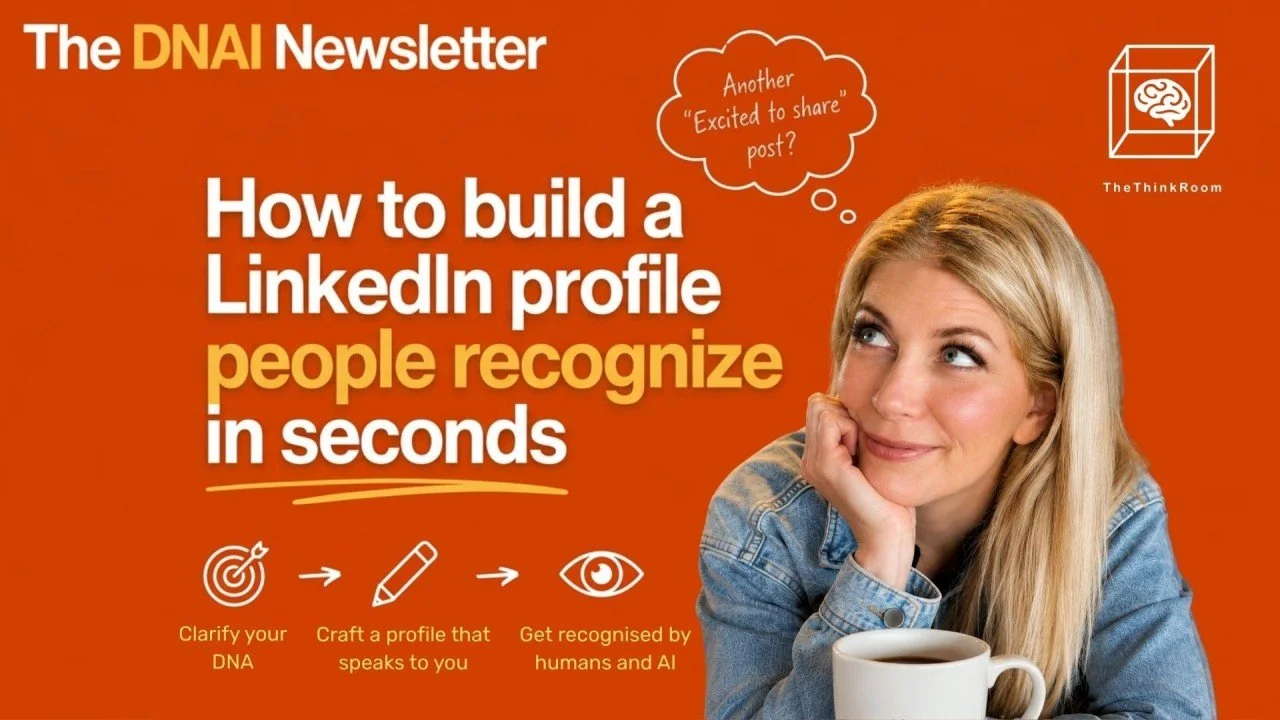
The DNAI Newsletter #2: How to build a LinkedIn profile people recognize in seconds
Hello everyone!
We’re back with our second DNAI Newsletter. Thank you all for subscribing last week. This means the world to us.
Let’s dive straight into it.
Brussels feeds are full of people and organizations who don’t know what to post, or post often and still don’t have any reach. Policy officers, association leaders, founders, MEPs, comms directors, consultants: same platform, similar formats, near-identical tone. The problem usually starts before LinkedIn and before content.
This newsletter looks at recurring topics from our work with EU professionals and organizations: identity, how to create save-worthy content, how to create good visuals with AI, and AI visibility (GEO).
Start with DNA
People ask for better content while:
Their headline is soooooo boring.
Their banner is a holiday picture.
Posts are complaints about “AI slop”, reposts and other random things.
In other words, their profile could belong to anyone.
AI can be a problem, yes.
But there are ways to use LLMs to make you sound more human, not less.
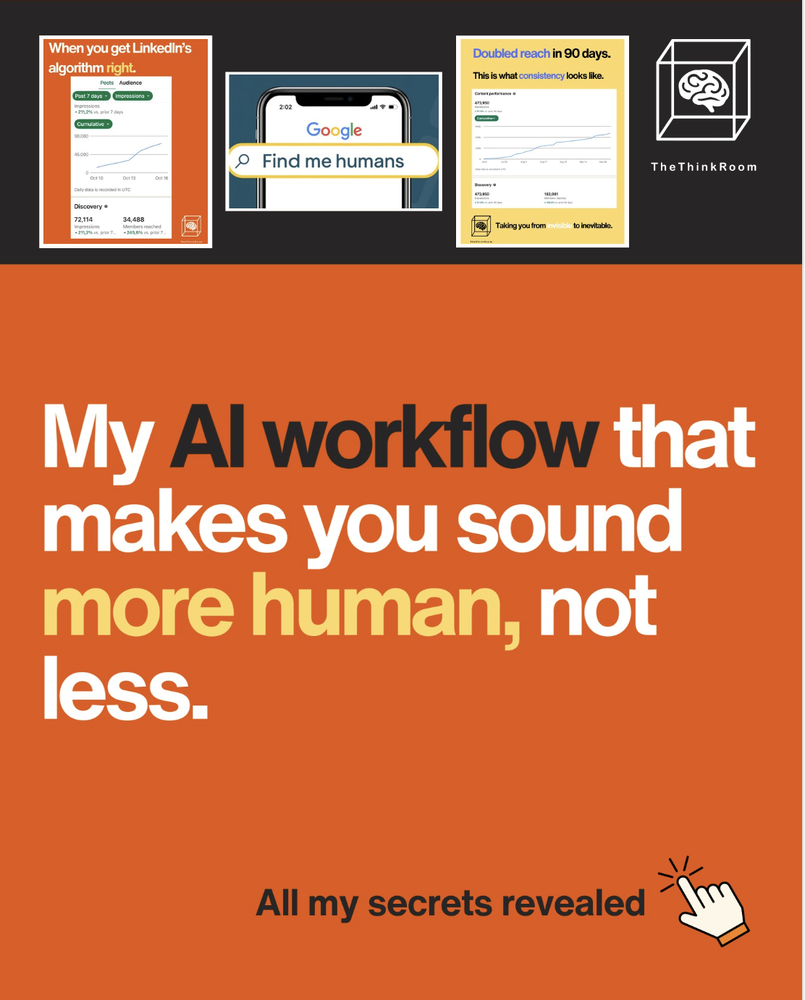
Source: Liora Kern
Here's how we do it.
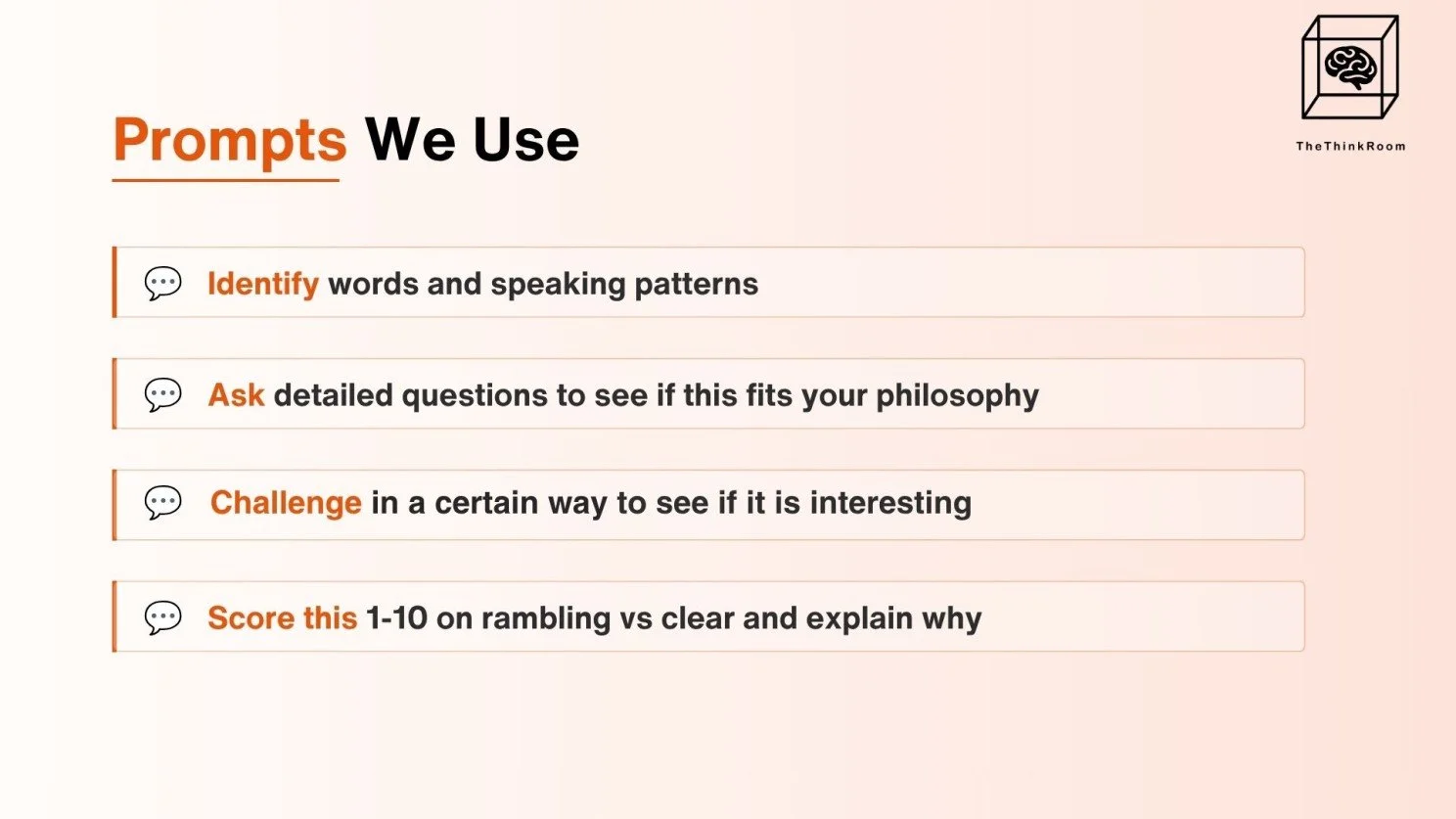
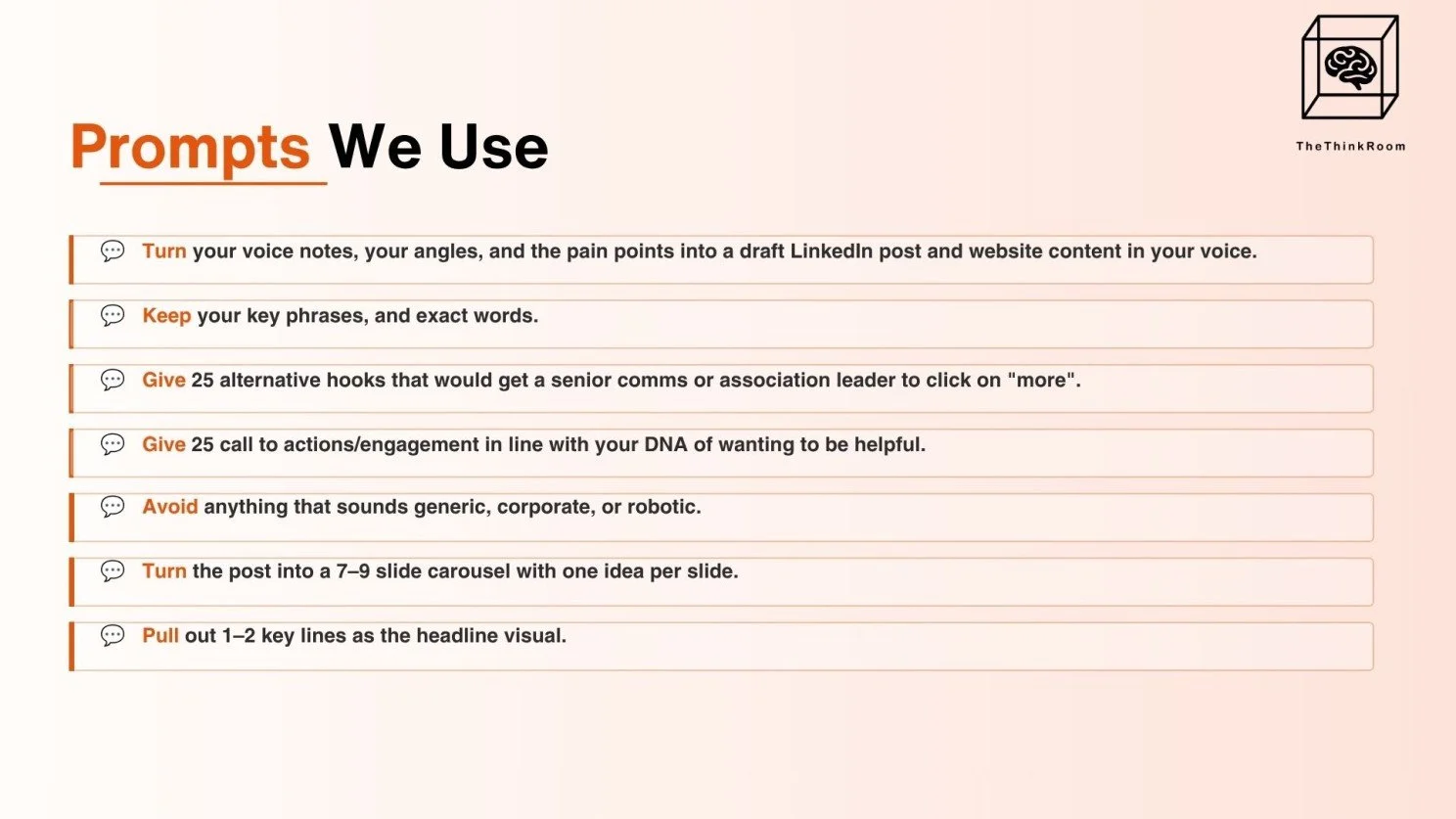
1: Voice-record ideas whenever and wherever they come in. Then ask ChatGPT to ask clarifying questions. Ideally create a GPT for it that has been trained on specific DNA, but a regular GPT/agent/space will work too.
Source: The Think Room
2: Our favorite AI for LinkedIn is Perplexity.
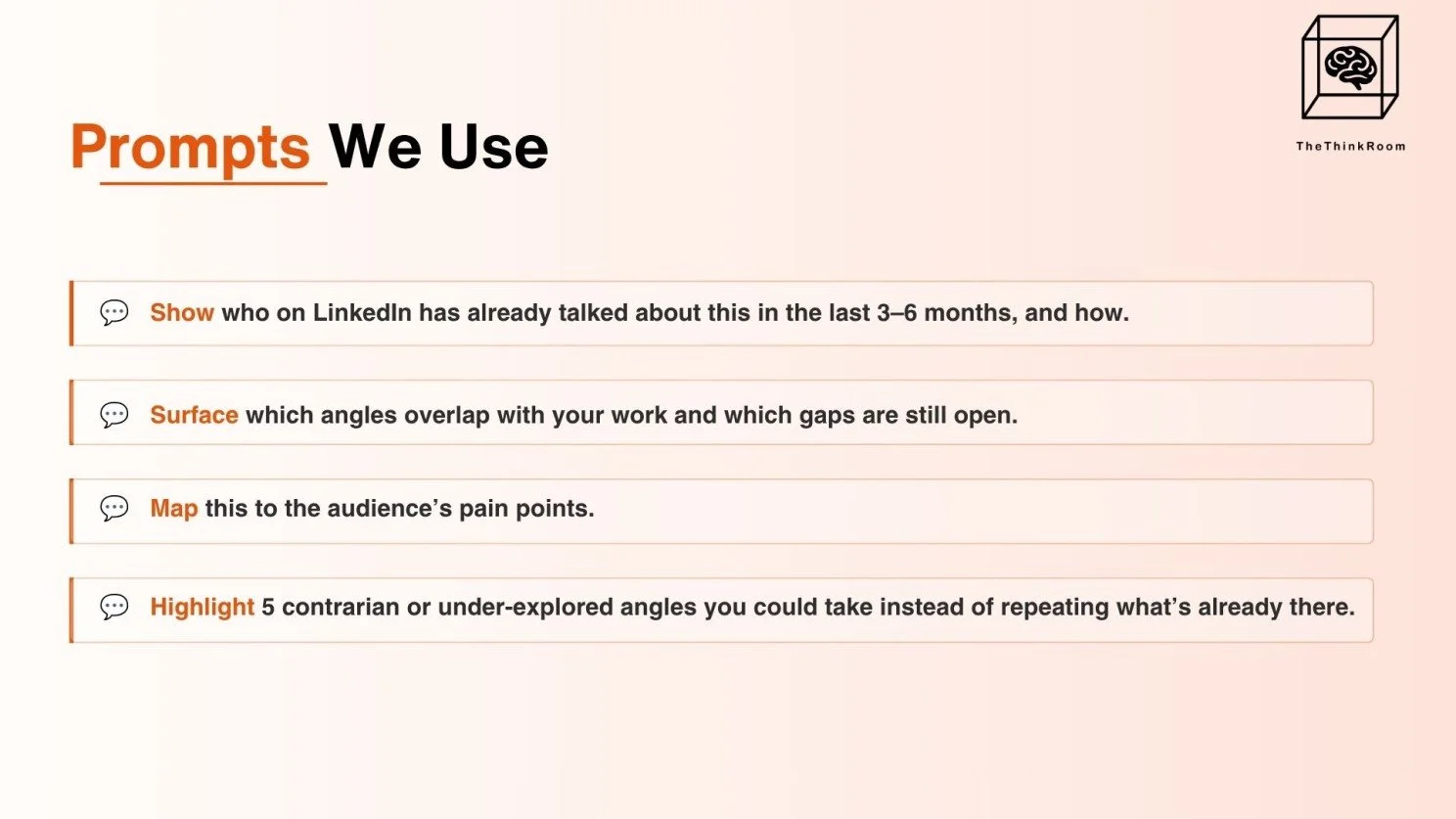
Source: The Think Room
3: Claude is great for language and projects, but you can use the LLM of choice.
Source: The Think Room
Our “DNA first” sequence
When we at The Think Room work on someone’s presence, we follow a simple sequence:
1. DNA interview
We run a deep three-hour conversation around:
Youth and family
Values
Career moves and turning points
Pressure and expectations
Recurring themes in your work
Work that drains you and work that energizes you
2. DNA Key draft
We distill this into:
Clear positioning
Proof points and stories
Themes you can return to
Language
SWOT
Do’s and don’ts
Vocabulary
LinkedIn strategy
And much more
3. Presence alignment
We then fine-tune:
Banner, profile picture and headline
About section
Featured section and links
Content themes and examples
Liora wrote about this “DNA first” approach in her post “Ghostwriters say: don’t use AI. I say: don’t use ghostwriters”
DNA for organizations
The same structure works for organizations, but we then focus on the DNA Key for the organization, and we interview the DNA out of the individuals inside that organization. (We know, sounds a bit obscure, but it's a fascinating process, led by the amazing Fabian Pepe).
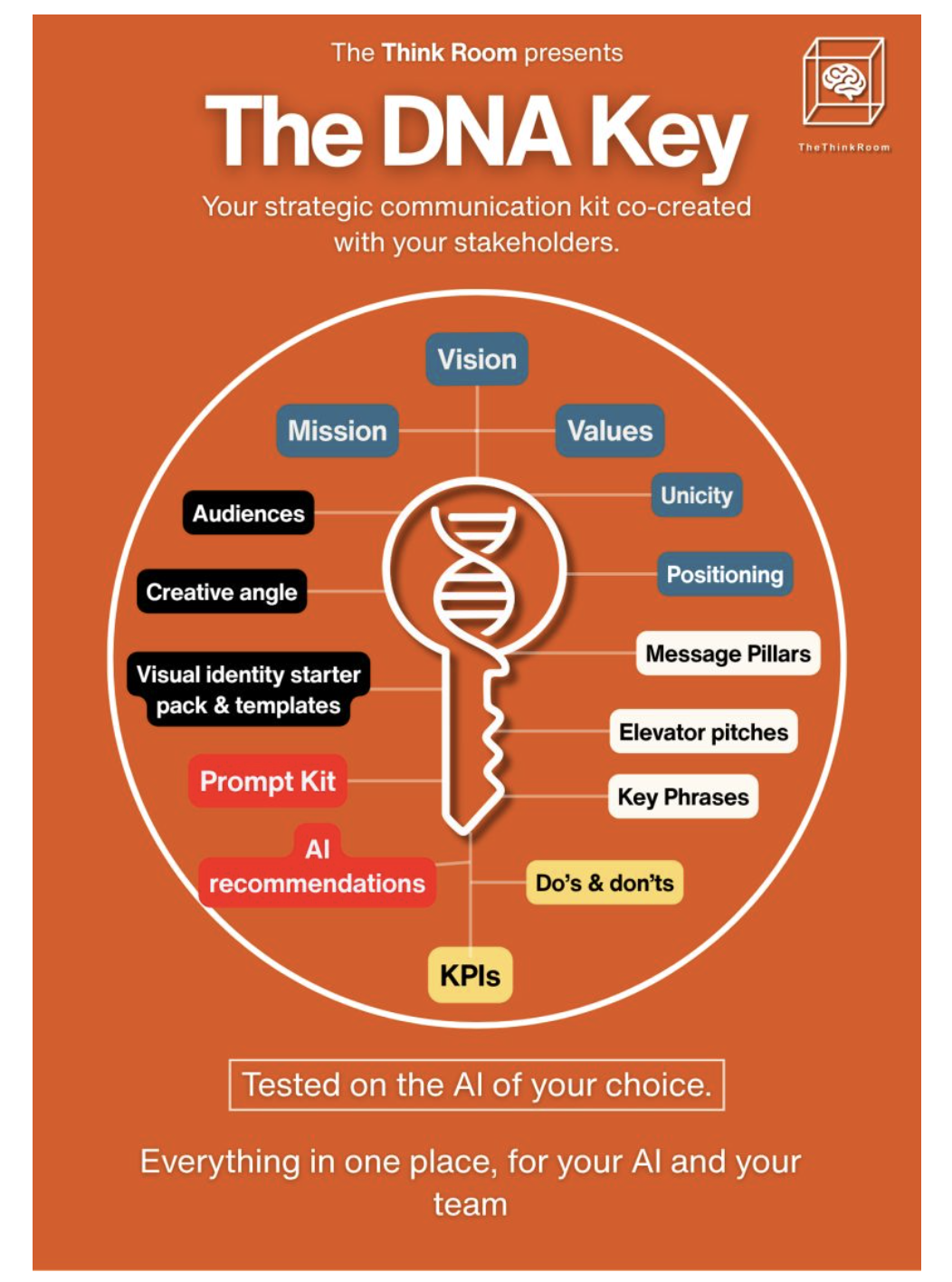
Source: The Think Room
If you are eager to get started, think about these types of elements:
Mission in one or two sentences
Non‑negotiable beliefs
Proof behind those beliefs
Vocabulary that's yours
Words you'd never use
We then map how this shows up in:
Leadership profiles
Company page language
Website copy
AI‑readable pages such as FAQs, “about” sections and key resources.
A Brussels‑specific problem?
In Brussels, vague language creeps in easily, especially when you use LLMs before thinking things through.
Be different:
Turn posts into infographics people keep
Once DNA is clear, one practical move is to turn detail‑heavy posts into visuals that people save.
Recently, Liora wrote about Claude’s token use from the point of view of someone who:
Pays for Claude, Perplexity, ChatGPT and Gemini
Runs AI workshops for communicators and public affairs teams
Kept hitting Claude’s token limits faster than expected
She broke down how to work with Claude without burning through tokens and shared an infographic people could screenshot. That post alone was saved almost 900 times!
(as Liora showed in her post “Save me, baby”).
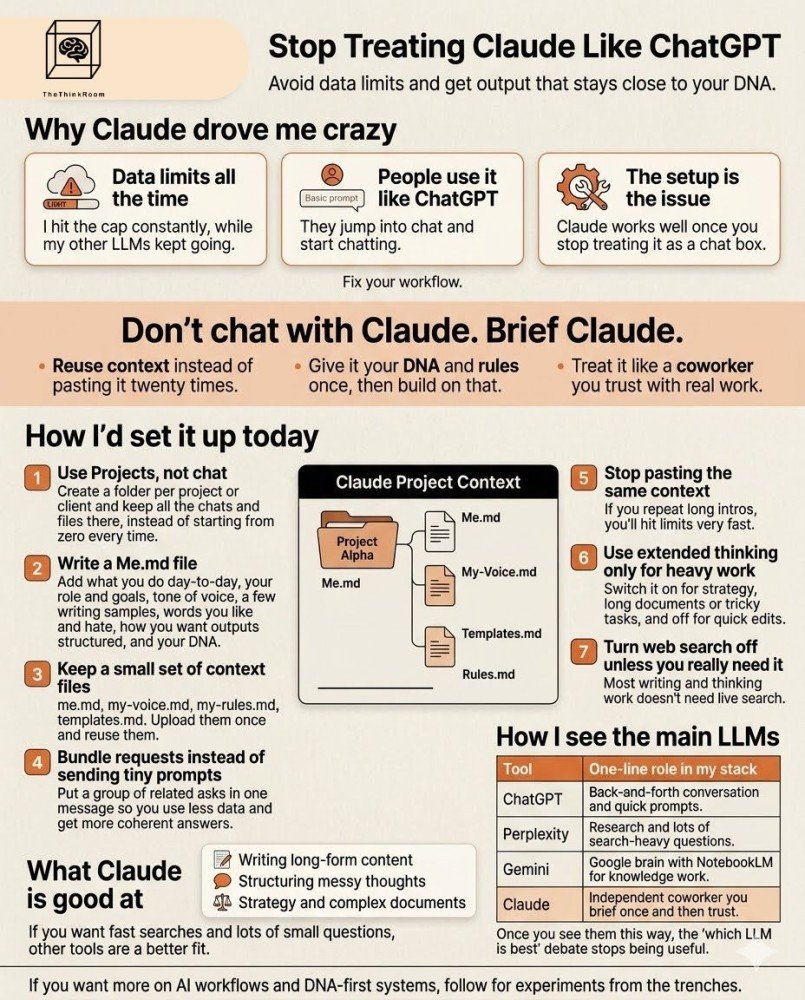
Source: The Think Room
The “post → infographic” prompt
Here is the prompt we suggest when people want to convert a post into a visual:
Paste your full LinkedIn post.
Upload an example of an infographic you like or you made recently
Upload your brandbook
Add this instruction:
Turn this post into an infographic following the example <named x> and by strictly following the brandbook <named y> with: A strong title, a short intro, context in 2–3 lines, one main insight, 3-5 sections, one key statistic or highlight, a short conclusion and takeaway. For each section, give me: 1. Section title, 2. Two to three short sentences, 3. Suggested icon 4. Suggested layout (single column, two columns, timeline, etc.)
You can see this specific policy-related infographic prompts in Liora’s post, “Wow, amazing, I created these two infographics in 5 minutes”. In that posts, she used Nano Banana Pro, but at this point, we'd suggest using ChatGPT's built-in image creator.
Save‑worthy posts and real outcomes
LinkedIn currently gives more weight to:
Saves
Time spent on the post
Shares and “send” action
than to basic likes.
We at The Think Room see this both in client dashboards and in our own data. Liora recently showed a post with 842 saves that never reached her record impression levels, yet led to far more:
Workshops
Speaking invitations
Client messages
than some of her lighter viral posts.
A simple content mix
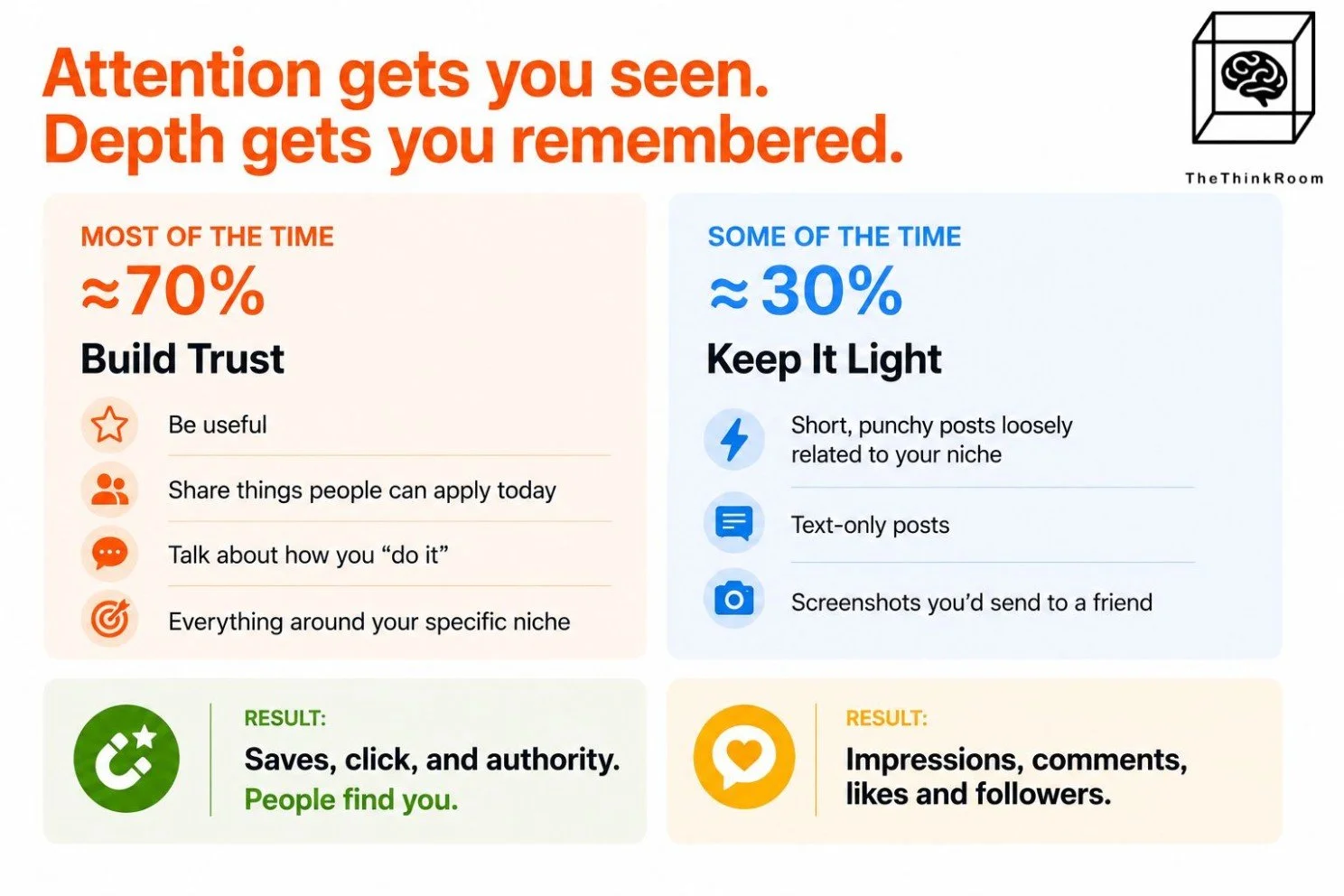
In her post “How to make LinkedIn work for you in 2026?”, Liora suggested this mix:
Around 70%: trust‑building content
Around 30%: lighter post
Source: The Think Room
This mix gives you:
Posts that travel quickly
Posts that people save and revisit
Both types matter, with different roles.
The 6‑element check
If you want one quick audit of your profile, use the “6 elements that tell LinkedIn who you are” checklist:
Banner: what you say at a glance
Headline: around 80 characters that follow you everywhere
About: what value you bring
Featured: proof of your work and clear next steps
Posts: topics and value you show consistently
Comments: how you think and what you add to others’ discussions
DMs: whom you're chatting with (it shows your posts to those people)
When these seven parts point in different directions, LinkedIn has a harder time placing you.
Hooks, hooks, hooks
MAKE THEM STOP STROLLING SO THEY CLICK MORE AND READ YOUR POST
Some practical rules we use in our workshops:
Write the post, then write a whole bunch of different hooks.
Avoid hooks that start with “We’re thrilled to announce…” or “Excited to share…”.
Keep hooks short enough to read without “see more”.
Make sure the hook promises something concrete.
Liora shared seven examples in her carousel “7 ways to fix your hooks”.
Basic hook framework
A simple structure that works:
Pattern: name something people already notice
Tension: describe the odd bit
Promise: hint at what you’ll explain
Keep seeing the same thing on LinkedIn?
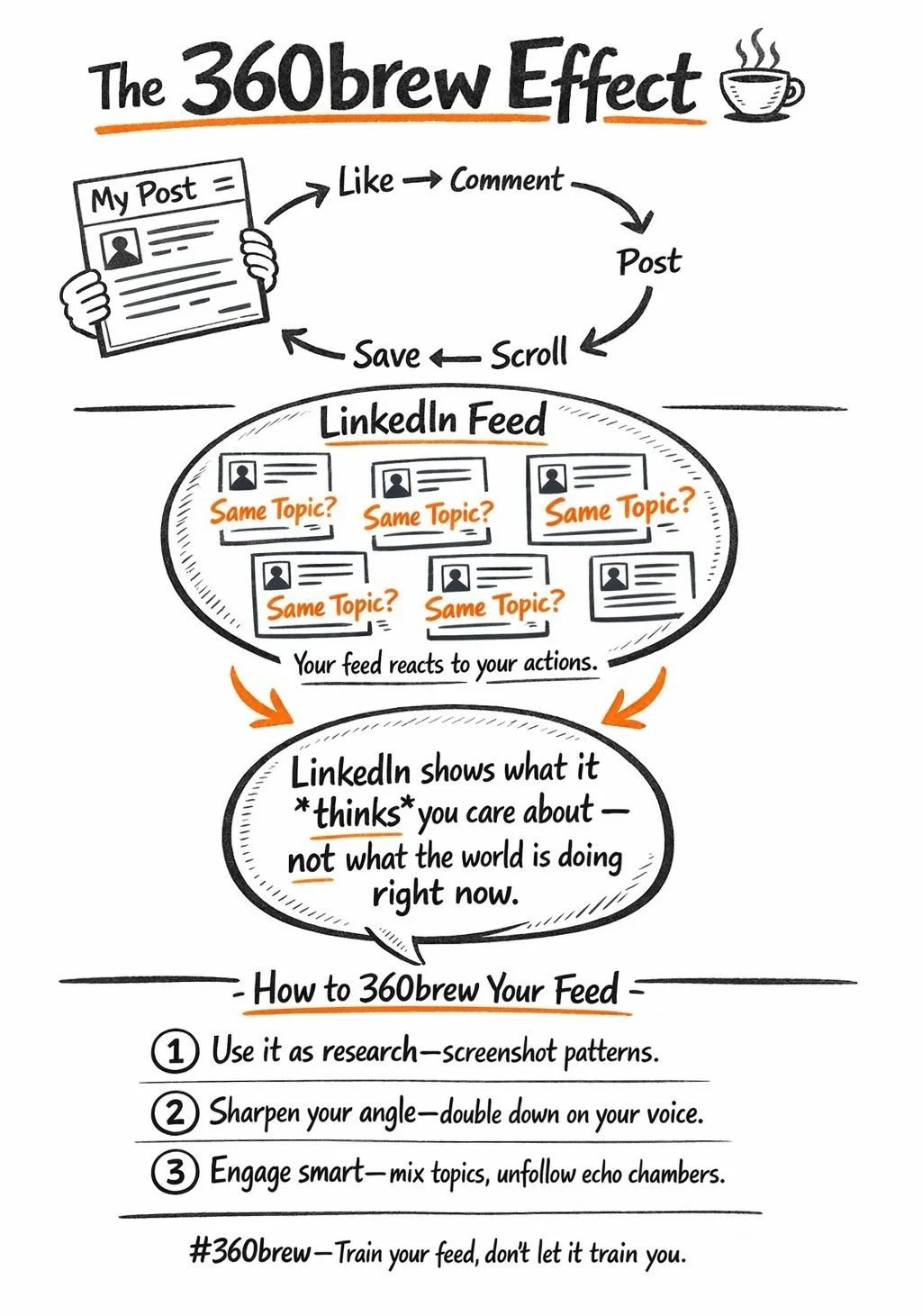
If you keep seeing the same things on LinkedIn, like everyone is writing about the same topic, then it's time to retrain the algorithm.
The moment you:
- Post about a topic
- Reply to comments
- Read, reposts, or save posts
…you tell LinkedIn: This is what I am interested in. (Even if this is just what you want to share, and not what you want to read about.)
The algorithm then finds you similar posts (sometimes old ones) and pushes them into your feed. So it feels like the world suddenly is all like you, when in reality your behavior just trained your feed.
What can you do about it?
👉 Use it as research: take screenshots of those “similar” posts and study patterns (hooks, angles, stories).
👉 Sharpen your positioning: ask yourself, “How is my angle different from all of these?” and double down on that.
👉 Engage with different types of topics, people and ideas, so your feed doesn’t become an echo chamber. => Like, comment, save, DM, connect, follow.
👉 Unfollow people and unlike posts to train the algorithm.
Don’t panic: overlap in some topics is normal; your differentiation is your voice, consistency, and your values.
Read more in the “Weirdest thing is happening on LinkedIn…” (even though the 360Brew effect does not seem to be used anymore, the effect is still very much a thing).
Source: The Think Room
AI images, AI text, and the copy-of-a-copy problem
AI image tools are everywhere in EU comms teams. Many feeds now show:
Similar beach scenes
Similar office environments
Similar polished portraits
Faces change. The overall look stays the same.
The reason is straightforward: AI tools now train on large volumes of AI‑generated material. The more AI images fill the internet, the more future AI images recreate that same look.
We at The Think Room see a similar pattern with text:
Early AI models leaned heavily on human‑written material.
Today, they often reuse AI patterns from previous content.
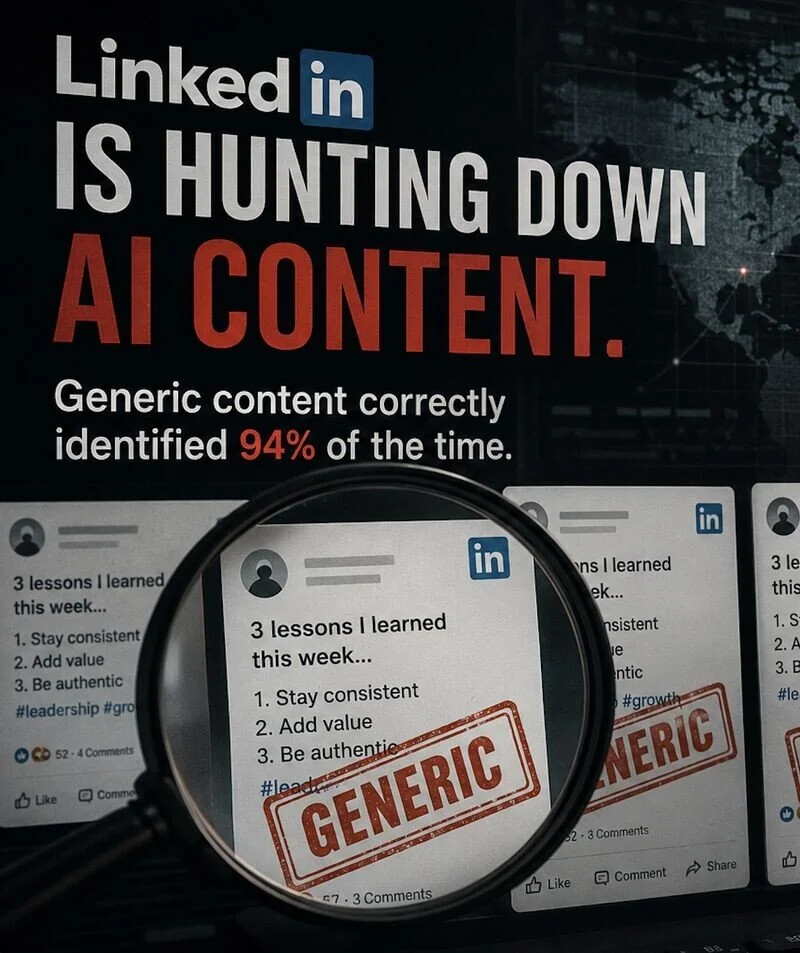
This is one of the reasons LinkedIn is openly cutting reach for generic AI writing. Laura Lorenzetti, LinkedIn’s VP and Executive Editor, said the platform is reducing the visibility of low‑effort AI content and automation tools.
Liora summarized this in her post “AI slop down and impressions back up”.
We are a little sceptical that LinkedIn is using bots to decide whether our posts are human enough to get impressions... Let's wait and see.
Source: The Think Room
In the meantime, for anyone in Brussels comms, the practical test is simple: if a post could have been written by anyone with access to an LLM, don't use it.
A European platform with biometric strings attached
New platforms are pitching themselves as “the European alternative” for social media. One of them already enjoys official attention from the European Commission.
Entry works like this:
Waiting list
ID upload
Biometric data
The promise centres on verified humans and fewer bots. The questions remain:
Who holds the data?
How long is it stored?
How else is it used?
What happens when journalists, whistleblowers or dissidents use it?
Voices in the EU bubble, including people like Elise Steinhauser, are already flagging concerns about surveillance risks and political profiling on such platforms.
Our view at The Think Room: any platform that requests more sensitive data than existing services deserves closer scrutiny, even when the branding says “European”.
LinkedIn articles for people and AI
People often ask why some users publish LinkedIn articles almost daily while engagement looks low.
From an AI perspective, the strategy is clear:
Articles come with titles and subheads.
They give depth and context
They are easier for AI tools to read and quote.
In our GEO work, we encourage associations and organizations to think in two tracks.
Track 1: posts for people
Opinions and short reflections
Screenshots and visuals
Quick breakdowns of live files
Conversation starters in their niche
Track 2: write articles for people who want to go deeper, but also for LLMs
Structured answers to recurring questions
Clear headings and definitions
Stable themes tied to their niche
Consistent wording that repeats key phrases
She also shared a concrete example in a post about how she appears in AI results for “women in Brussels leading and training AI”.
The recipe there:
Pick one niche and stick to it.
Answer real questions in public.
Align profile and website language.
Build a trail of structured content AI can follow.
A better way to brief AI
We suggest one simple rule for AI settings:
“If the task is unclear, ask up to five questions before drafting.”
In communications work, the missing pieces are usually:
Audience
Context
Constraints such as time, format and policy limits
Purpose
What has already been tried
Liora gave a practical example in her post “What I’ve learned from running my AI workshops this year".
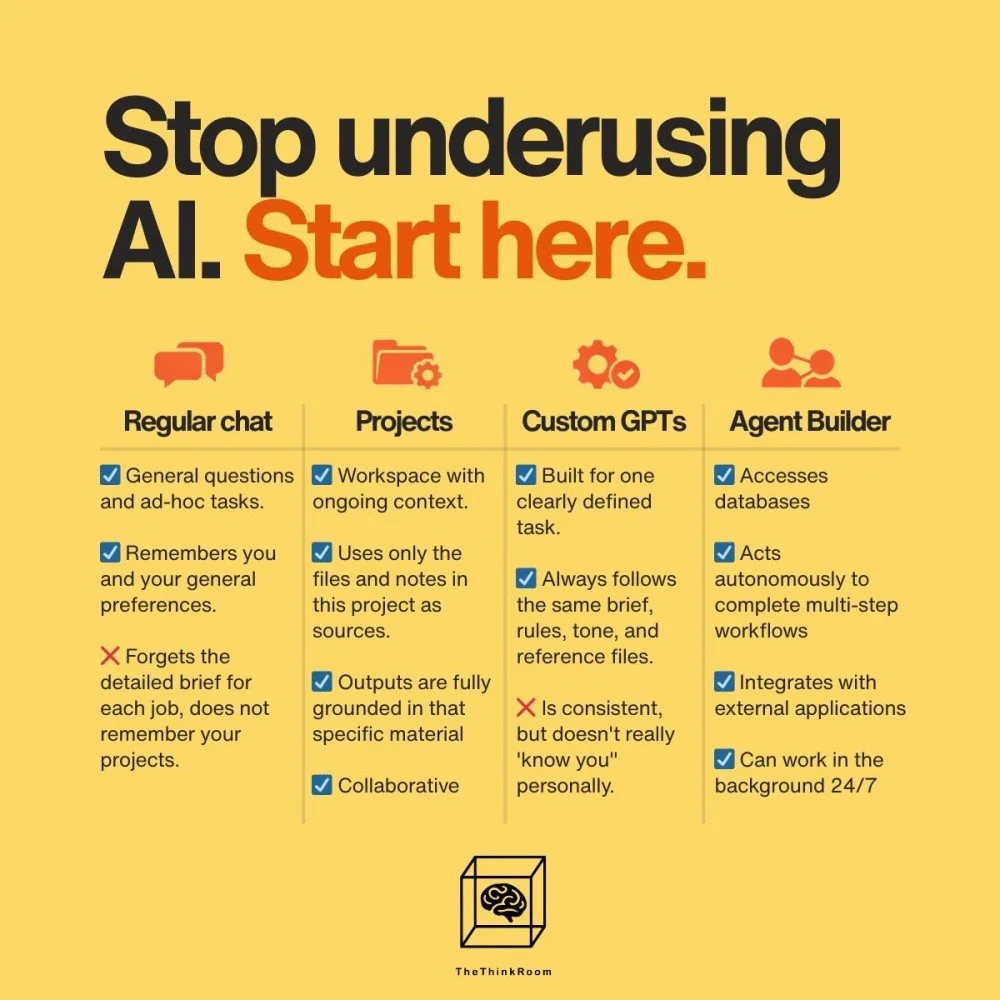
Ask your LLM of choice:
To identify how you're underutilizing it
Propose one project to build
Suggest one custom assistant to set up
Define one workflow to automate
Source: The Think Room
Obviously you stay responsible for accuracy, ethics and final wording.
AI visibility games that cross a line
Not every AI visibility strategy aligns with basic fairness. In one of our GEO sessions, we joked that what would work best is to publish a ranking and place yourself at number one.
That joke is less funny now that Shopify has published dozens of “best tools” lists on its own blog, always placing Shopify first.
AI systems rely heavily on:
Lists and rankings
FAQs
“Best of” posts
Expert roundups
If a company fills the web with seemingly neutral lists that all keep naming itself, those lists can skew what AI tools repeat back to users.
Source: Liora Kern's LinkedIn
Our advice to Brussels professionals:
Treat AI visibility as part of your public reputation.
Make sure your website, LinkedIn profiles, podcast appearances and bios reflect real work.
Avoid tricks that would embarrass you in a hearing, a board meeting or a media piece.
That's it for this week.
If you made it to the end, send us a sign of life below. Thank you for reading or scrolling.
The Think Room Team
We make you visible, credible and human in the age of algorithms
PS. Watch Liora Kern and Sebastián Rodríguezon Friday.
PPS. Share this with someone else who might find this useful.
We appreciate you.
