Your AI budget vs. reality: Tools that help with comms
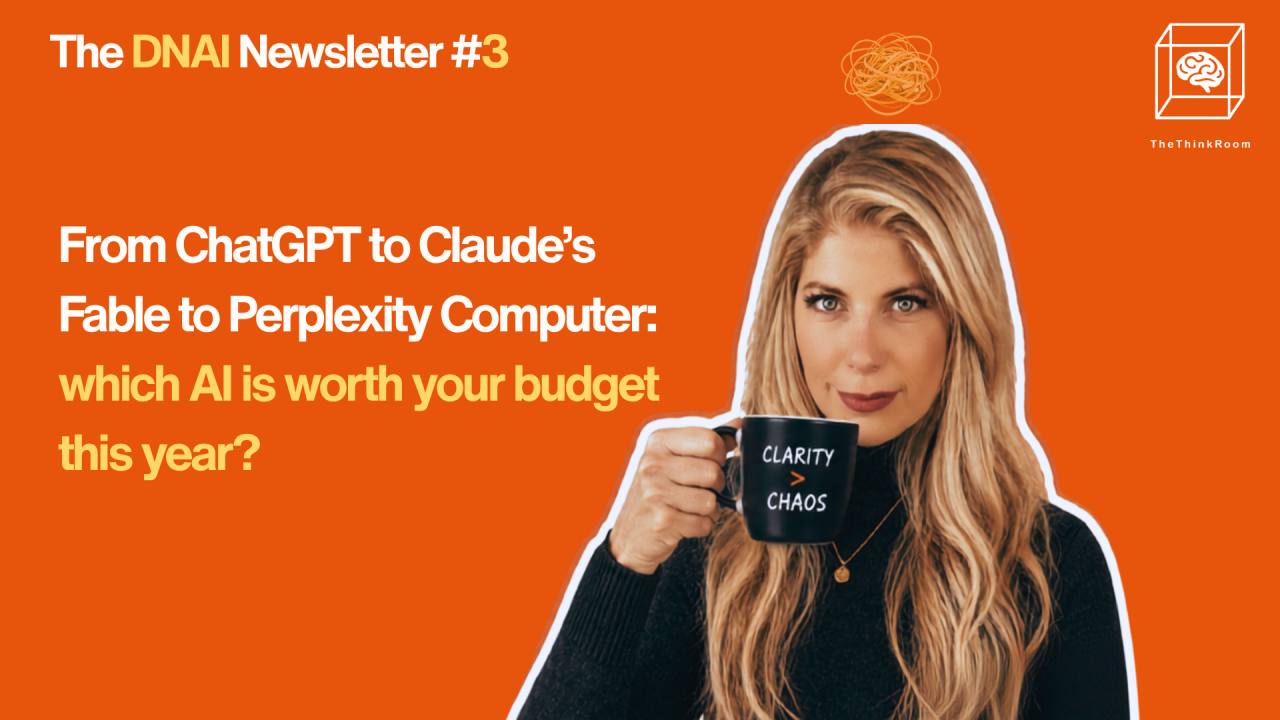
Liora asked us to add that this is ChatGPT giving us a taste of life as it could be: Better hair, amazing skin, never tired.
Hello everyone,
We’re back, and here is our third DNAI Newsletter.
You’re busy, yeah? We know!
We’re all experiencing this “almost summer holiday” feeling in Brussels. Everyone rushing to get things done, kids finishing school, clients wanting to meet before the summer, events throughout the city, and throughout it all LinkedIn posts with half-finished opinions about AI.
And somewhere in the middle of that, we kept getting one question from our clients:
Which AI tools are actually worth paying for if you work in communication or public affairs?
Start with the basics
For most organizations, the first move is to have one strong frontier model in place and make sure people know how to use it, and that they use it for the right things.
ChatGPT, Claude, Mistral, or Copilot can already cover a lot of the work.
Many teams are paying for tools they could replace with better use of agents inside the main systems.
A quick overview
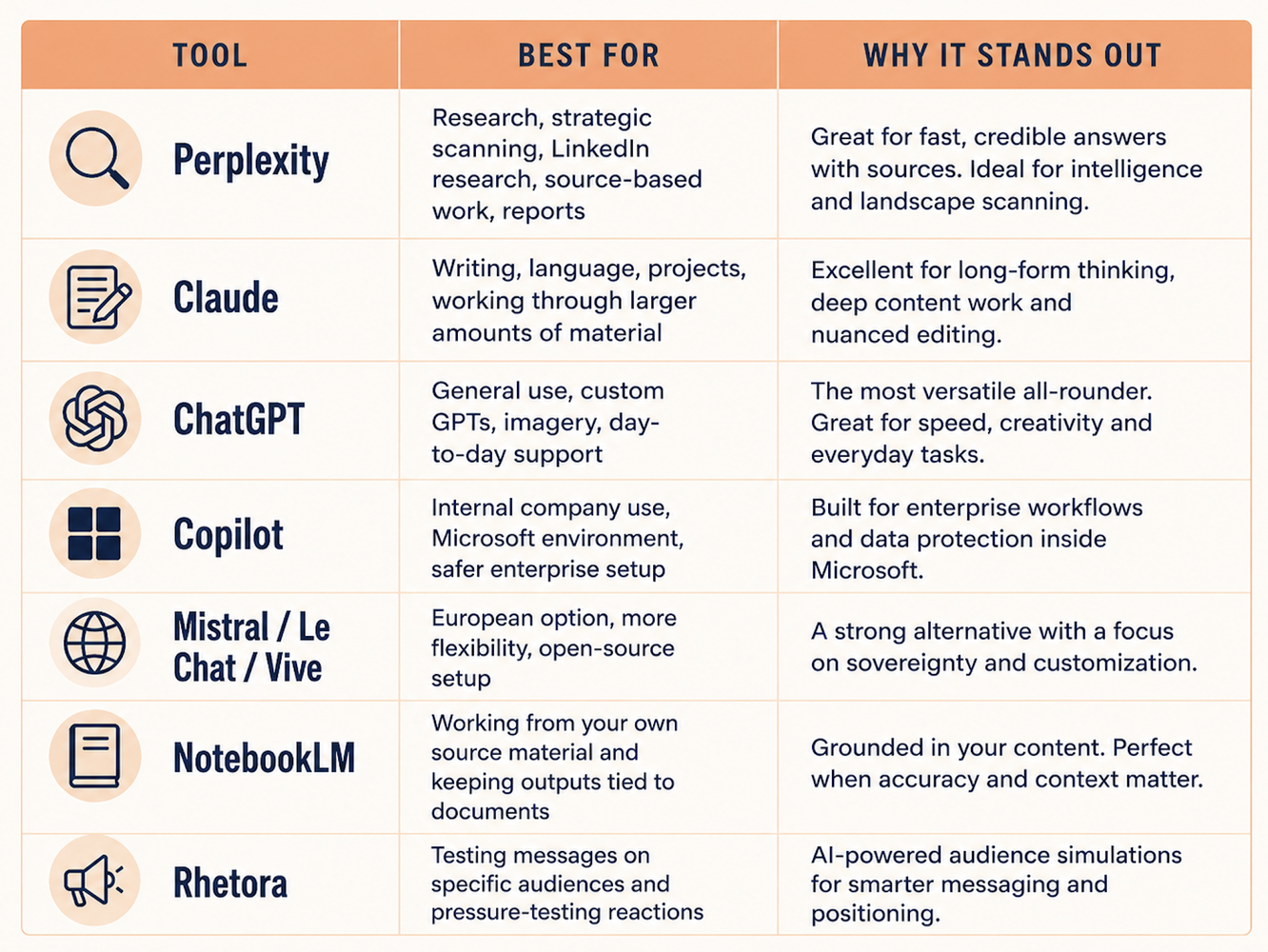
Source: The Think Room
Now let's go a little deeper.
We love Perplexity, and call her Plex
Good for research-heavy work, especially where speed, source visibility, and LinkedIn context matter. One of our favorites. Liora runs a variety of dashboards on Perplexity. Perplexity is excellent at research, angle-finding, source checking, or figuring out what has already been said.
What's interesting about Perplexity is that it is designed to blend your way of thinking with what’s happening in the world right now, and to show its sources as it goes. That makes it well suited to work where your methodology and the external environment are constantly in dialogue: policy, platforms, regulation, fast‑moving sectors. Its "spaces" (what Claude calls projects and Copilot Notebooks) are always grounded in reality.
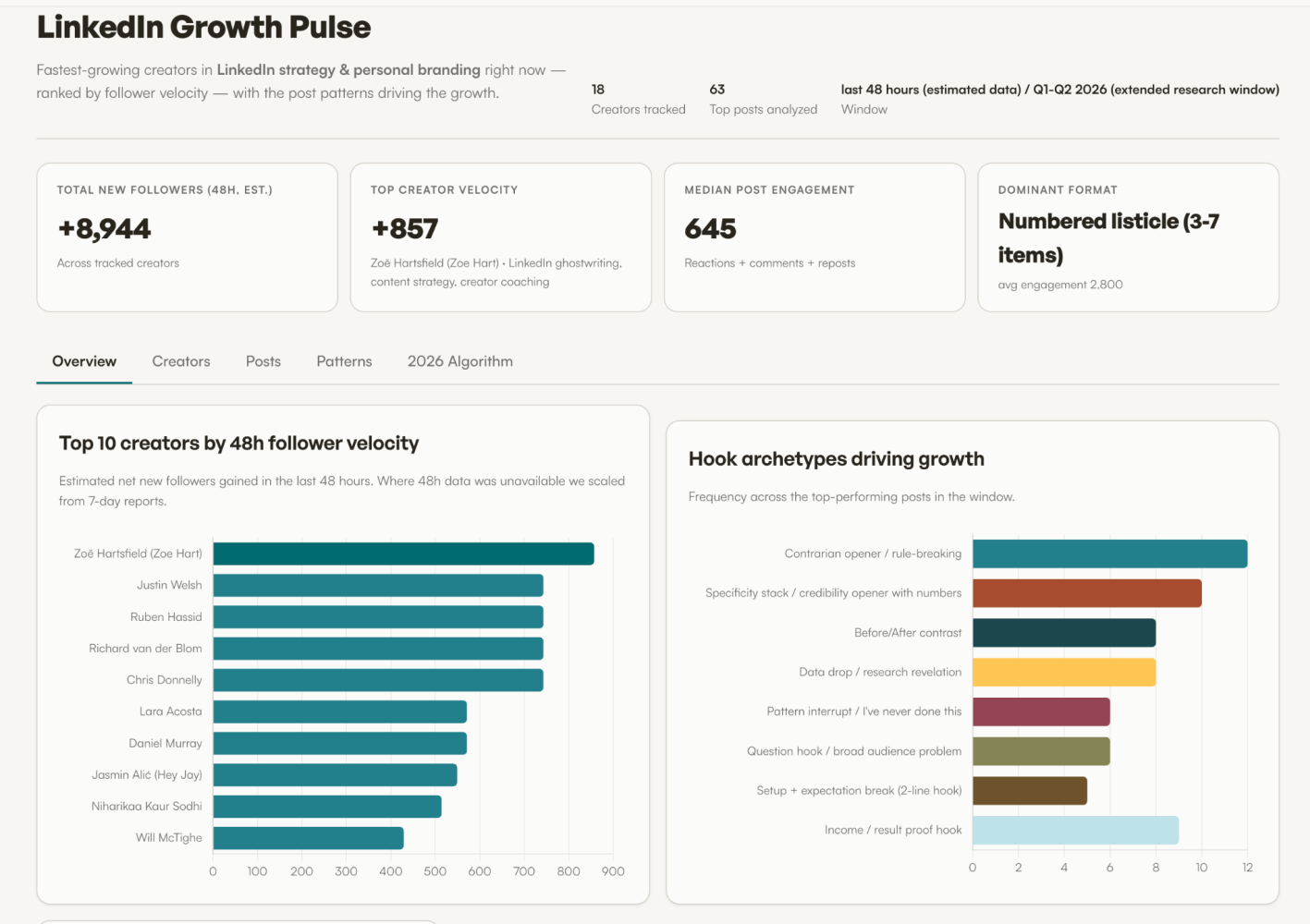
One of the dashboards Liora runs on Perplexity
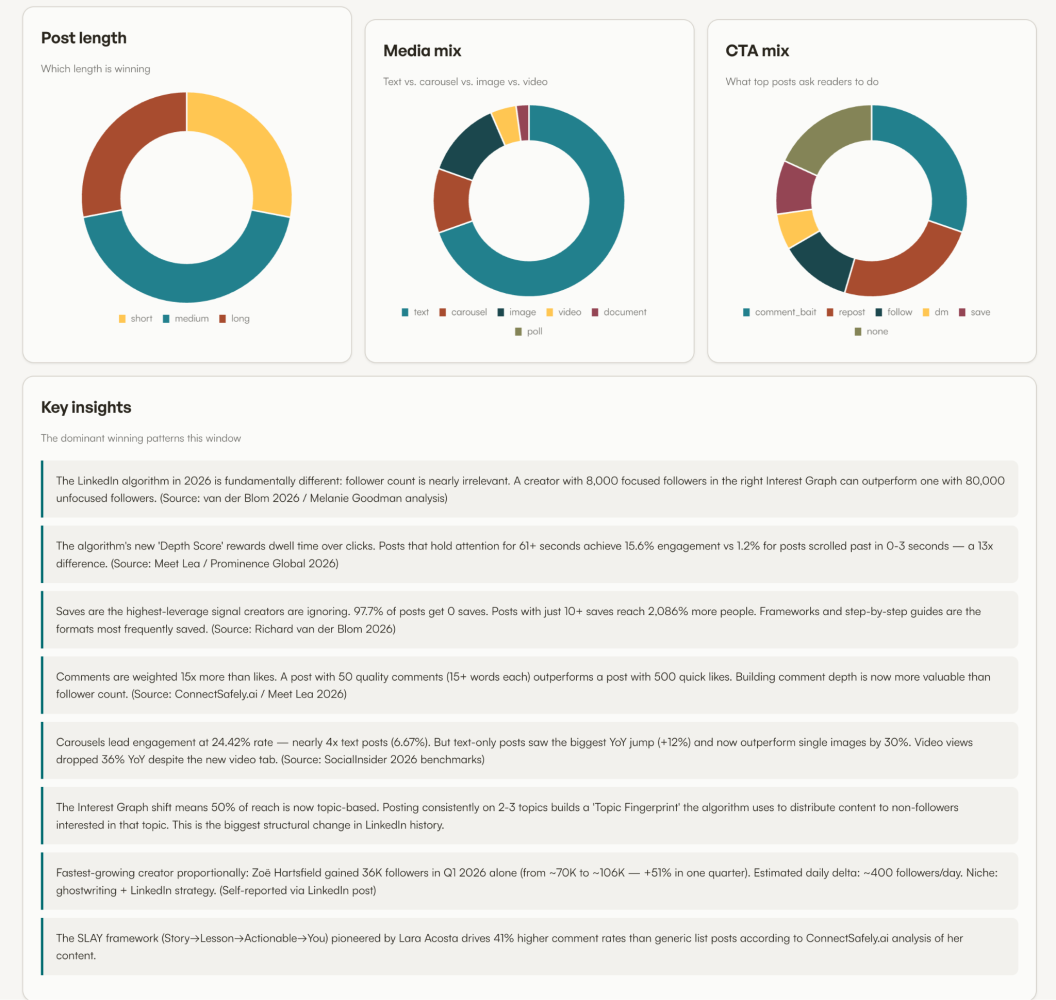
One of the dashboards Liora runs on Perplexity
It works especially well when you are active on LinkedIn and need usable research fast.
If you turn on Computer mode, it can come back with far more than you asked for. Helpful when you need depth , but annoying of course when you only wanted a quick answer.
(A familiar AI problem.)
Claude Fable is next level
The way Claude handles context is unusually well suited to serious, DNA‑style work. It’s can handle a lot of structured detail in one place: long instructions, multi‑document knowledge bases, and the ongoing history of a project, for example. And in the Claude Code world, that context lives in visible files like CLAUDE.md, so you can see what it’s been taught and keep tuning it as your thinking evolves. If you’re doing positioning or DNA work, that combination of depth of context plus a “brain” you can read and edit makes it much easier to treat Claude as a method you’re continually refining, rather than a mysterious assistant you hope will remember what you said last week.
We have also been testing Claude Fable and it is seriously next level. But please don't ask it simple things, it will just eat up your tokens and that's not what it's made for. Forget about TRACE prompts too, it doesn't need it. It will ask for clarification if it needs it. Give Fable your most complex task and sit back. Don't break it into small things but give it the entire task.
If you want to get deep on Claude, follow Ruben Hassid.
ChatGPT, we call him Chatty
Still the most used LLM for most, by far. It has by far THE BEST visua creator, at the moment. This may change, things change fast.
Retora AI RetoraLab
RetoraLab is helpful when the issue is audience reaction. You define the audiences, test the message, and see where it lands badly before you waste budget on the wrong version.
Ceyo AI to optimize your AI visibility
Ceyo AI - This one is very important. It helps you track if your organization appears in AI answers around the prompts that matter to you, and which sources those systems pull from. We manage this dashboard for our clients and send them monthly and quarterly reports with ready-to-implement instructions for optimization. We see very fast results.
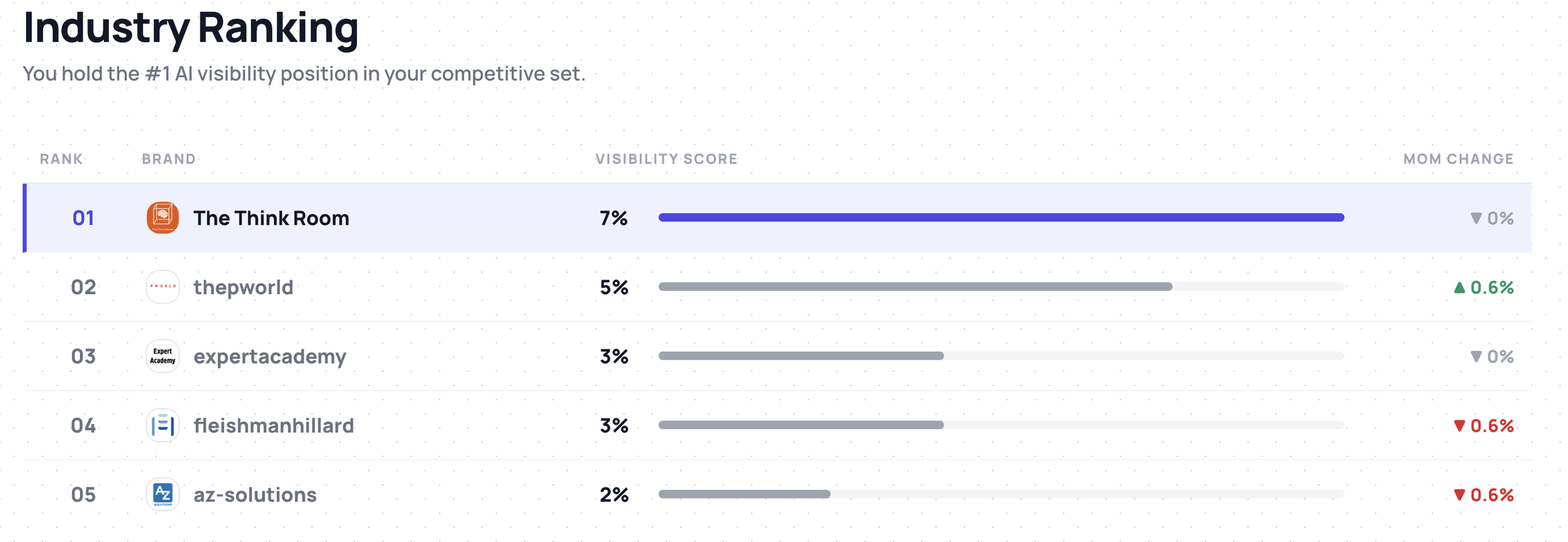
The Think Room's AI Visibility Dashboard in Ceyo
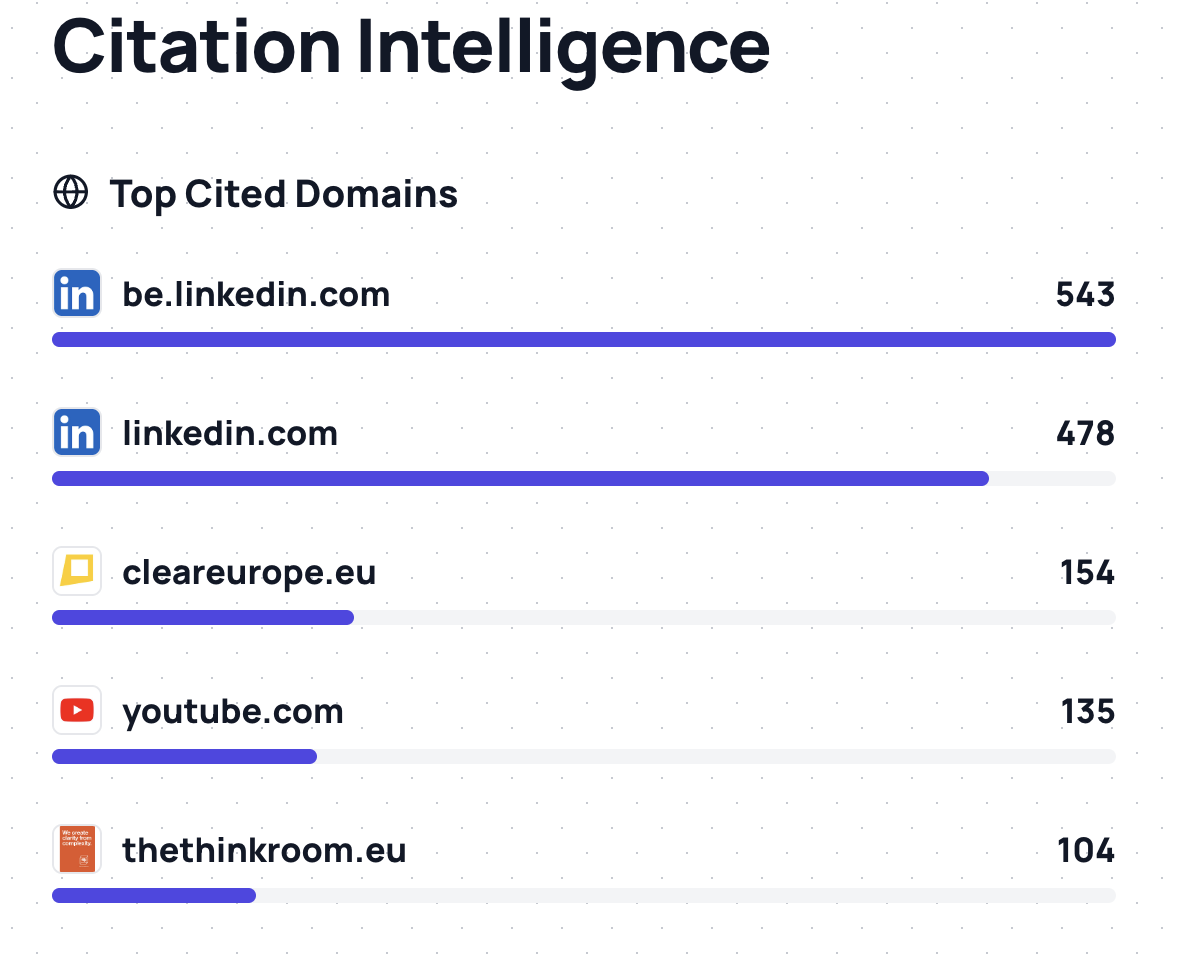
Top cited domains for the 100 prompt set (where AI gets its data from)
As many studies show, LinkedIn is the top source for professional queries. We also see this in the various dashboards we run for our clients.
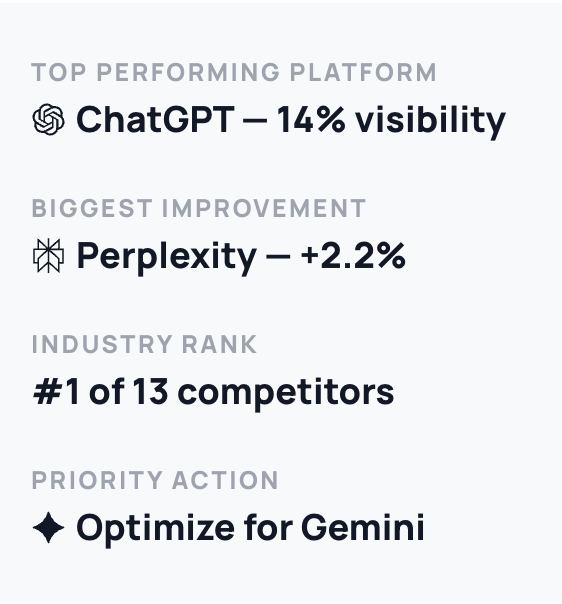
Source: The Think Room
Time is the real issue
Should you use specialist tools or build your own agent within ChatGPT or Claude?
A lot can be built inside existing systems if teams know how to do it. But most of the time the constraint is time. If a tool already exists and seems to be doing something you really need, then take a monthly subscription and see if it's useful.
People are busy. Teams are small. Everybody says they want better systems. Then the week starts, three urgent things happen at once, and nobody has time to think, let alone build new things.
So yes, sometimes the paid tool is the sensible choice. But what's really important is to hire someone who loves building these things, or train someone in your team who has deep interest in it.
Pause and reflect
Summer is a good moment to pause and do one boring but useful thing:
Open your AI subscriptions.
List what each one is for.
See whether anyone on the team can explain why it is there.
Recruit someone who loves building AI infrastructure.
See you soon!
The Think Room Team
We make you visible, credible and human in the age of algorithms.
