
12 do’s and don’ts for 2026
Waaaaaah, the algorithm changed again, and overall impressions are lower than they've ever been.
Alas, most LinkedIn advice is too generic to be useful. Things like: Post consistently. Use a strong hook. Add a visual. Add a call to action. Keep it short (except when long posts work). Use video (except when text performs better).
Two posts from the same person can cover almost the same subject and get completely different results. A beautifully produced post can disappear, while something written in 5 minutes gets 100k impressions.
So we compared posts that performed unusually well with posts from the same people that went nowhere. And then we found these 6 do's and 6 don'ts.
1. Do: give people something to have an opinion about
It's obvious, really. LinkedIn likes a lot of buzz around your post. So give people something to disagree with, to discuss and argue about.
Liora's best-performing post of the week started with: “Living in Brussels is a bit like being in a cult.”
She uses a format that's been making the rounds lately: The insider-outsider view.
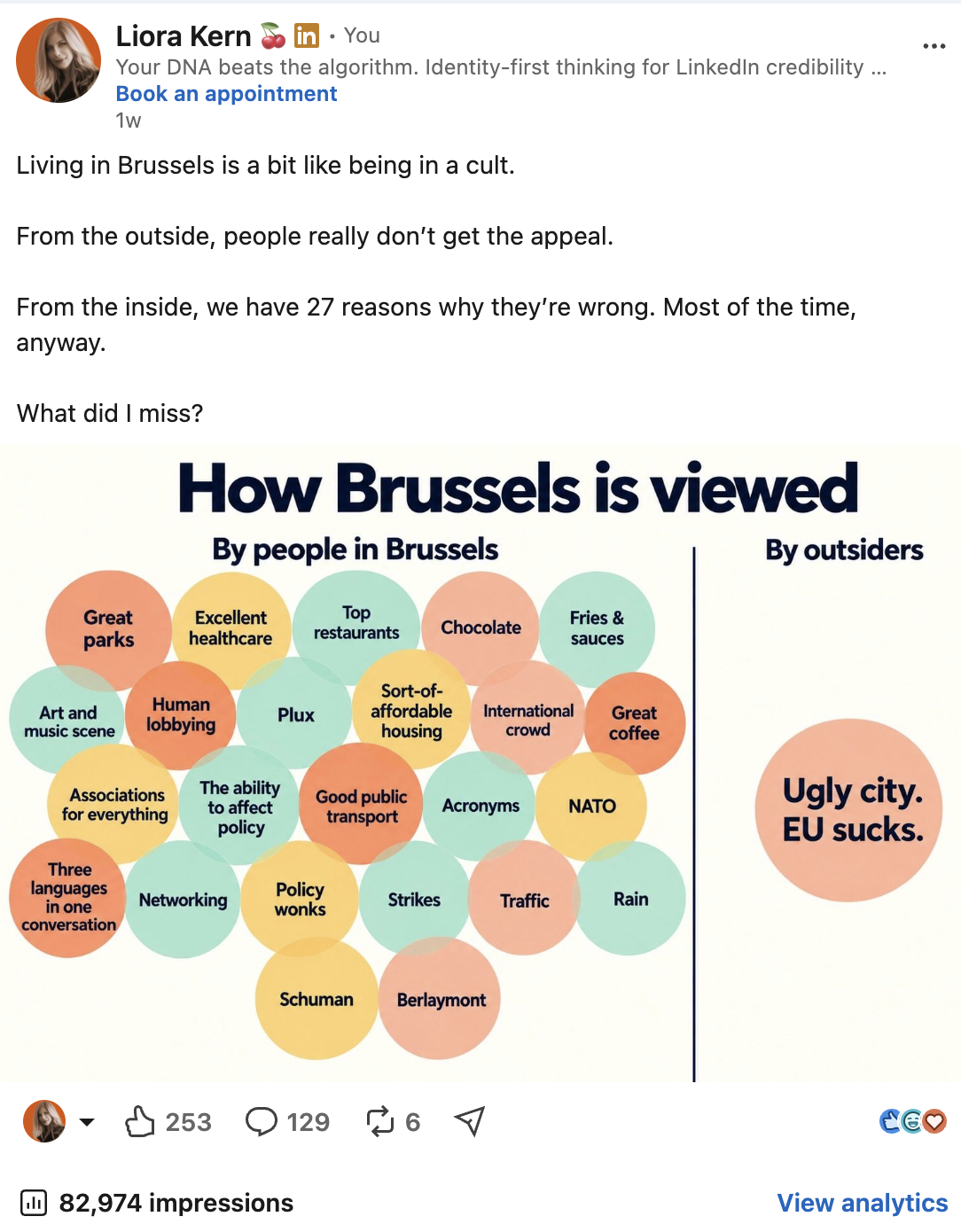
Liora's best performing post of the week
There were things to agree with, things to object to and plenty of omissions people wanted to correct. That's good. That means people are sharing, disagreeing, discussing, and you know what that's called, right? "Engagement." The post had 83k impressions.
If you say Brussels is “a dynamic international city at the heart of Europe”, you might be right, but it leaves very little for anyone to do except nod and keep scrolling.
Strong posts often contain an observation somebody wants to add to, challenge or send to a colleague. That does not require manufactured controversy, but it does need a point of view.
2. Don’t: listen to LinkedIn people when they say timing doesn't matter anymore
Instead: BELIEVE YOUR DATA. Liora's worst performer that week was this one: “Before posting something, ask yourself… Am I original? Am I the only one?”
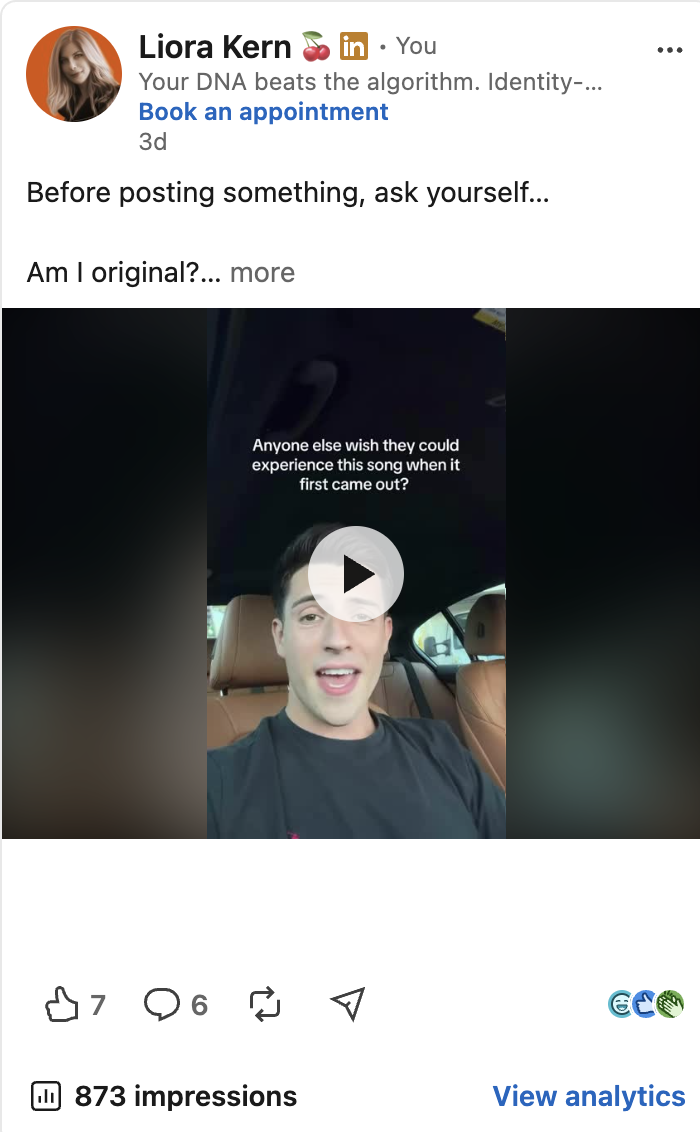
Liora's worst performing post of the year
Liora liked the video. She still thinks it's funny.
She also posted it late at night, despite her own analytics repeatedly telling her that late evening is a bad time for our audience. The result was: lowest number of impressions and engagement in 365 days... Of course timing alone is never the reason. This post is an outlier in many ways: It doesn't offer much value, it is video (still an underperforming format), and so on.
Timing is rarely the sole reason a post fails or succeeds, but ignoring your own data makes very little sense either.
3. Do: make the hook understandable
Luiz Carlos de Oliveira Junior gave us another two posts.
His strongest post of the month opened with: “Don’t simplify the problem before understanding it.” It then told a short story about two explorers expecting to uncover a dinosaur and discovering that the skeleton was fused to a buried spacecraft.
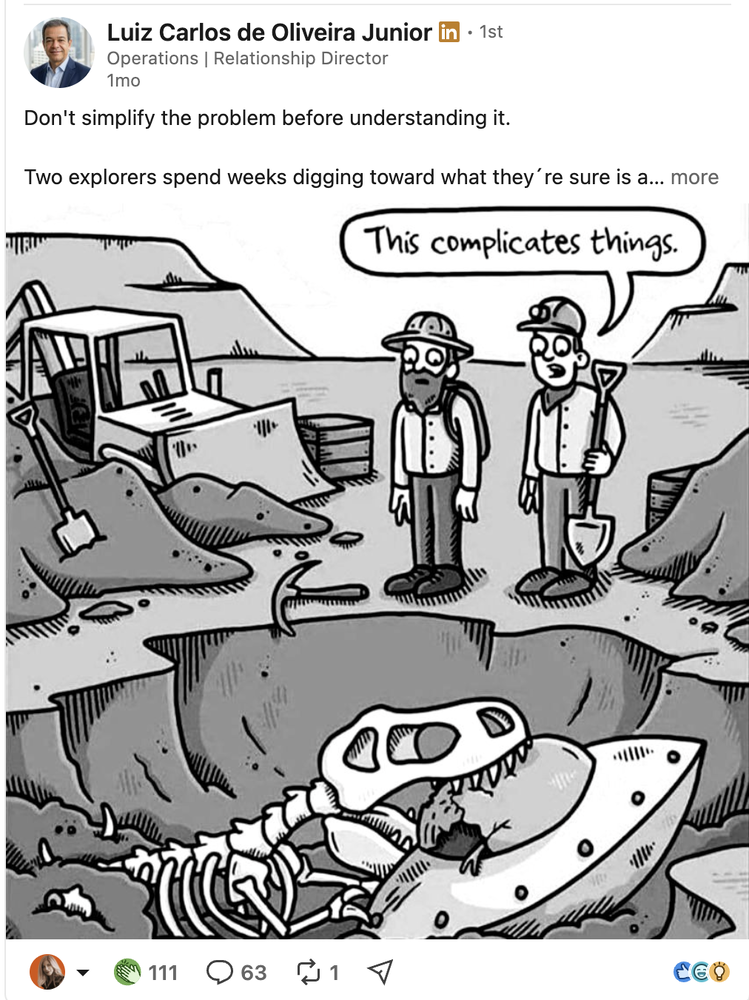
Luiz’s high-performing post ⬆️
A funny visual, a hook that's a little unclear so you need to click on "more" to understand, and a good story. All the elements are there.
Compare that with one of his weaker posts that started with "Stop is the phase where most transformations quietly fall apart."
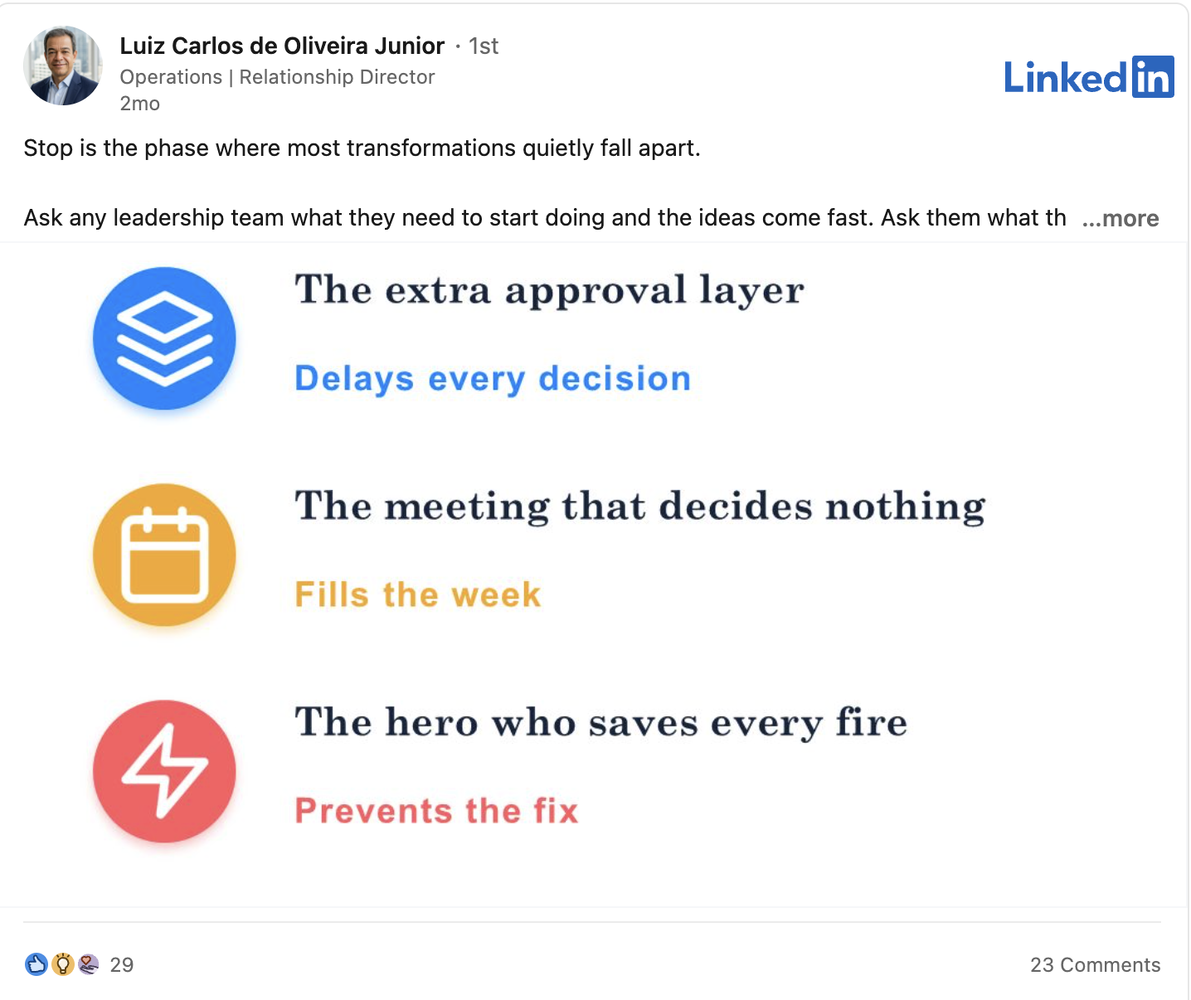
Luiz’s lower-performing post ⬆️
The subject itself is perfectly valid. But the language is more abstract, the text is denser and the opening didn't get many people to click "more".
Look at it like this: A hook has to make somebody understand why opening the post by clicking "more" is worth their time.
4. Don’t: let AI make you sound like everyone else
Luiz’s second post also raised another issue we are seeing constantly. The word "quietly" which was in his hook, has been dismissed by many LinkedIn users as "AI language we despise".
There are perfectly normal English words and sentence constructions that have become so common in AI supported LinkedIn writing that people now feel very dismissive of them. The problem is larger than a handful of banned words. It is the combination of abstract language, polished generalizations and sentences that could have been posted by almost anyone.
AI can help you with many tedious tasks. We use it ourselves. But your posts still need your DNA, your own words and your own tone of voice. We hate the term "lived experience" but yes, that too.
Use the specific example you would mention over coffee. Use a slightly strange analogy. Express a point of view that somebody else in your industry would phrase very differently. Add some Portuguese, if you're Luiz Carlos de Oliveira Junior.
If your name can be replaced with any other consultant, executive or organization and the post still makes complete sense, there probably is not enough of you left in it.
5. Do: test different packaging for the same idea
Dustin Cantrell 🎥 gave us perhaps the clearest example .
He had created a video alternative to the traditional LinkedIn About section.
His first post introduced the video with: “Want one or not, you’ll remember this longer than any About section you’ve read.”
The idea was good. The video was good. But sadly it received only 617 impressions.
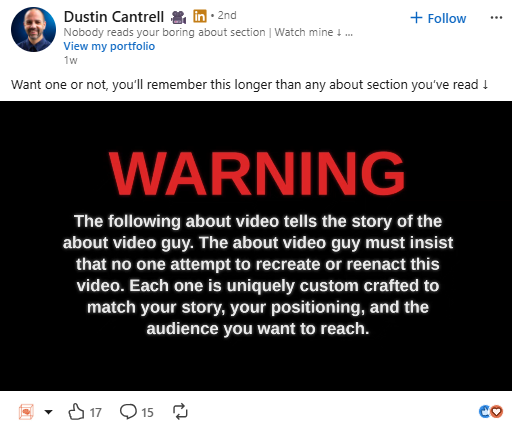
Dustin's post of A Good Idea, Poor Reach ⬆️
Then Dustin posted the video again. This time he opened with: “In April I quit a job I hated. 6 months later I made the most ignored section on LinkedIn obsolete.”
Now that's a great hook. He also chose to post it as a "launching a project" post type.
That post reached over 93,000 impressions. ⤵️
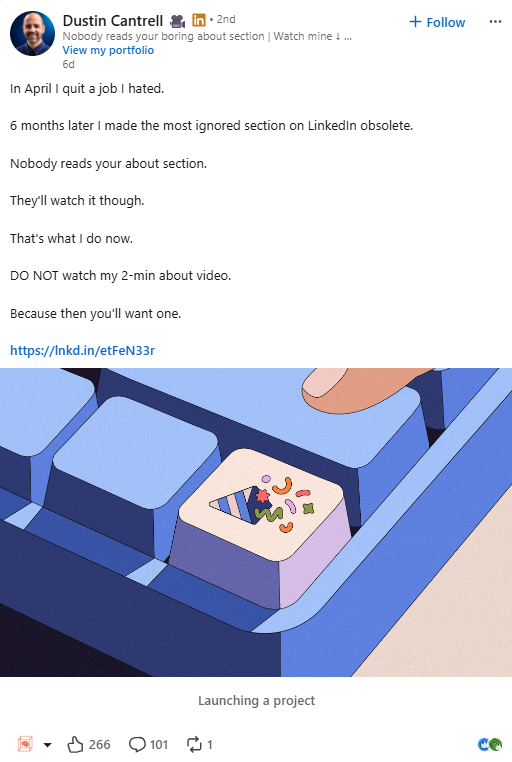
Dustin’s Story led approach ⬆️
Same person, same project. When a good idea underperforms, but you believe in it, don't abandon it. Change the entry point, the hook, format, visual or framing and try again.
6. Don’t: avoid video
Dustin’s and Liora's examples would make it very easy to conclude that we should never post videos on LinkedIn.
That would be the wrong lesson.
Video can do something written posts cannot. It lets people hear how you speak, see how you explain an idea and get a sense of you before they meet you. For experts, executives and people who want more speaking opportunities, that has value beyond the impression count on an individual post.
It also gives people the feeling that they know you, and can start to trust you, much faster than written posts. And that's relevant for most of us.
Plus: video is growing. Better get good at it now.
7. Do: make lists worth saving
Dr. Natalia Kozlovskaya had never seen impressions like this before.
Her post “5 reasons why I miss office open space” reached 33,986 impressions by the time she updated us.
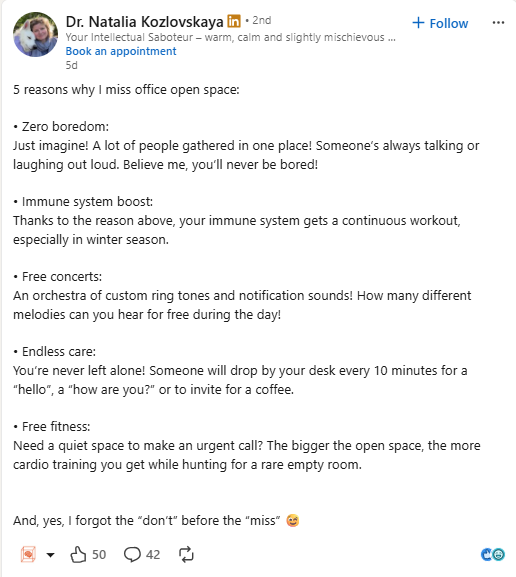
Dr. Natalia’s best performing post EVER ⬆️
The structure is simple. Five reasons: Easy to scan and easy to understand. Lists work because the reader knows what they are getting and how much effort it will take to read. Our busy mind likes organization.
Then comes the important part: the post has a twist...
For EU affairs, lists are particularly useful when they make something dense easier to process: five implications of a proposal, seven misconceptions about a file, four things companies need to prepare for, six changes nobody noticed in the final text.
Specific beats “five leadership lessons” every time. We don't need more of those, thank you.
8. Don’t: make people work too hard
Dr. Natalia also shared two of her posts that didn't perform so well.
This post about empathy starts with a thoughtful subject, but requires considerably more attention before the reader understands where it is going
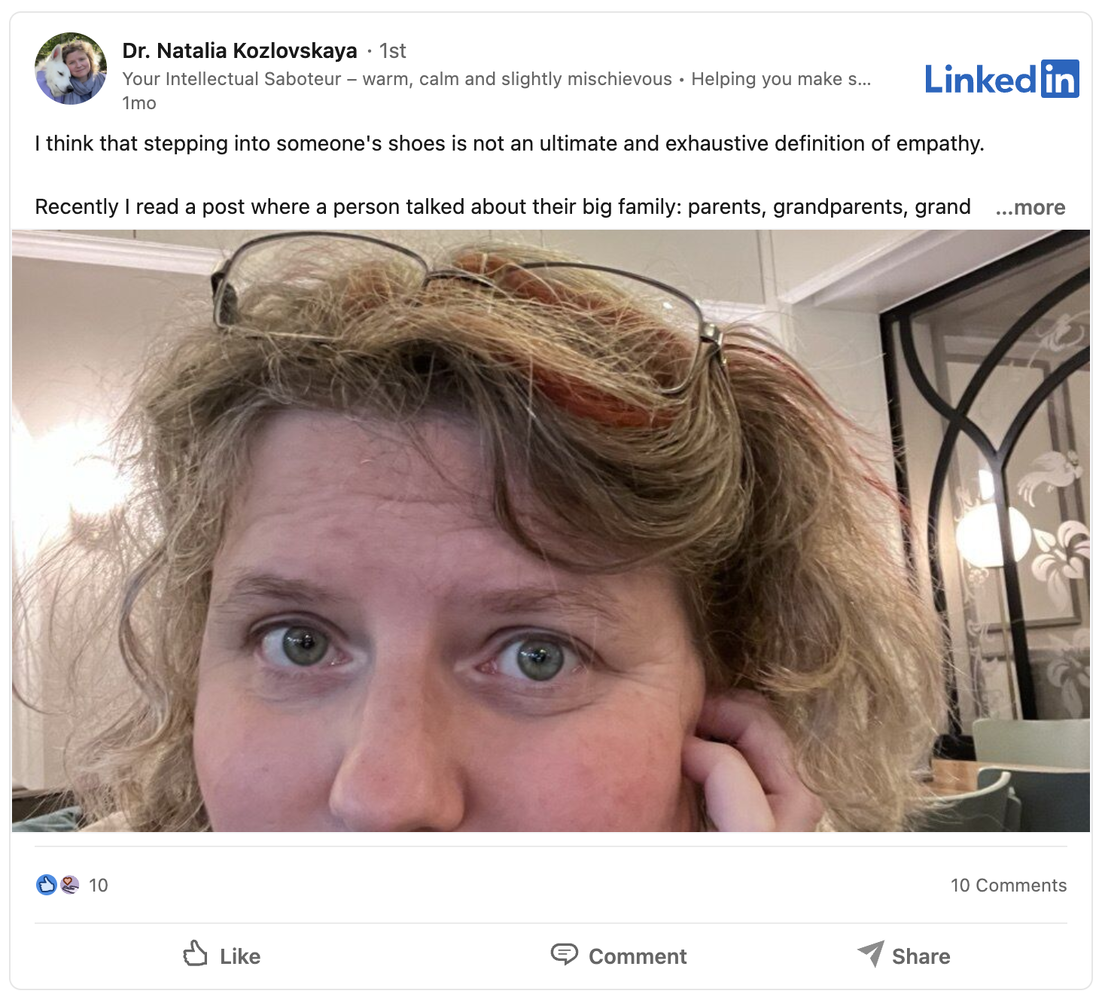
One of Dr. Natalia's posts that didn't do so well ⬆️
This event post asks people to join something happening eight hours later, refers them back to another post and includes several pieces of information competing for attention. It's just... too much work.
People scroll quickly. They should not need prior knowledge of yesterday’s post, a screenshot inside a screenshot and three extra clicks before they understand what you want them to know.
9. Do: write for someone specific
Write with someone specific in mind. Help that person.
A post for “leaders” appeals to everyone and no one. A post for a communication manager in a large association trying to convince the rest of the team to involve him in policy discussions and phrasing before it's "ready to be sent out" is much more interesting.
The same applies to a public affairs director trying to get an expert noticed by MEPs, a trade association competing for attention on a crowded policy file, or a communications team trying to explain technical legislation without producing another 42-page PDF.
SPECIFIC = BETTER.
You want the relevant people to associate your name with the right subject.
LinkedIn says its feed systems use professional information, interests, geography and previous interactions to decide which content is relevant to whom. Its recommendation systems are also becoming better at understanding what individual posts are about.
Being specific helps the people you're writing for and it helps the platform understand you too.
10. Don’t: add random visuals
A visual can stop the scroll, explain an idea faster or make a post memorable. They can also be 100% useless.
We see many event photographs where nobody knows who anyone is, and ugly corporate templates that make every subject look identical.
Make the image work for you. Show the before and after, map the issue, visualize the data. Put the useful sentence in large type. Annotate the screenshot. Come up with a meme, or re-use an existing format for your field.
There are also excellent text-only posts.
And the latest trend: Posts that have only a visual (with text on it) and no caption.
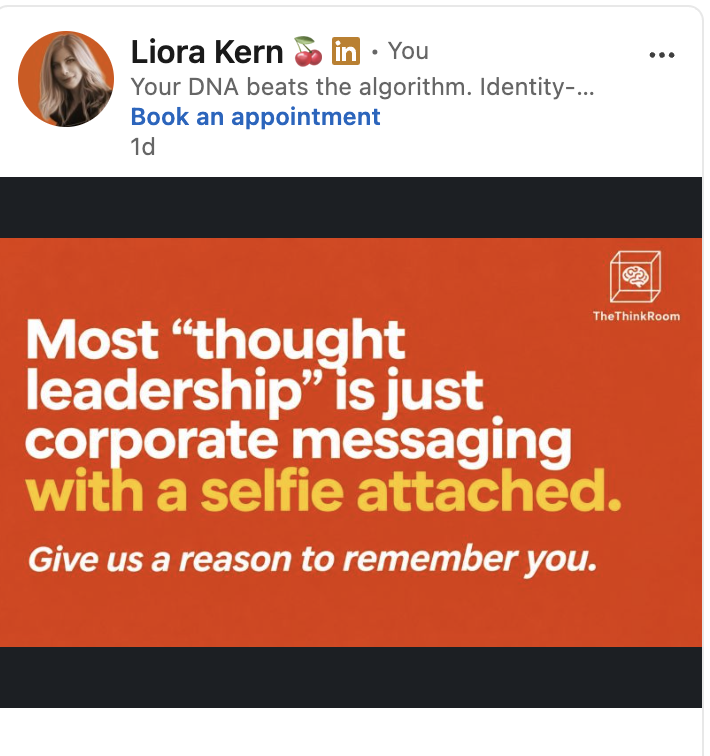
The no caption post ⬆️
11. Do: judge the post by what happened after
Impressions matter because nobody can engage with a post they never saw.
They are still only the start. For our own posts and our clients’ posts, we also look at who visited the profile, whether relevant people followed, which posts were saved or shared, what kind of comments appeared, whether somebody sent a DM and whether the post led to a meeting, invitation or conversation.
Our Brussels post above did more than generate a large impression count. It led to new followers, and bookings.
That is a much more interesting result than a post collecting tens of thousands of views from people who will never need, recommend or remember you.
For senior people in Brussels, reputation is often built through repeated recognition among a relatively small group. Viral reach is fun and it can help. But only relevant reach pays the bills.
12. Do: remember that your LinkedIn posts can go beyond LinkedIn
LinkedIn states that public posts can be crawled by search tools including Google and ChatGPT.
LinkedIn is, in fact, the number-1 source for professional queries.

LinkedIn’s Reach Beyond the Platform
That expands LinkedIn's role.
If you represent European packaging manufacturers, say who you represent and what you know instead of describing yourself as “a leading voice for the ecosystem.”
If you want to be associated with the Packaging and Packaging Waste Regulation, write about the Packaging and Packaging Waste Regulation (!)
If your expertise is EU trade policy, use the words EU trade policy.
Be precise about the subjects you know.
LinkedIn content that builds recognition among people can now also help search engines and AI systems understand what you are known for.
The do’s and don’ts in one place
Do
Understand that everything is a LinkedIn post. Use what you experience. Have a bad day? Great, that's a post. Had a great day? Great, that's a post.
Write for a specific audience.
Find your unique DNA, and use your own language, stories, examples and opinions.
Determine what you want to be the go-to person for.
Name the subjects you want to be known for.
Give people something to disagree with or add to.
Repackage a good idea.
Look at what formats are working well and repackage them for your subjects.
Use lists when the information suits a list.
Give visuals a clear purpose.
Look beyond impressions.
Test your advice against your own analytics.
Don’t
Copy whatever format performed well for somebody else yesterday.
Avoid video.
Assume one bad result means the idea was bad.
Let AI turn your writing into generic LinkedIn copy.
Make the reader work out what the post is about.
Add images for decoration.
Chase comments with empty engagement bait.
Treat every audience as identical.
Confuse virality with reputation.
And, as always, get out of your bubble and follow experts outside of your own area of expertise
Annie Xystouris about grief and loss and how we deal with that in the workplace
Mihordea Magdalena helps women when perimenopause arrives in a life already at full speed, with big projects and ambitions. She untangles what’s happening, so they make room for their body and health without shame, and stay clear about what matters most.
Ruben Hassid for everything AI
Vincent Pierri for the best animated infographics and visual branding
Jacqui Nortje, PhD about building sustainable habits and how to do the things we set out to do, even when it gets tough.
Have fun, build relationships and BE GENEROUS.
See you next week.
The Think Room team
P.S. ☎️ Book a call with Liora if you want to work with us.
