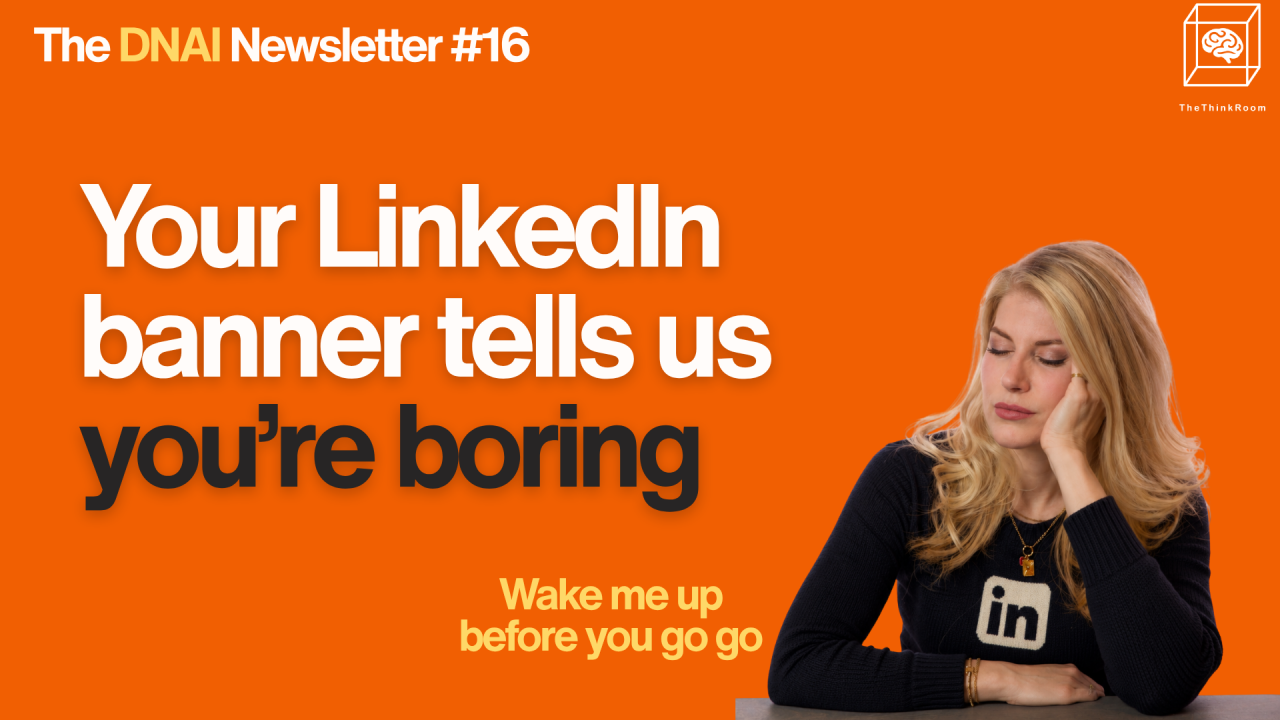
Your banner is one of the first things people see when they visit your profile. It's also the largest thing they see. Why are you pretending it doesn't matter?
Someone reads one of your posts, likes what you have to say and clicks on your name. They arrive on your profile and immediately see your photograph, headline and a very large rectangle stretching across the top of the page.
In the EU Bubble, that rectangle is often handed over to a Brussels skyline, EU flags, the façade of an institution, or the default grey background. All perfectly respectable choices, except that they tell us very little about the person whose profile we're looking at.
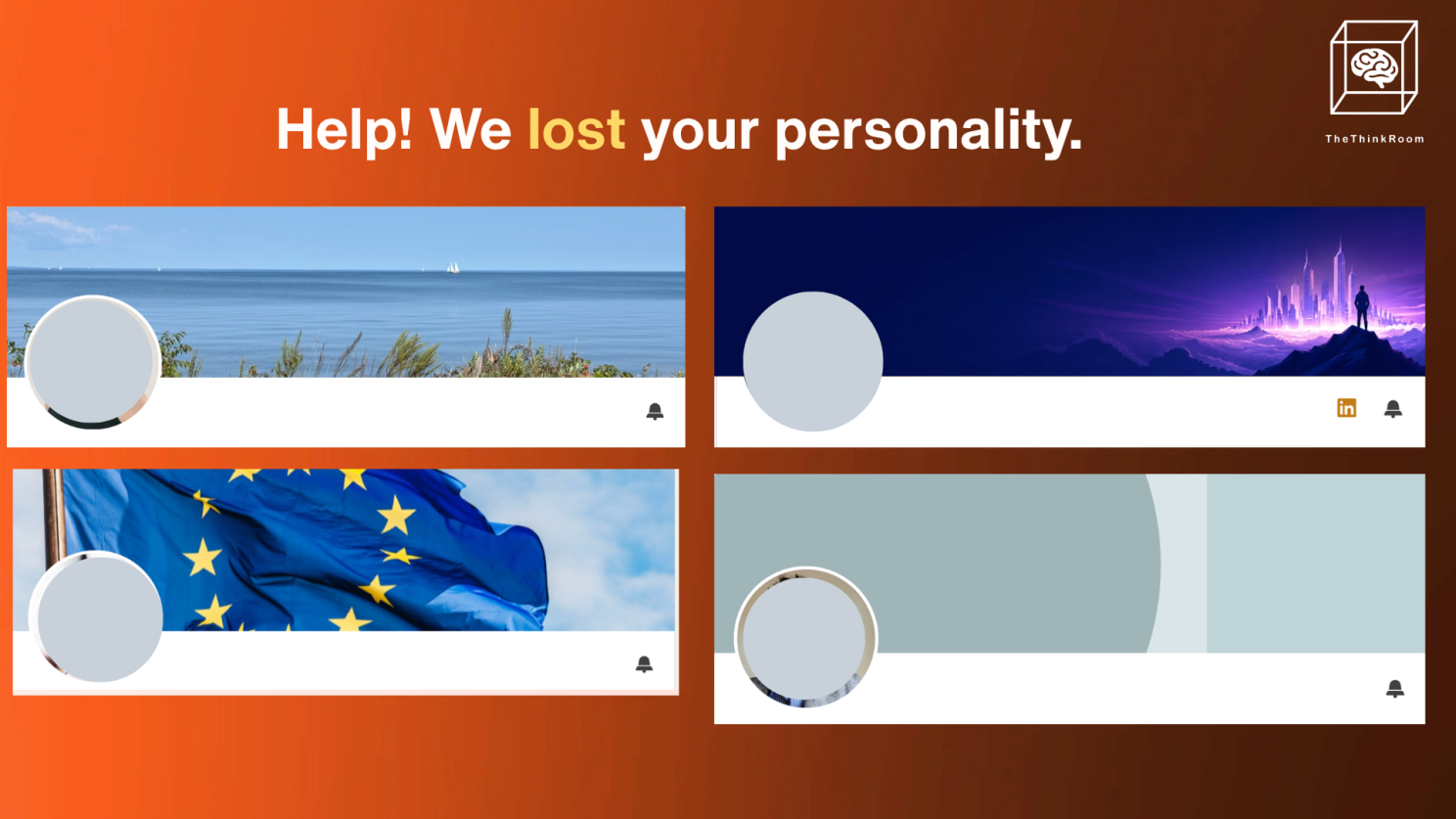
A random selection of banners we don't like
So take a few minutes to read this newsletter, and then update it.
What should a banner do?
A good banner tells me what you do. A DNA-rich banner tells me why I should remember you.
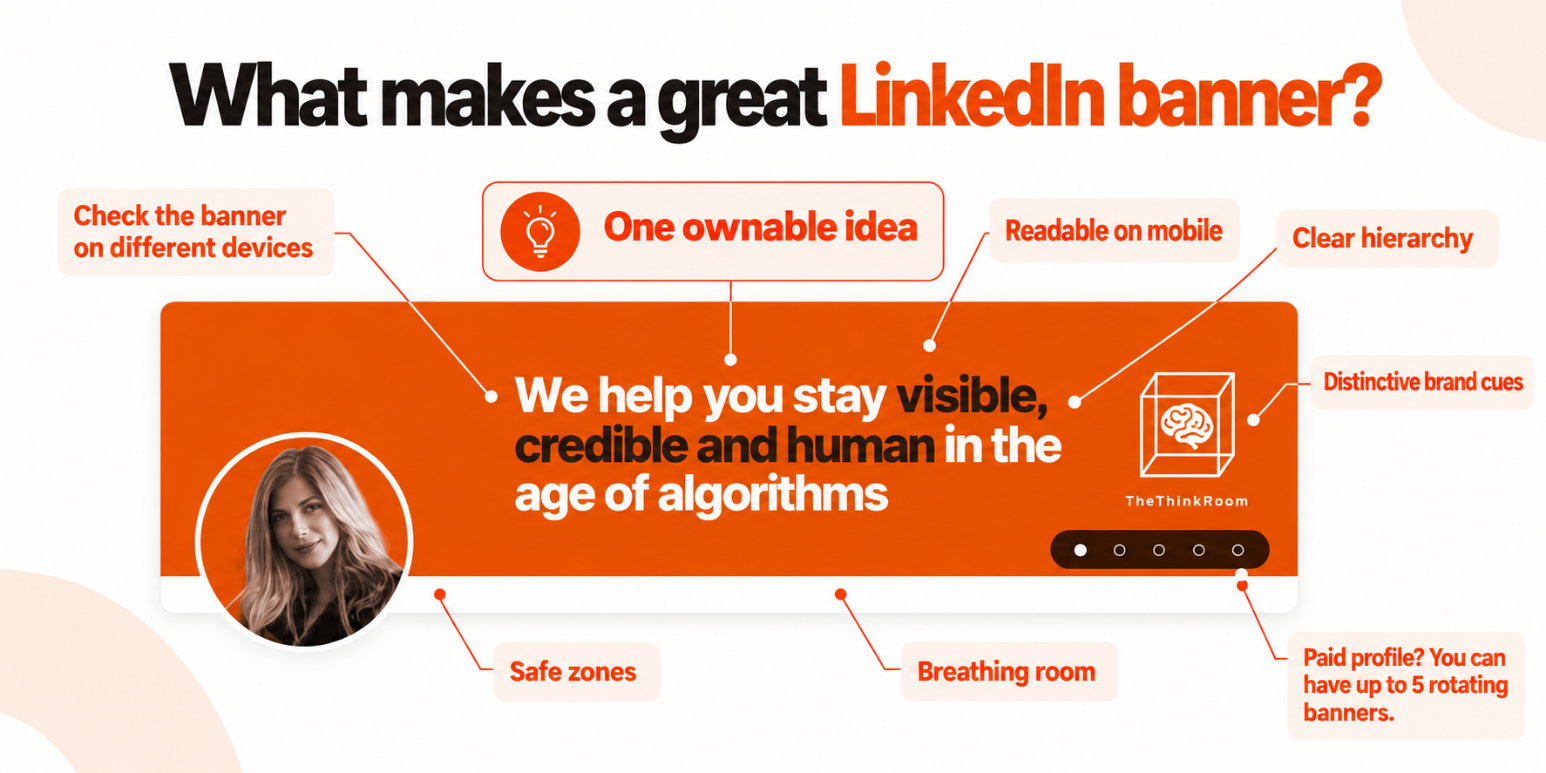
The elements of a great LinkedIn banner.
Liora Kern 🍒 uses the banner as part of a wider visual identity. The orange color (a creative color that refers to our founder's country of birth) appears throughout the profile and content, while the message focuses on what people should associate with the work: staying visible, credible and human in the age of algorithms. The Premium rotating banner also allows several parts of the story to be told without squeezing everything onto one image.
Your banner has a few seconds to create an association with you and give someone a reason to continue down your profile.
That means:
one clear idea instead of several competing messages, not cluttered
text large enough to read comfortably on a phone
colors, typography or imagery that connect with the rest of your profile and content
enough empty space for the eye to understand what matters and for your profile picture not to overlap with it on any device
information that adds something to your headline instead of repeating it
something distinctive enough that another person in your profession could not simply replace your name with theirs
That last point is where DNA comes in.
“EU public affairs professional” tells us your field. It gives us very little reason to remember you. Tell us something more specific about the subjects you own, the people you help, your personality, the result you create or the way you think.
Work out what you want to say
A lot of banner advice starts with design when the real question is what you want somebody to remember after spending five seconds on your profile?
Hristo Butchvarov who reviews and redesigns LinkedIn profiles, makes this point particularly well in this post. After reviewing hundreds of profiles, he says the recurring problem is "zero clarity" rather than fonts, colors or graphics.
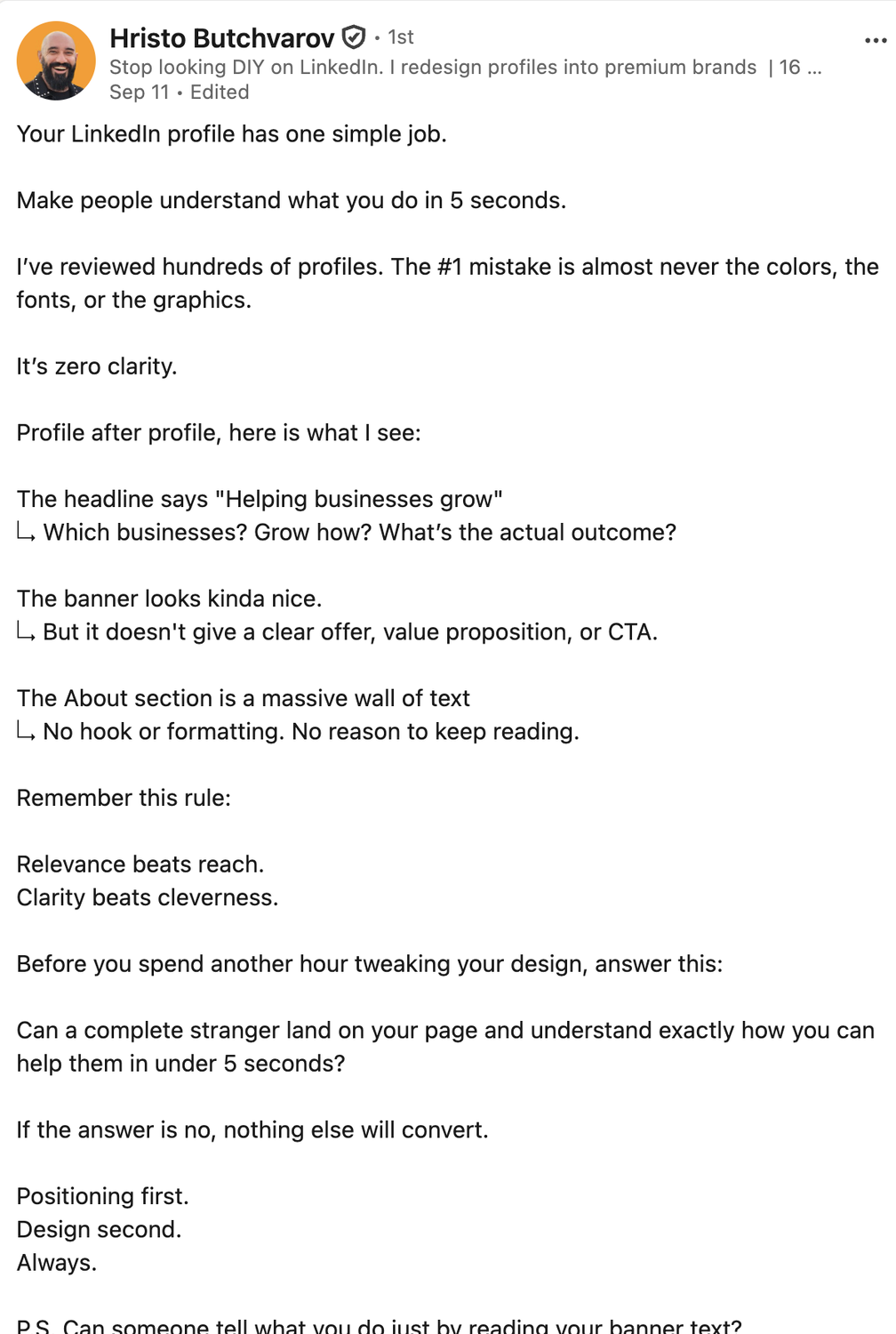
Source: Hristo Butchvarov's LinkedIn
Before designing anything, ask yourself:
What do I want people to come to me for?
Who specifically needs to recognize that?
What should they associate with my name six months from now?
Is there a phrase, result, belief or point of view that feels particularly mine? Something that I could own and educate my audience about?
What is already obvious from my name, photograph and headline, and therefore does not need another appearance on the banner?
Once you know those answers, choosing what goes on the banner becomes much easier.
Simple can work extremely well
Take Neil Urquhart 🎯 The Concours Coach.
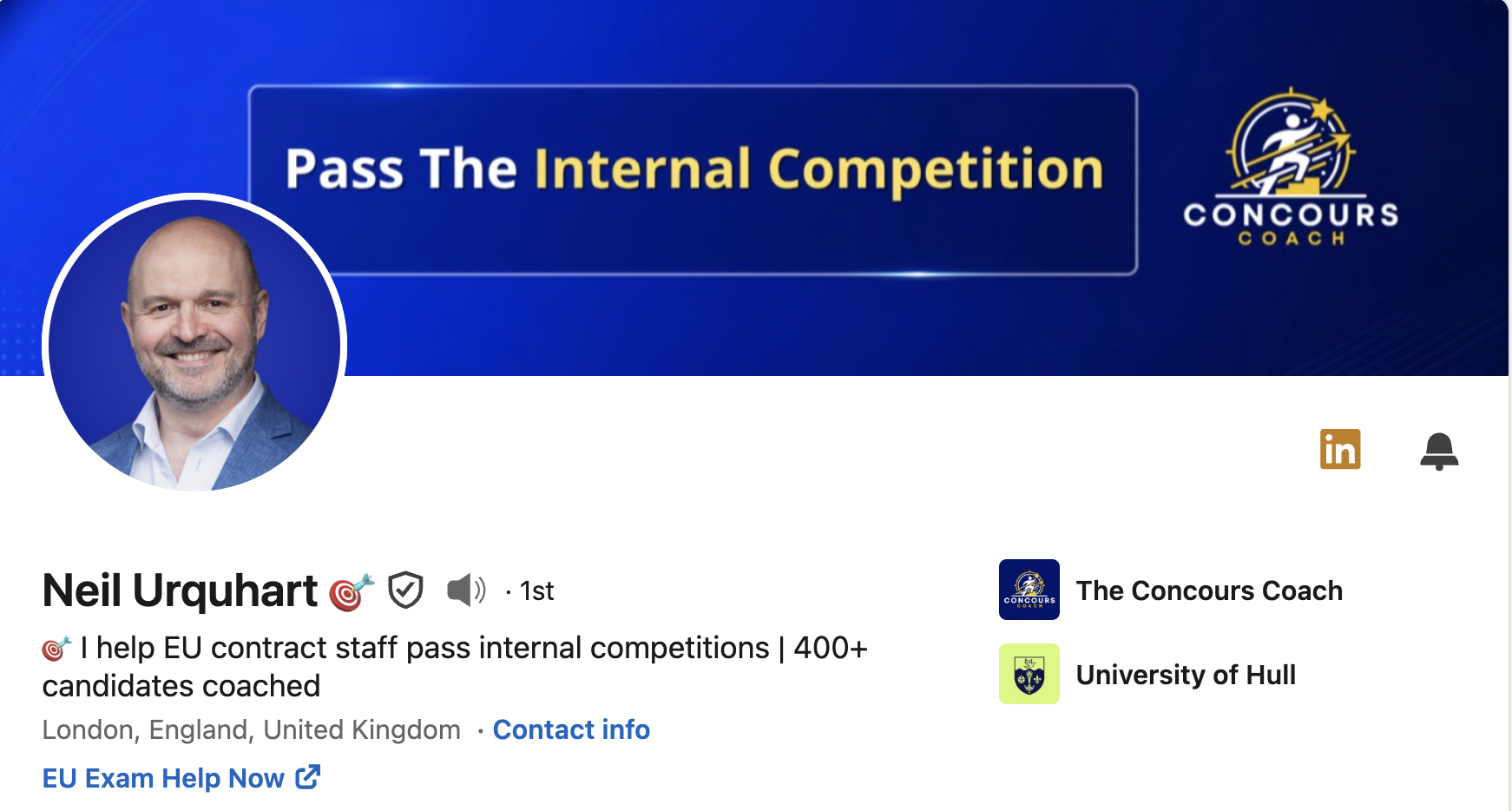
Neil Urquhart's LinkedIn banner and headline.
Neil's banner focuses on one outcome: “Pass The Internal Competition.” The familiar EU blue and yellow palette makes sense for his audience, the logo is there without dominating the design, and there is enough room around the message for it to remain clear when the banner is viewed at a much smaller size.
You know who it is for and what he helps them achieve without having to decode a collection of titles.
That's useful because banners quickly turn into CVs. There is very little benefit in filling yours with “Executive Coach | EPSO Specialist | Interview Expert | Speaker | Trainer | Author” when the rest of the profile can explain all of that perfectly well.
Or make the banner part of your personality
Carmen Vicente decided to have some fun.
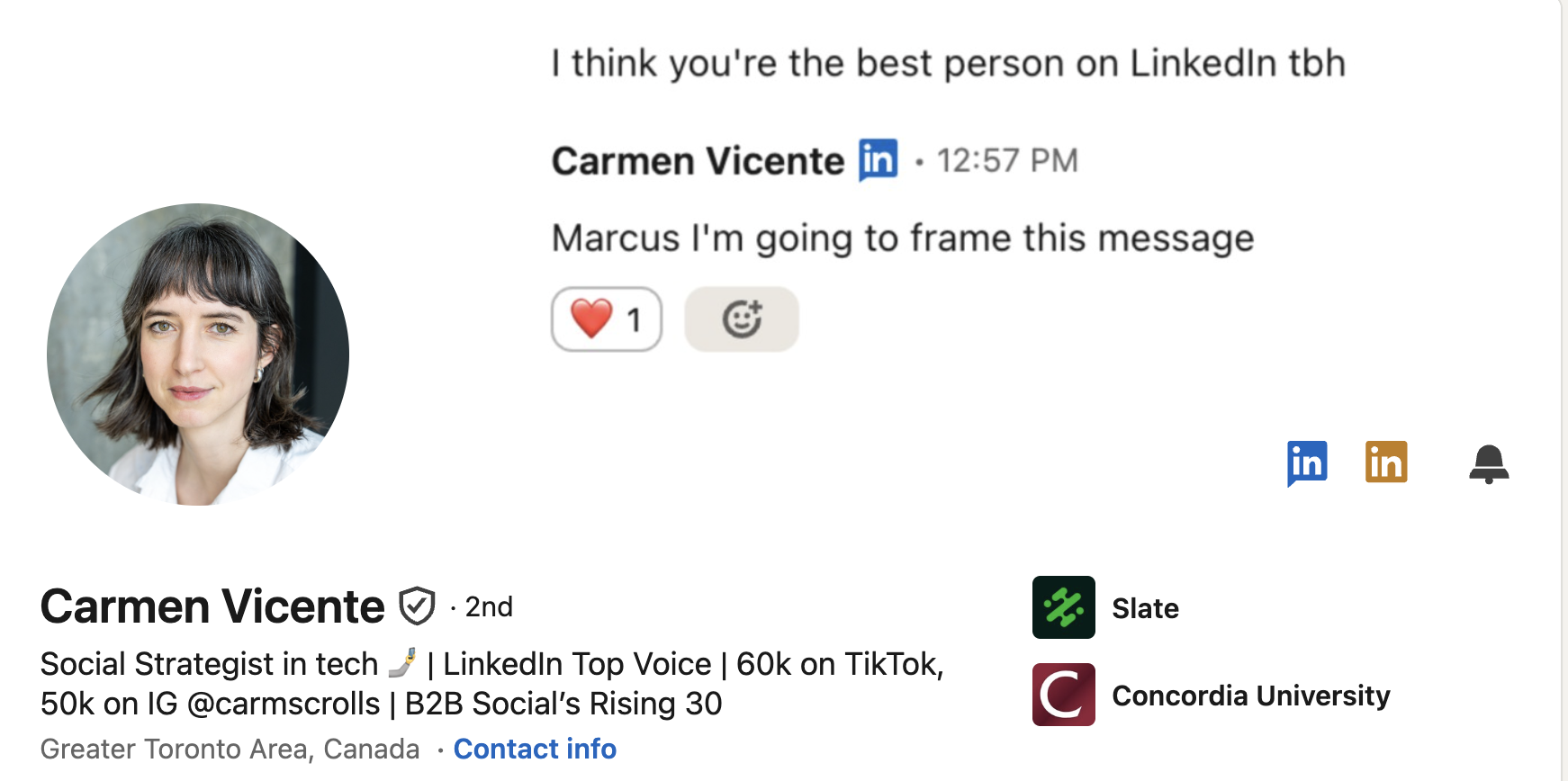
Carmen Vicente's banner and headline
Her banner uses what looks like a message exchange in which someone tells her, “I think you’re the best person on LinkedIn tbh,” followed by her response that she is going to frame it.
It works because it is unusual enough to make you look again, it fits someone who works in social, and her headline immediately underneath carries the professional information and credentials.
There is no universal banner format. In fact, if the LinkedIn strategist, association CEO, EU policy specialist and cybersecurity consultant all end up with exactly the same banner layout, something has probably gone wrong.
Look at the people who spend far too much time thinking about LinkedIn
Yes we know, you're not a "creator" or "influencer". But it's those people we can take some lessons from. There are useful lessons outside the Brussels Bubble.
Hristo Butchvarov has some great posts about banners. In this post, he takes one client banner apart piece by piece and looks at the headline, offer, credibility and next action, while keeping the amount of copy low.
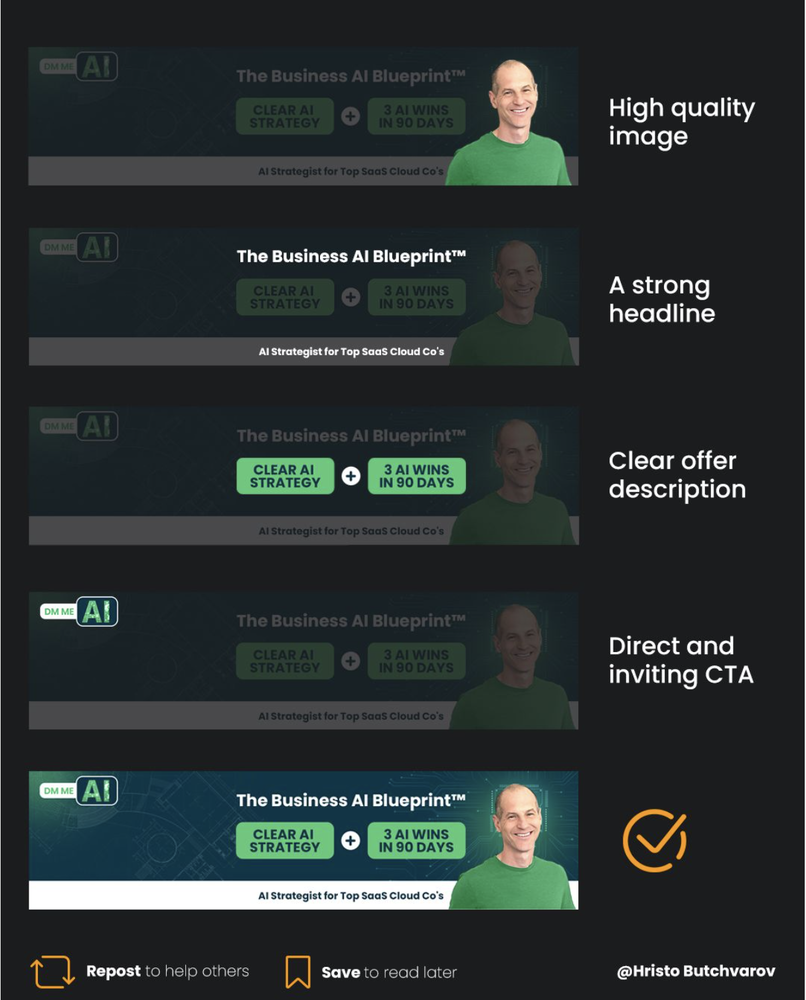
Source: Hristo Butchvarov
A few other examples:
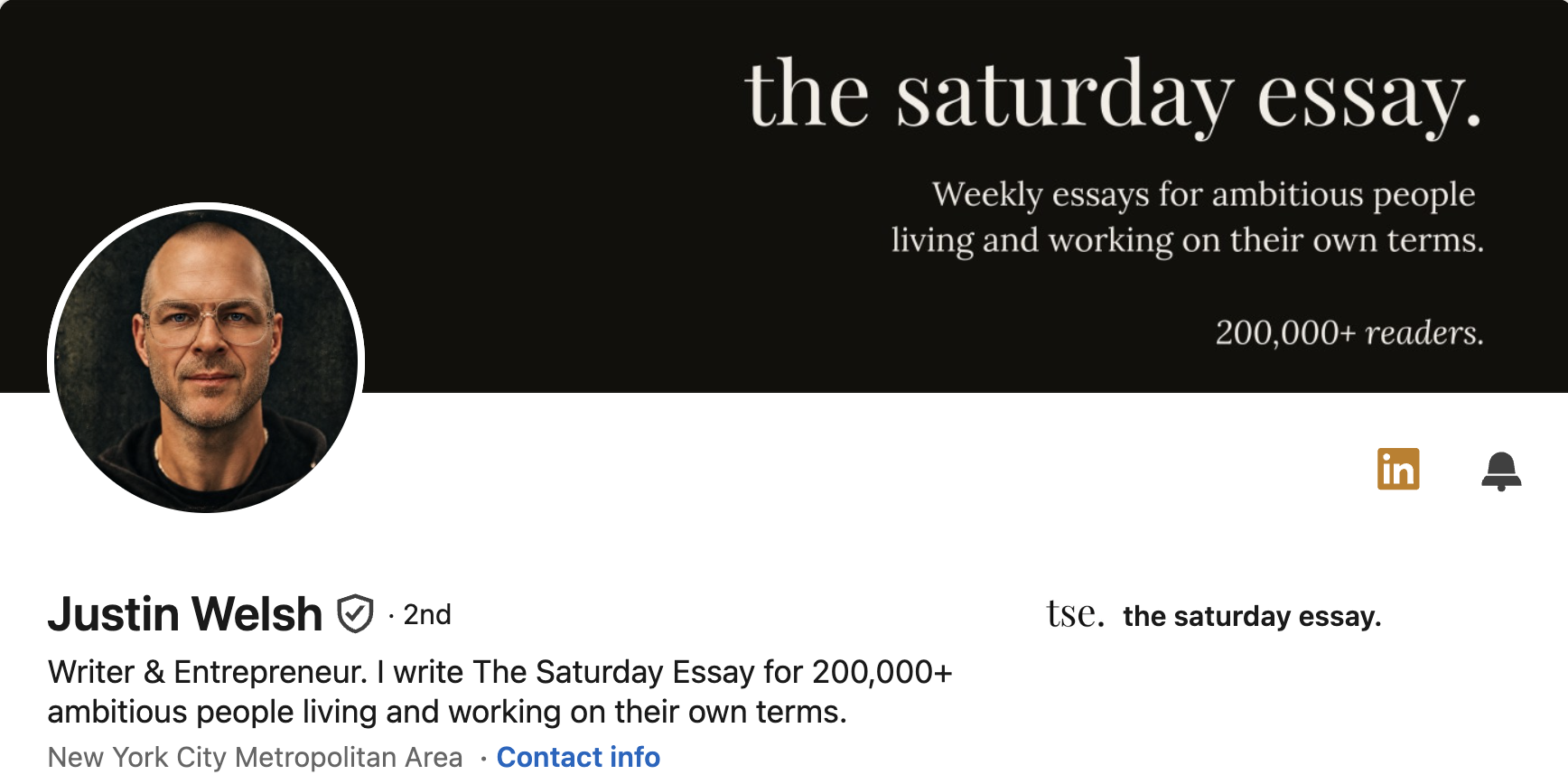
Justin Welsh keeps it clean and clear so all attention goes to his Saturday essay.
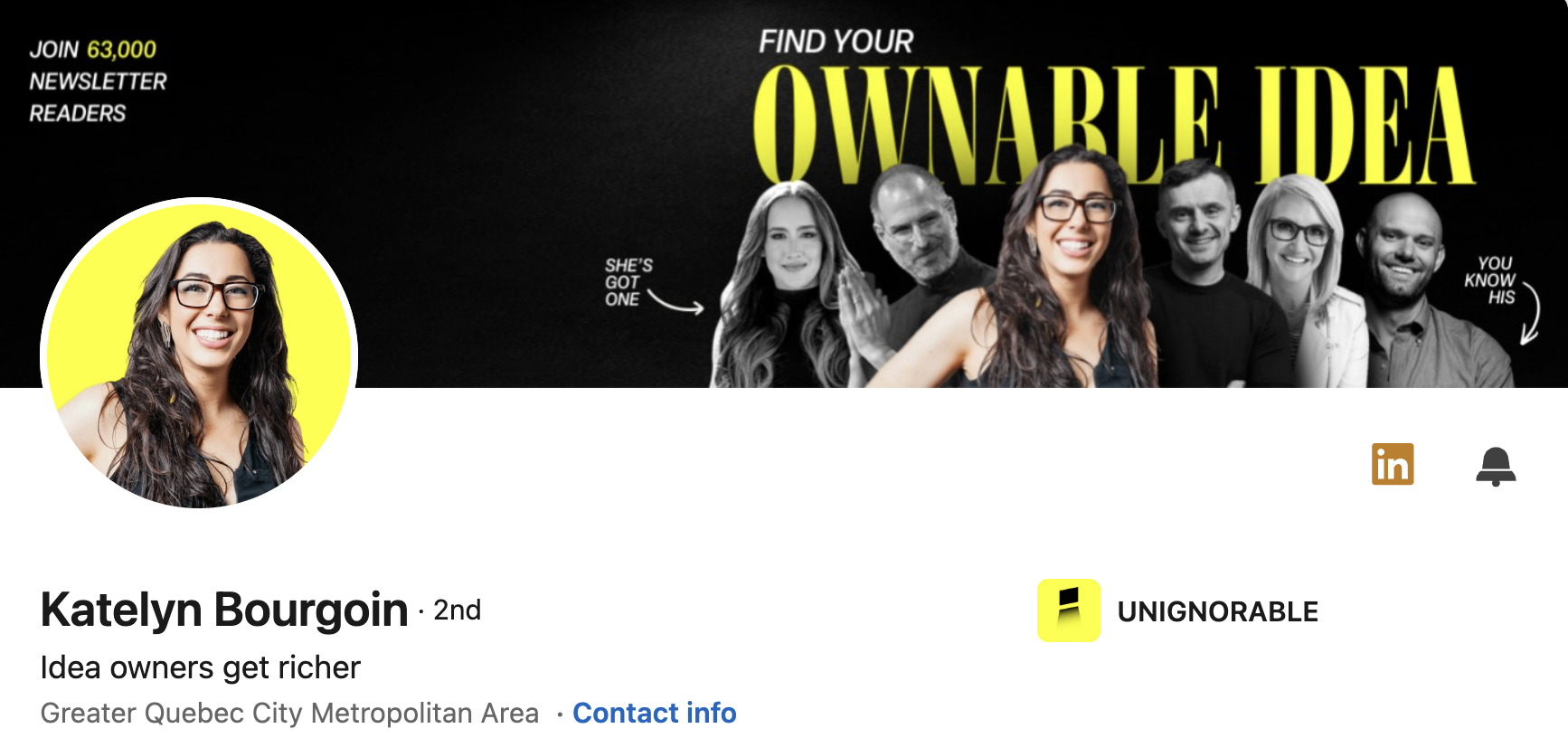
Katelyn Bourgoin puts her own ideas into practice by making it all about THE OWNABLE IDEA. We love.
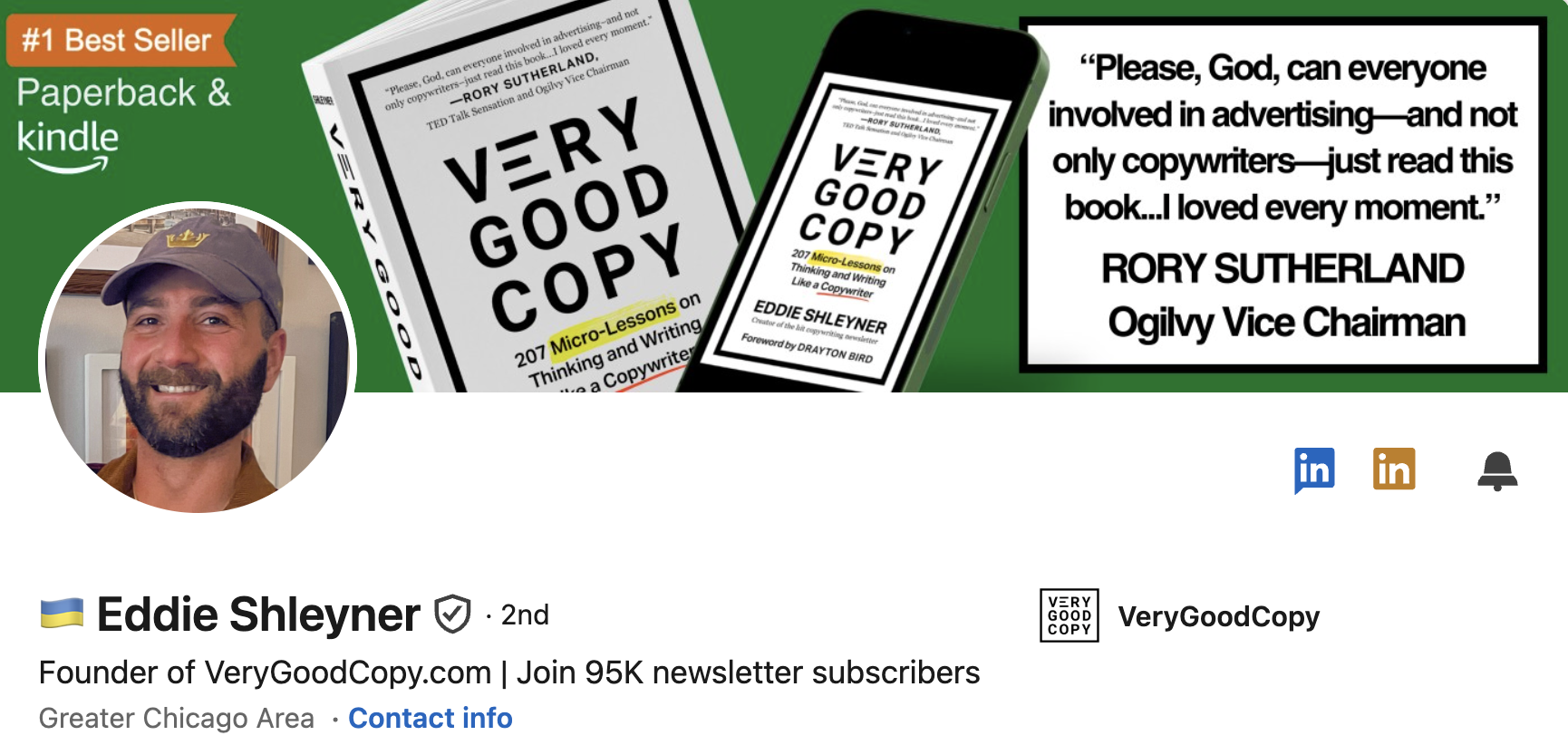
Have a book? Then 🇺🇦 Eddie Shleyner banner is worth looking at.
Do not copy their banners. Look at why you recognize the person when you see the profile.
And a few examples closer to home
Most LinkedIn advice is written by people who make money teaching other people how to make money on LinkedIn. Brussels is a different place.
Valentin Dupouey gave us one of our favorite EU Bubble examples when he asked ChatGPT to create a banner based on his EU-affairs content and pro-European activism. As he explains in this post, AI responded to “Europe” with a collection of famous national monuments, while EU institutions were nowhere to be seen. He ended up taking the result into Canva and cleaning it up.
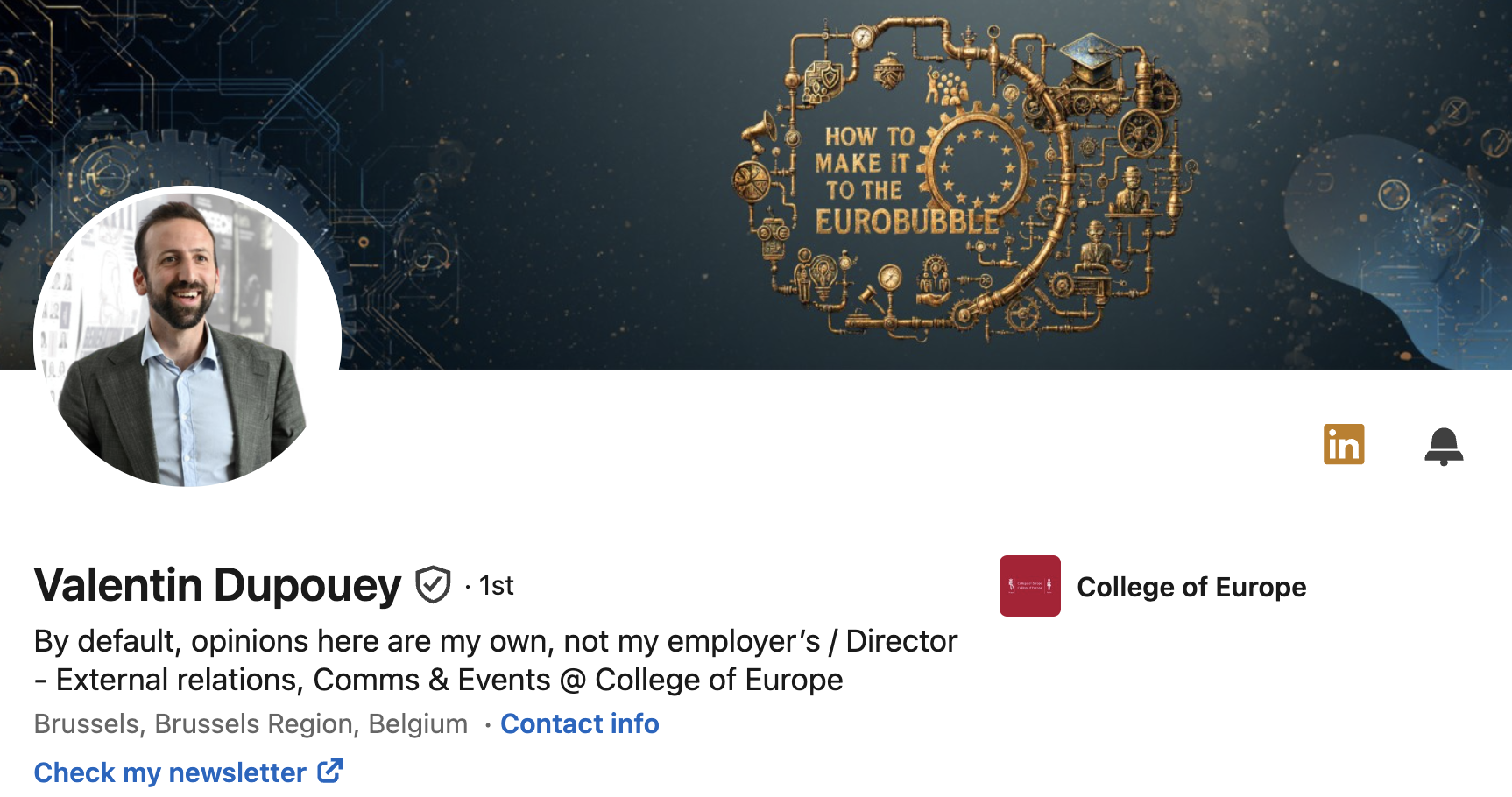
An AI knows the clichés attached to “Europe”, “leadership”, “technology” or “public affairs”, and it will happily give you all of them unless you give it a much more specific brief.
AI can design your banner. Brief it like a designer.
Ask an image generator for “a professional LinkedIn banner for someone working in EU public affairs” and you can almost hear the stars assembling themselves around the Berlaymont. You will probably get some combination of blue, yellow, flags, institutional buildings, maps, technology graphics and an implausibly glamorous Brussels skyline.
That is not really the AI’s fault. You gave it the entire EU visual cliché cupboard and asked it to choose.
A better brief should tell it:
the one idea the viewer should remember
exactly who the profile is intended for
the visual elements and colors already associated with you
what should remain readable at mobile size
what you definitely do not want included
which part of your expertise or personality should come through
which element should dominate the design
and if you have a logo you should upload it in high res
And you may still end up in Canva afterwards. That is fine.
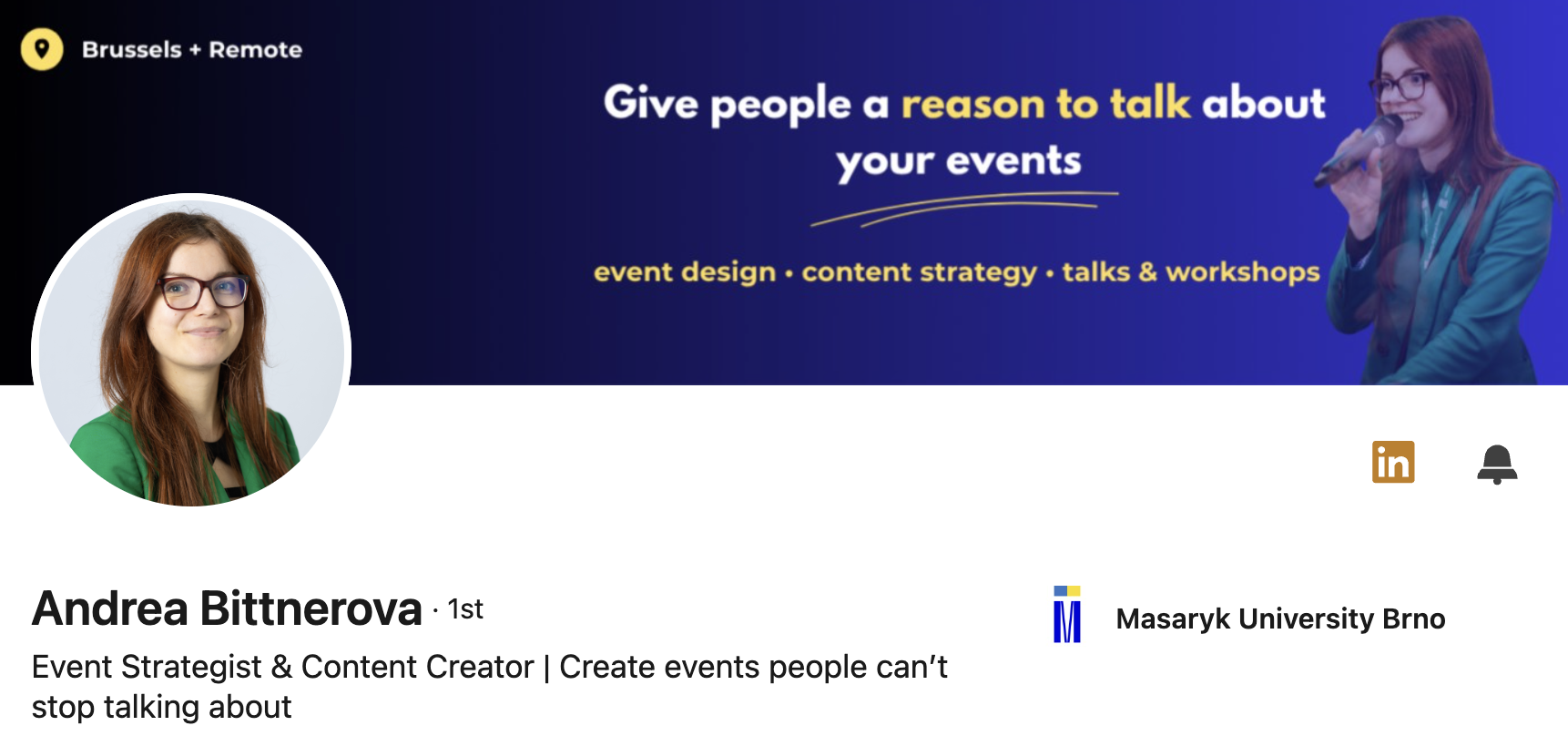
Andrea Bittnerova gives straightforward profile advice in this post: use the banner to make clear who you help and with what. She also points out that employees can legitimately use company branding or a team image, which is worth saying because every profile does not need to look like a creator business.
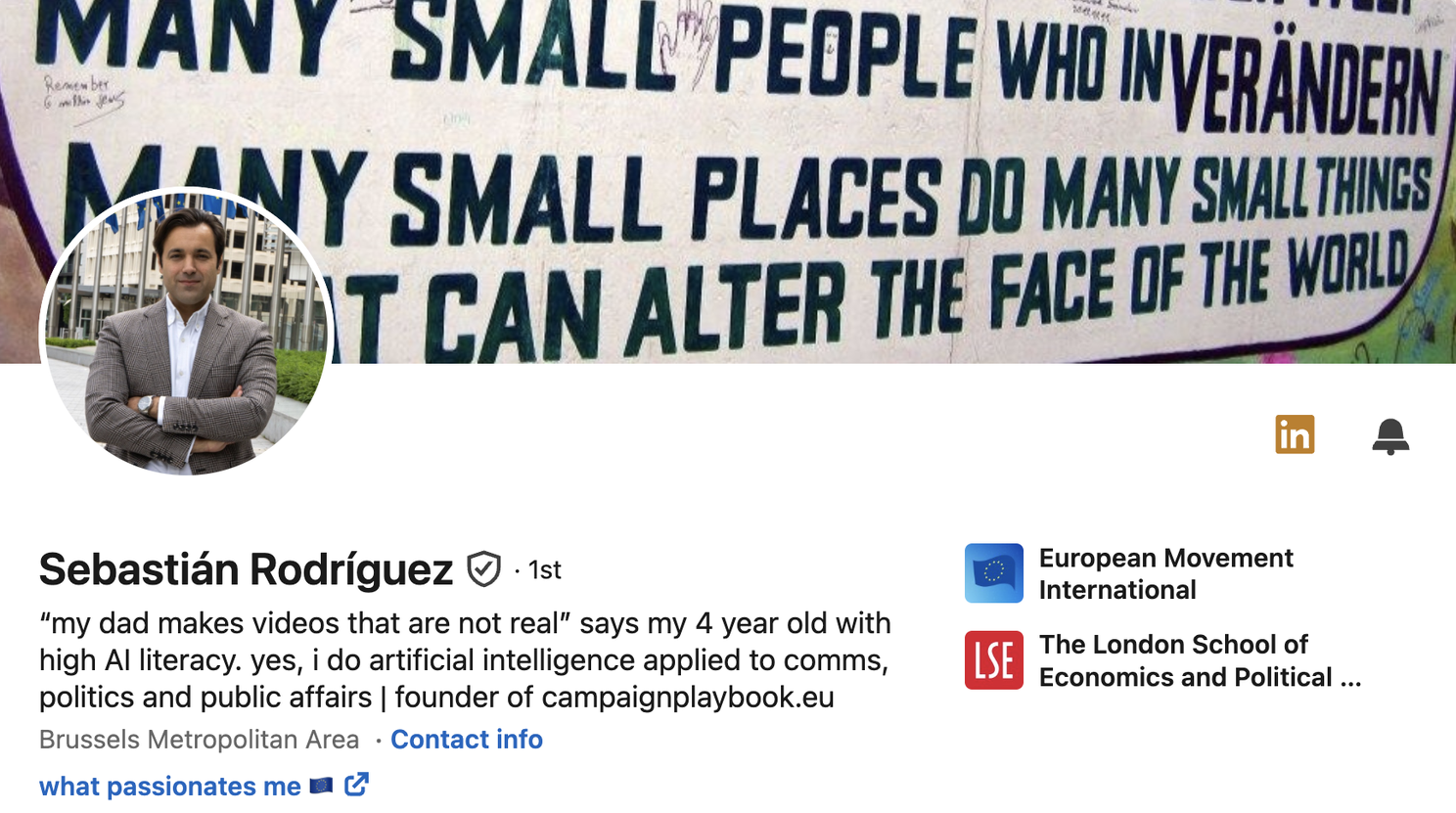
And Sebastián Rodríguez takes yet another route. His banner has long used a Berlin Wall quote connected to his personal philosophy. That is interesting because it does not function as an advertisement at all. It tells you something about the person behind the professional profile, which can be equally useful when the rest of the profile supplies enough context.
Please look at it on your phone
This sounds obvious. It is still one of the most common banner problems.
Desktop and mobile display the same banner very differently, and the profile photograph can cover parts of your design.
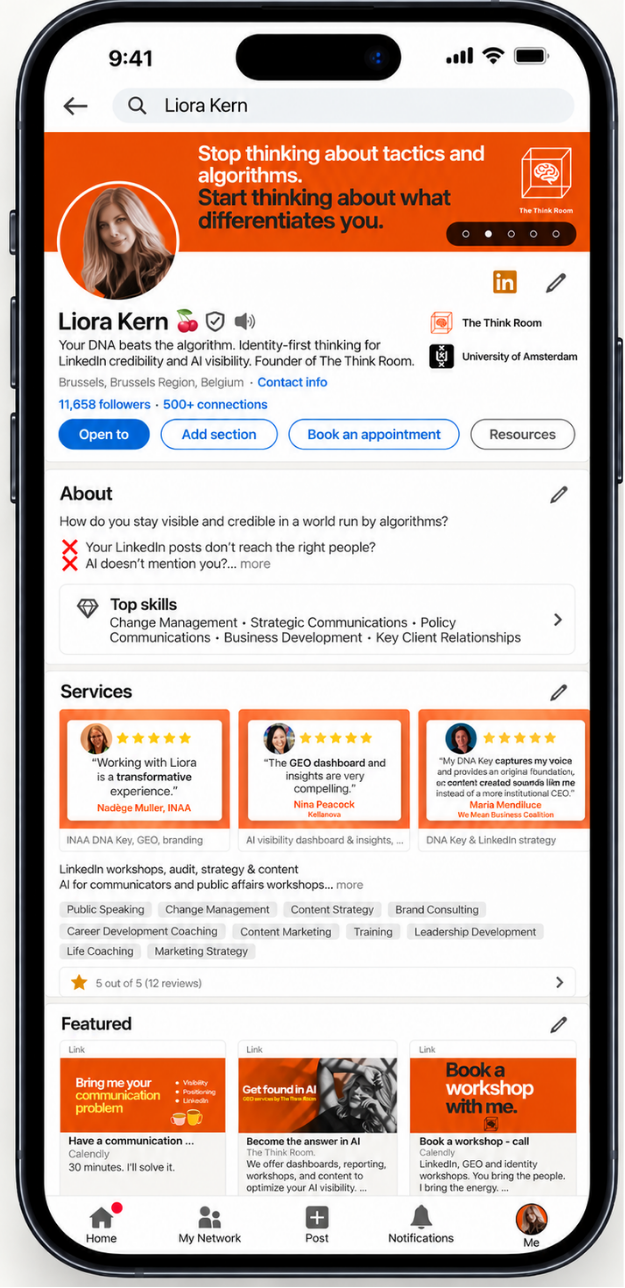
Look how small the banner is on mobile. Still the biggest space.
The amount of visible space changes depending on the device and screen width, the profile photograph can cover part of the design, and copy that looked perfectly readable while you were working on a large monitor can become so small on a phone that nobody is going to make the effort.
Once you think the banner is finished, open your actual LinkedIn profile on your phone and check:
Can you read the main message without zooming?
Has your photograph covered anything important?
Is there one obvious place for the eye to go first?
Does the design still have enough room around the main elements?
Would somebody understand the point without studying it?
If the banner only works when enlarged, simplify it.
Proof can help. Choose it carefully.
Useful proof could be a recognizable client, a publication known in your sector, a specific result, one short testimonial, a meaningful award or another piece of evidence that supports the claim you are making.
What usually causes trouble is trying to include all of them at once.
If your banner has five client logos, three awards, several certification badges, your website, your email address, a QR code, two service lines and an upcoming conference appearance, you probably have enough material for the rest of the profile.
Choose the proof that helps your main message most.
The Communication Voices made us feel much better about everyone else's banners
Then we looked at the 2026 #EUinfluencer Communication Voices list which includes 25 people helping shape how communication is practiced across the Brussels Bubble.
Across the profiles we reviewed, we saw banners of institutional buildings, city photography, EU imagery, corporate branding, product branding, repeated names, stage photographs and, in some cases, no banner at all.
Here are some anonymized examples.
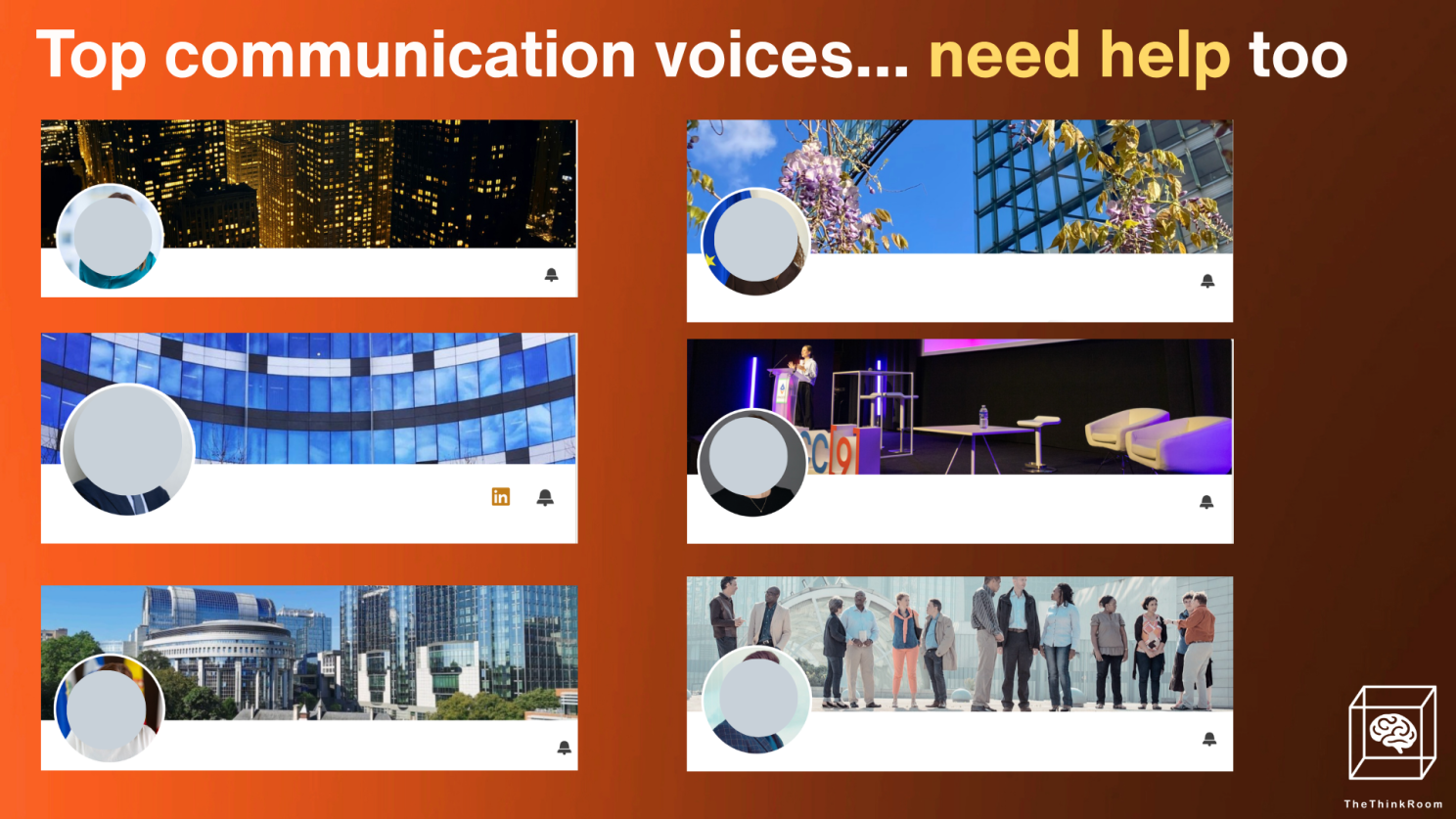
Top comms voices have bad banners too
This suggests that many excellent professional communicators still give considerably less attention to the branding of their LinkedIn profiles than they probably should.
For everyone else in Brussels, that is rather good news. The bar is not impossibly high.
Please do not make everyone at your organization use the same banner
New brand identity arrives and the communications team creates one corporate LinkedIn banner. Everyone from the CEO to the policy intern is asked to upload it.
Now 87 employees have exactly the same giant rectangle at the top of their profiles.
Richard van der Blom pushes back on precisely this in this post. His point is that employee advocacy works better when people have room for a personal identity rather than behaving like extensions of the company page.
For an association, consultancy or public-affairs team, a better system would be to keep some common elements while leaving space for the individual:
the organization’s logo
agreed colors and typography
perhaps one recognizable visual device
a main message adapted to the person’s own expertise and role
A CEO, policy director and communications director may all work for the same organization. They still have different reasons for people to visit their profiles.
What the research says
Branding can sound a little fluffy until you look at what researchers have found about recognition.
A Journal of Marketing study by Pamela Henderson and Joseph Cote examined 195 logos and found that particular visual characteristics affected recognition and the image people formed of something. The researchers looked specifically at elements including naturalness, harmony and how elaborate a design was.
There is a lesson there.
You do not need a complicated personal identity system, and nobody is suggesting that your face needs a 47-page brand manual. But repeating a small set of recognizable visual cues can help people connect your content and profile with you.
That might mean:
one color you use consistently
a particular treatment of photographs
a recurring illustration style
recognizable typography
one shape or graphic device that keeps returning
a phrase or idea closely connected to your work, one that you can own
This is why The Think Room and Liora use so much orange. After enough repetition, people tell us they recognize one of our posts in the feed before reading the account name.
Try the five-second banner test
Open your profile and look only at the top section for five seconds.
Then answer:
What should somebody associate with me? If your answer is simply “communications”, “leadership”, “public affairs” or “strategy”, you probably have more work to do and dig deeper into your own DNA.
Who should immediately know this is relevant to them? You do not need to appeal to everyone visiting LinkedIn. You need the right people to understand why they should keep looking.
Is there anything here that feels particularly mine? If the banner could be transferred to ten colleagues without changing a word, it is probably doing more for the organization than for you.
Where does my eye go first? One clear answer is useful. If the logo, photograph, slogan, six icons and three credentials are all competing for first place, remove something.
Can I read it on my phone? No explanations allowed. Either you can or you cannot.
Remove your name and profile photograph for a moment. Would somebody familiar with your work still have a reasonable chance of recognizing that the banner belongs to you? (If yes, your visual identity is starting to earn its space.)
Your profile gets only a few seconds of attention. Give those seconds one clear function with a super banner, then let your headline, About section, Featured section, posts and comments tell the rest of the story.
Yours, The Think Room team
We make you visible, credible and human in the age of algorithms. Contact us if you want to go deep into your own DNA.