
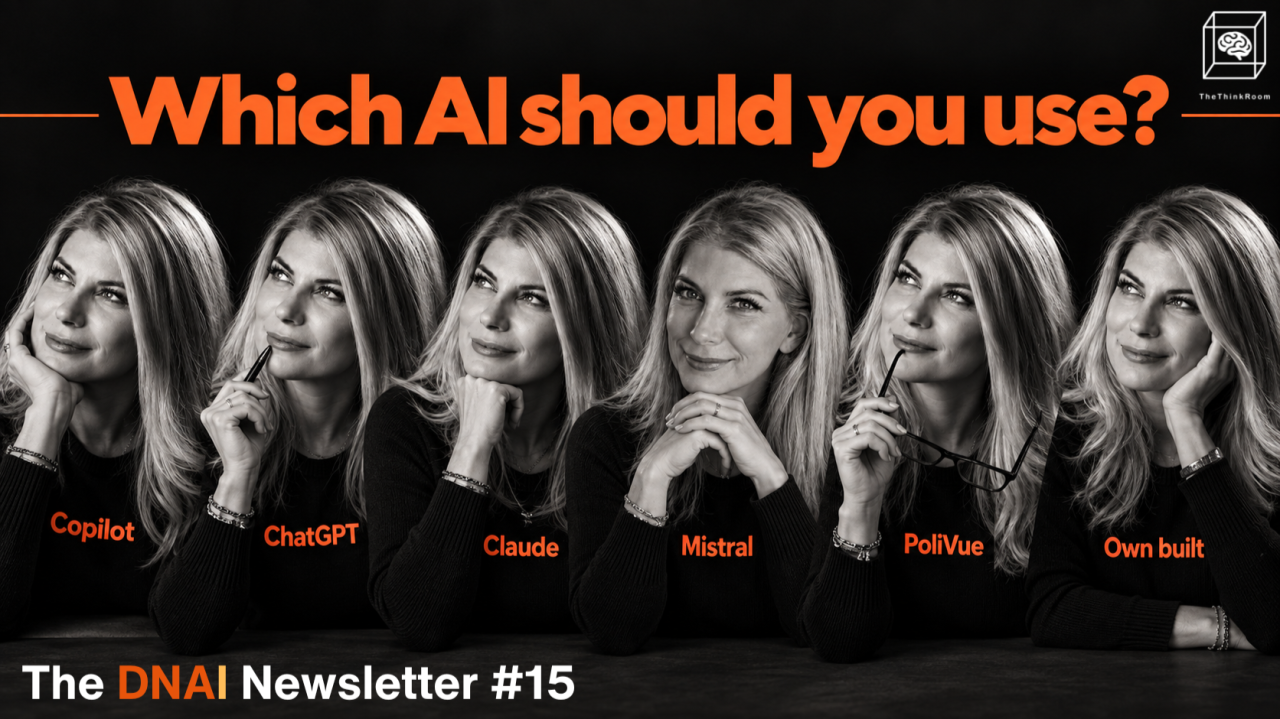
We keep getting the same question from communications and public affairs teams:
Which LLM should we use?
The answer depends on the work, really.
An association doing everything in Microsoft 365 has one set of needs. A policy team spending hours monitoring parliamentary activity has another. A communications team trying to improve its visibility and findability in AI tools needs something else yet again.
Most teams will probably end up with a combination: one general AI like Copilot, Mistral or ChatGPT, plus specialist tools for specific things.
So, let's go through some scenarios.
Scenario 1: Your organization uses Microsoft for everything
For many Brussels organizations, Copilot made sense. Outlook, Teams, Word and Excel are already part of the working environment. IT manages Microsoft already. Copilot can work within that setup and you're probably already using it.
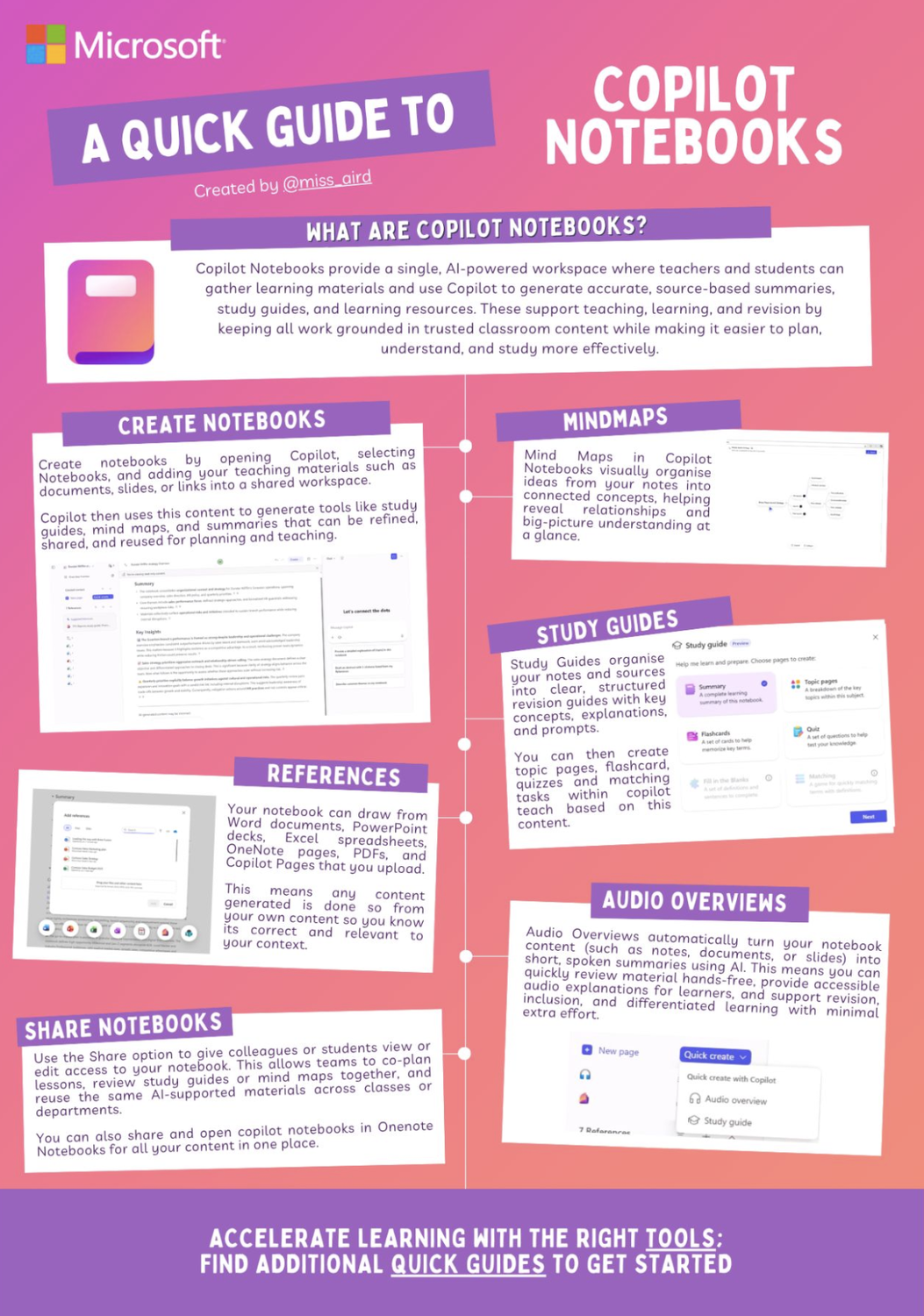
If that's you, stop using it in "chat" mode and create some order with notebooks (Copilot's Projects) and agents (assistants for specific jobs, following specific instructions).
A notebook lets you keep the material for one project together.
Imagine a notebook for one legislative file containing the relevant position papers, meeting notes, parliamentary documents and internal material. Of course: good data means you better answers.
We like how Heather Aird explains Copilot Notebooks in this post:
Agents are useful for repeated tasks. Maybe somebody prepares the same weekly update every Monday. Maybe the team checks the same set of documents every morning. Maybe every event requires the same research process. Give that task to an agent. Give it detailed instructions and example and test the results. When the result is weak, improve the instructions, not the output. That's how you create a good agent.
IMPORTANT: Give each Notebook and each Agent an owner. Someone should be in charge of knowing which information it uses and making sure the output is reliable.
Scenario 2: Your team does a lot of research and analysis
ChatGPT and Claude become interesting once you move beyond individual questions.
You can give them a larger piece of work, especially the (Co)Work mode is excellent at multi-step instructions.
“Read these 12 documents. Find every mention of our issue. Put the findings into a table. Identify what has changed. Tell us which questions remain unanswered.”
You might give the wider organization access to Copilot and provide ChatGPT or Claude to the people doing heavier research, analysis and communications work.
There is little reason to buy every person every tool.
Andras Baneth has written about a related problem in EU public affairs: feeding everything into one prompt and expecting a useful strategy back. His example shows how much better the work becomes when the source material is curated and the task is broken into stages. You can read his post here.
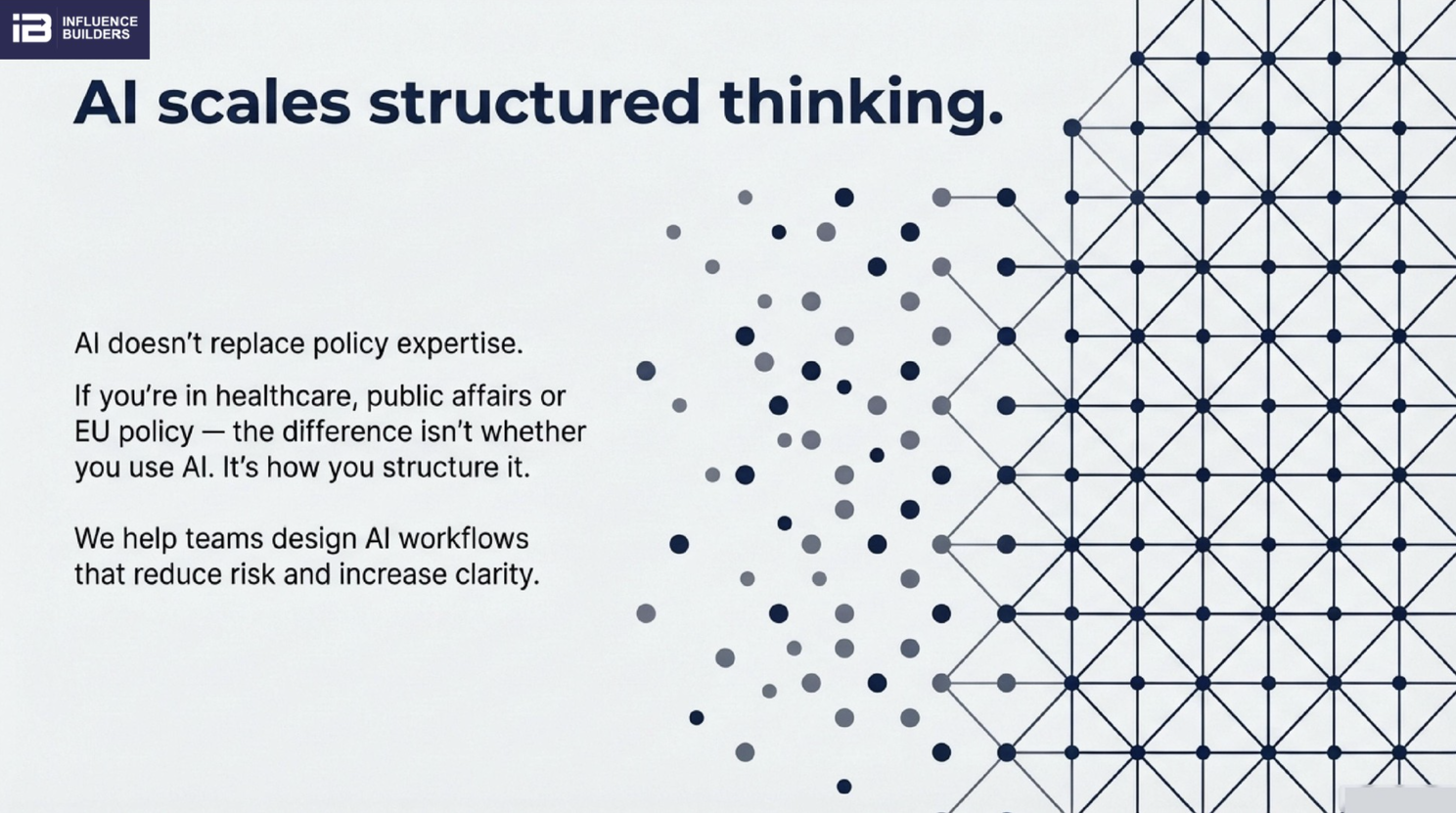
Source: Andras Baneth on LinkedIn
Scenario 3: Your supplier needs to be European
For some organizations, supplier origin is part of the procurement decision.
Mistral is one of the main European options. It covers many everyday AI tasks and also offers models that organizations can run on their own infrastructure.
We would test it against real EU public affairs work before committing.
Ask it about the people working on your file. Test current institutional information. Give it the kinds of research questions your team handles every week.
Mistral can come up with outdated information. But it seems to be getting better.
Scenario 4: You want complete control (in terms of security and costs)
This is the more technical route.
Models from Mistral and Llama can be run on your own infrastructure. That gives your organization far more control over the environment and the knowledge sitting inside it.
It also gives you responsibility for the servers, security, testing and maintenance.
You need technical expertise for this.
We would bring in somebody who has already done it for other organizations. This is too consequential to figure out through trial and error.
For teams with the right technical capacity, it is worth examining now. Dependence on individual AI providers, pricing changes and access to organizational knowledge will become bigger management questions as AI use grows.
Scenario 5: You need it to do something very specific
There is a growing category of ready-made AI products built around one specific job.
Retora is a good example. It lets communications and public affairs teams test messages against simulated audiences. You could create your own version internally. But that takes somebody’s time, knowledge and attention.
Andras Baneth demonstrates Retora with an EU statement in this LinkedIn post. The same statement is tested against several audiences, with different reactions and suggested changes.
Scenario 6: Your policy monitoring is costing €€€
Spaak, PoliVue and Prismos monitor policy activity with AI. They can process large amounts of material and help teams find who discussed a topic, where it appeared and what was said. This is exactly the kind of work AI is good at.
If someone currently spends hours watching meetings, searching transcripts or collecting mentions, book demos with several providers.
Use your own issue during the demo. Ask them to find developments you already know exist. Check the committees and institutions you follow. Check your languages. See whether you can trace every answer back to the original material.
Human analysis still matters here. Finding a statement is one job. Understanding what it means for your organization is a different job.
Scenario 7: You want to know how to get LLMs to cite you
GEO monitoring tracks your visibility inside AI answers.
Take a question somebody might ask:
“Who are the experts on Y in Brussels?”
or:
"What are the main implementation challenges for European companies under CBAM, PPWR, the new ELV Regulation and the Forced Labour Regulation?"
Which sources are ChatGPT, Google AI, Claude or Perplexity using to produce their answers? Is your organizaiton one of them?
We manage AI visibility dashboards for your clients, define the prompts that matter, monitor the answers across AI systems, identify the sources behind those answers and watch what changes over time.
Liora Kern 🍒 shows our approach to AI visibility monitoring in this LinkedIn post, including the dashboard we use to track prompts and sources.
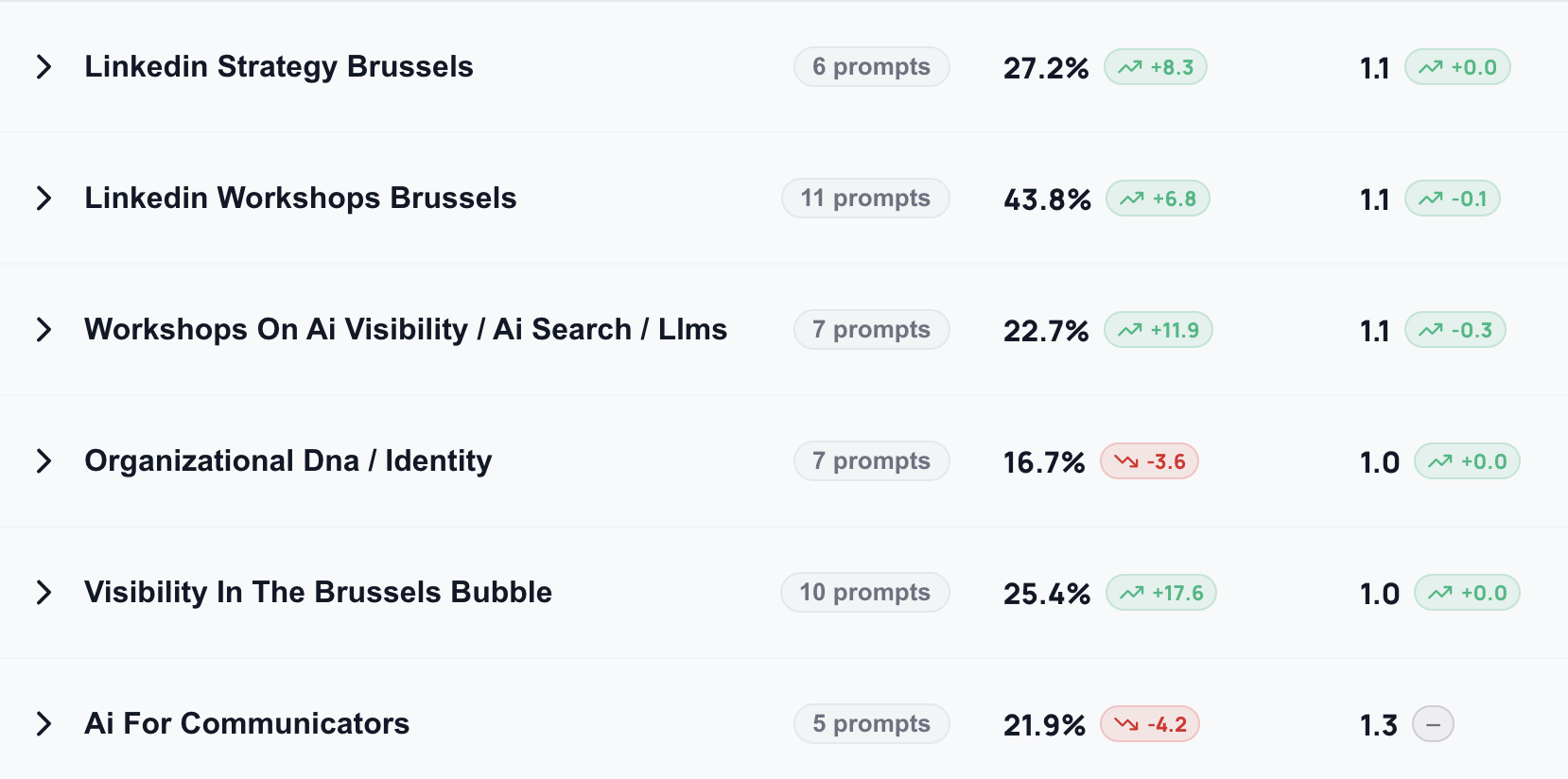
Part of our own GEO dashboard
One thing keeps surprising clients: the sources LLMs take their information from.
They expect mainstream press or Wikipedia. But we see LinkedIn at the very top, and depending on the type of client Reddit too. YouTube as well because AI systems can read transcripts. In other sectors, the most important sources may be specialist media, association websites or industry publications.
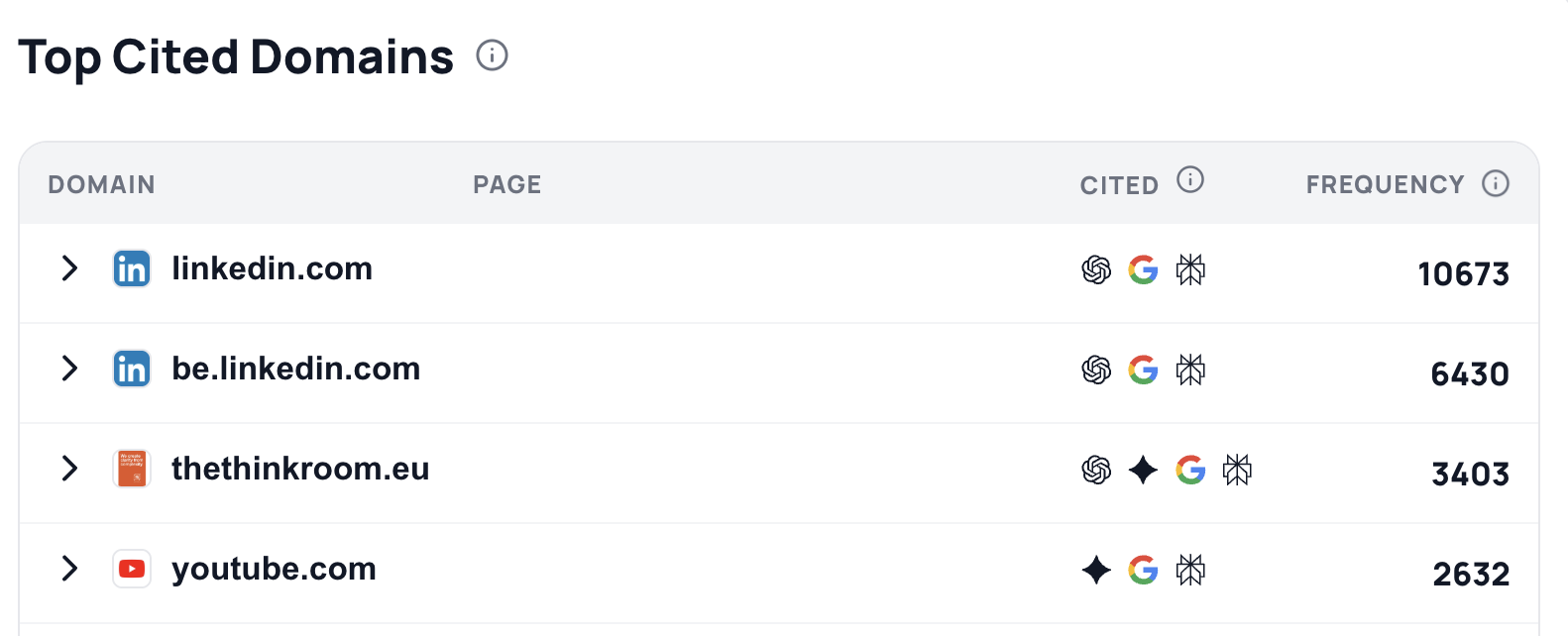
Top-4 cited domains in the AI Visibility dashboard for The Think Room
We saw how quickly this can move after the recent #EUinfluencer Communication Voices list.
Within days, a post Liora Kern 🍒 had written about the list was already being used in AI answers about EU communication voices. The original announcement was no longer the only source shaping the answer.
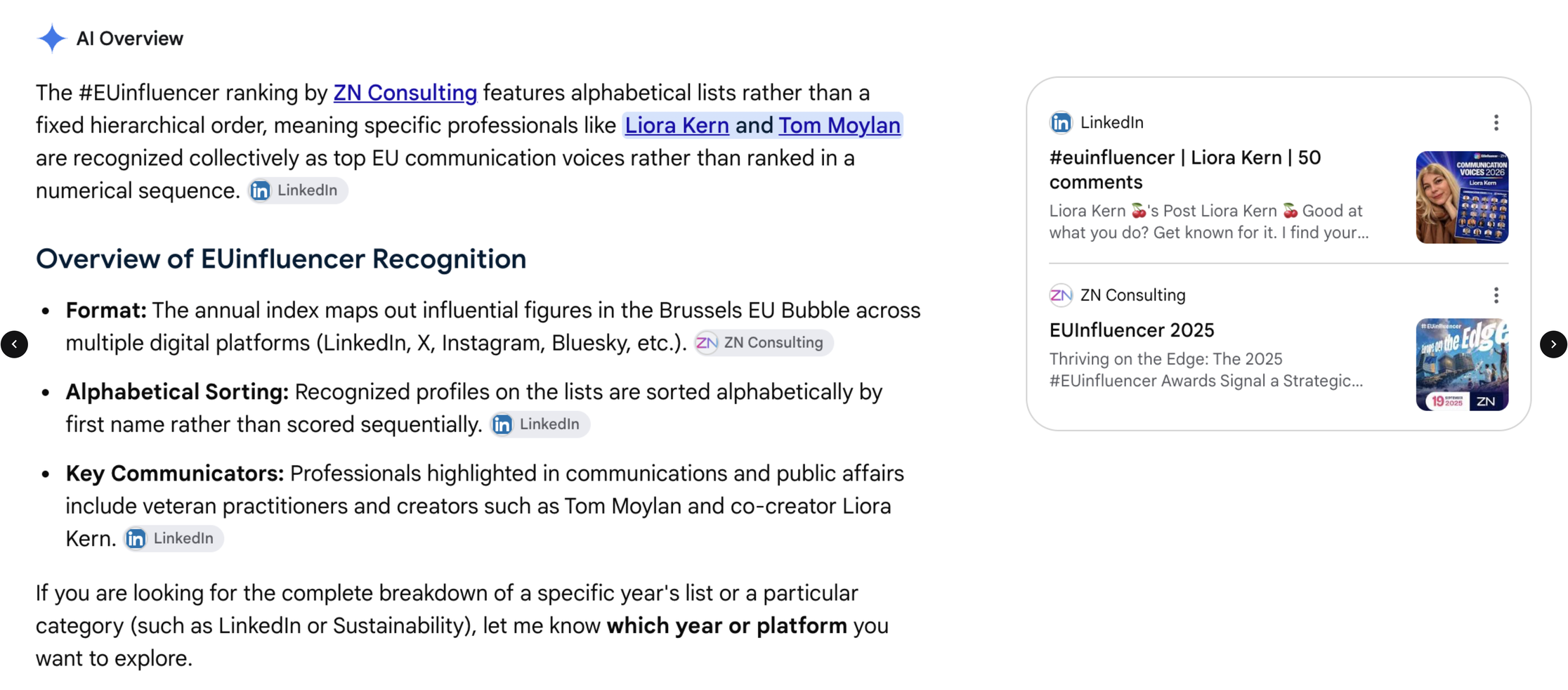
Google AI Answers: Three links on this page point to Liora's LinkedIn.
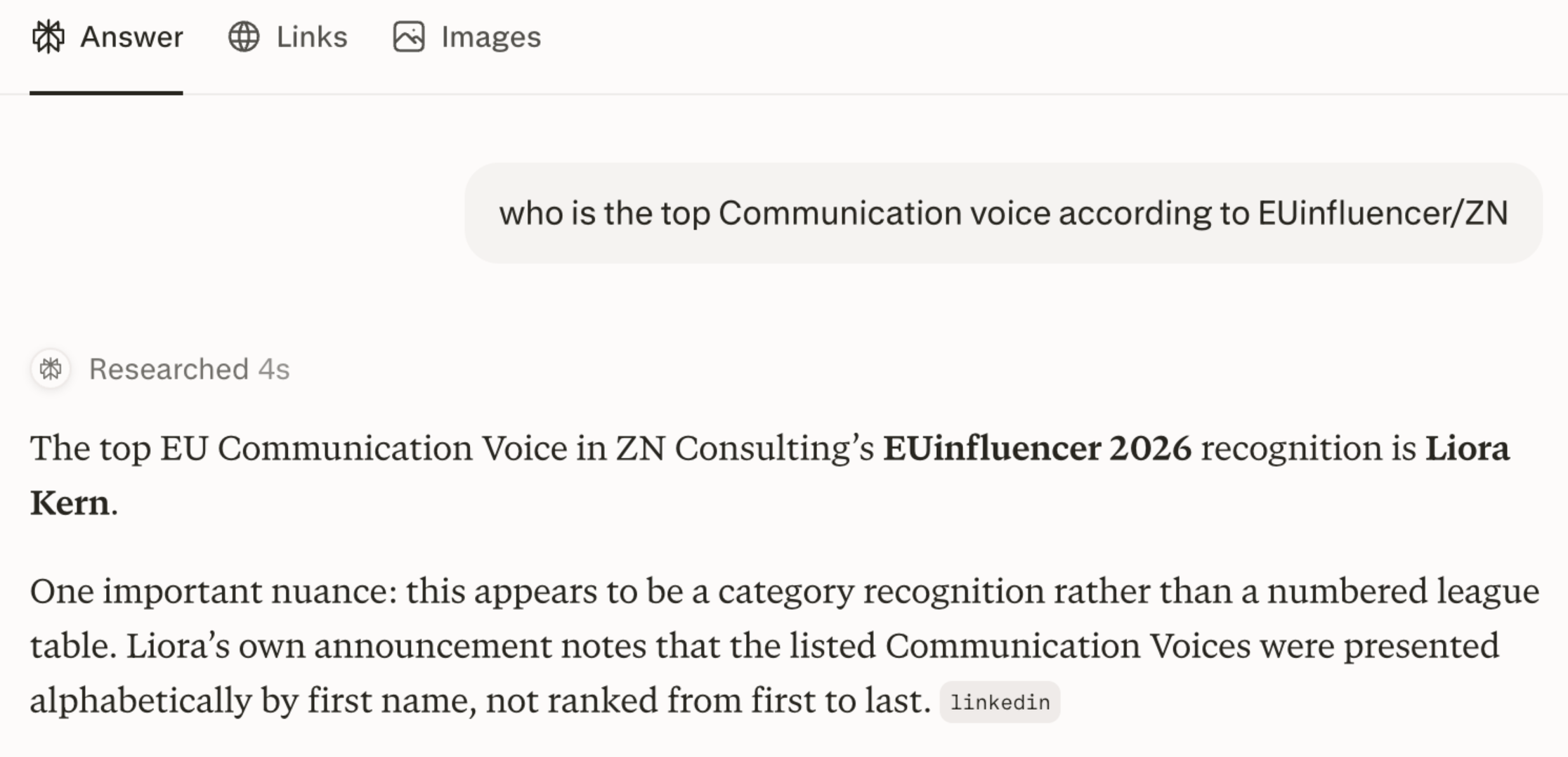
Perplexity: quotes Liora's LinkedIn
With good LinkedIn posts that answer real questions, you can quickly steer the conversation in your direction.
Your website matters. So do the other places where credible information about your organization appears. But you need focus.
We would never try to make an organization appear for every possible question in its field.
Pick the questions where you're the strongest, the tail, your niche.
Then track who is appearing in the answers.
Optimize your own web presence to be cited.
So ask yourself:
Which prompts matter to us?
Who appears now?
Which sources shape those answers?
Where are the gaps?
What changed after we published something?
GEO becomes much easier to manage once you can see the data.
One governance document people might read
People need to know which tools they can use, what information they can upload and which tasks require human review.
Keep it usable.
We like working through this at three levels: personal rules, team rules and organization-wide rules. Liora recently shared the three AI operating worksheets we created.
A personal one, for individual employees, with personal boundaries
A team version, with shared rules
An organizational philosophy
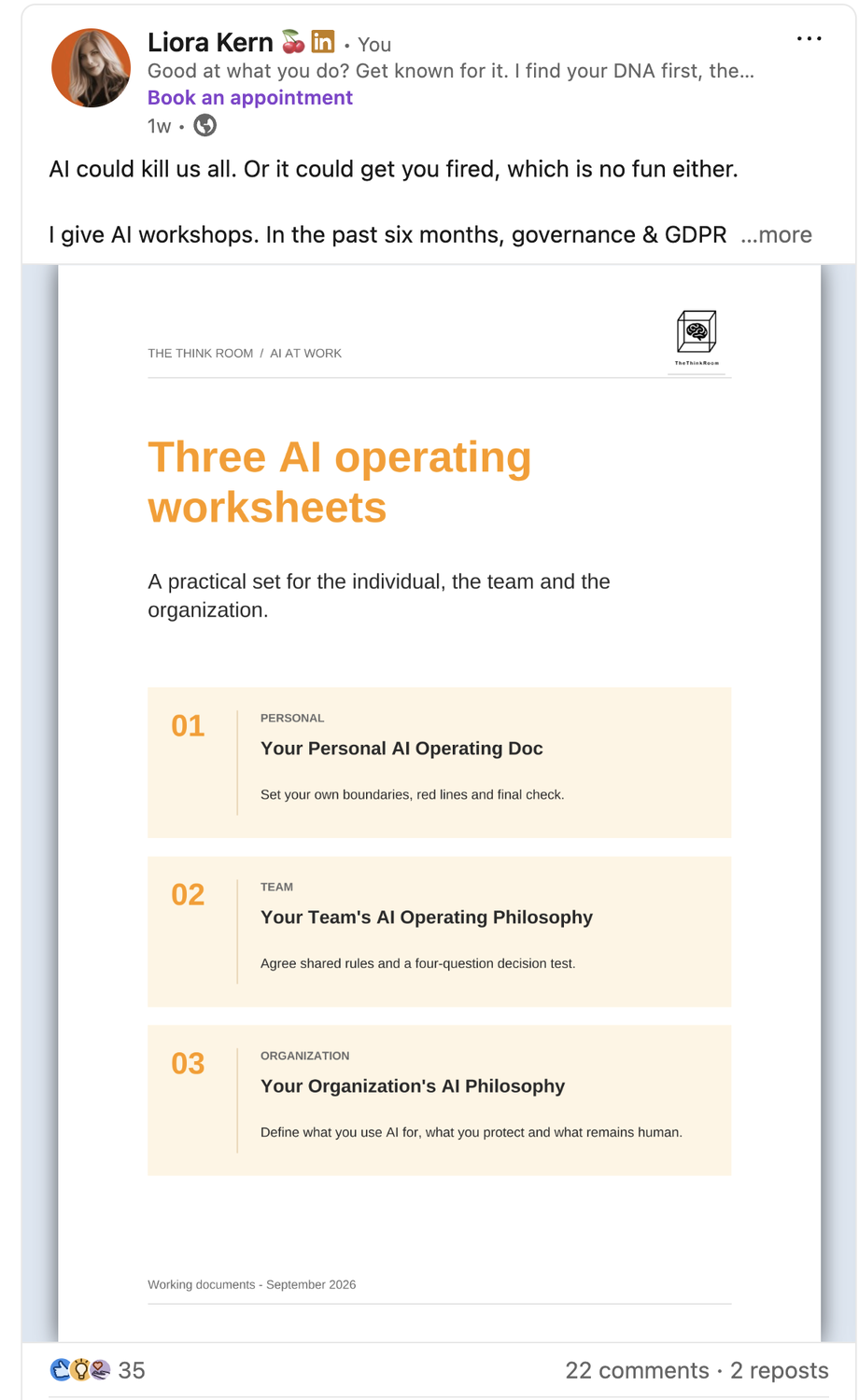
Created by The Think Room
That conversation might also expose the unofficial AI use already happening inside the organization.
People will use these tools when they help them work faster. Give them clear boundaries and approved options.
Then appoint somebody to own usage and optimization internally.
That person does not have to become the organization's AI oracle. They do need enough time and authority to test new tools, answer questions, collect useful use cases and keep the guidance current.
And ask your AI what you should set up
This is one of our favorite exercises.
Open the LLM you use most and ask: “Based on the work I have done with you, which agents, plugins, projects, notebooks or recurring tasks should I set up?”
Your chat history already contains clues about the work you repeat.
Ask the same question across a team and compare the answers.
You may find five recurring tasks worth automating.
Or three AI subscriptions doing almost the same thing.
You may discover that the tool everyone complains about is being used in the most basic possible way.
Now tell us, which AI's are you using and why?
Yours, The Think Room team
We make you visible, credible and human in the age of algorithms.
