Let's dive in.
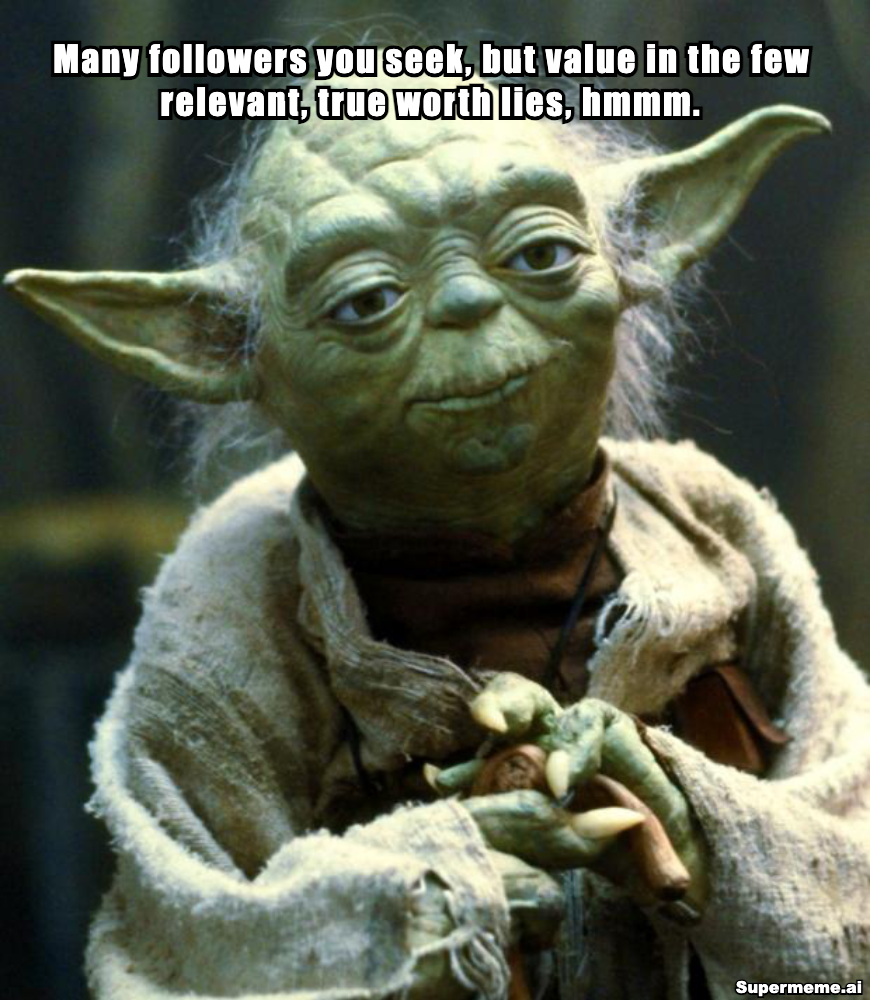
In Brussels and EU public affairs, a huge audience may have little value, and few hundred relevant readers can be worth far more.
But LinkedIn still has the same goal: making you the go-to-person about a specific subject.
But how do you that if your posts are not getting any traction? Very few impressions, and no replies?
Before you blame “the algorithm”, let’s start with you:
Are you expecting a lot without putting the basics in place?
Are you making it clear to understand what you do?
Do you write posts regularly?
Are your hooks make people click “more”
Most importantly, do people recognize your thinking when they see it?
And do you comment on others' posts?
Source: Supermeme.ai
The short version is this:
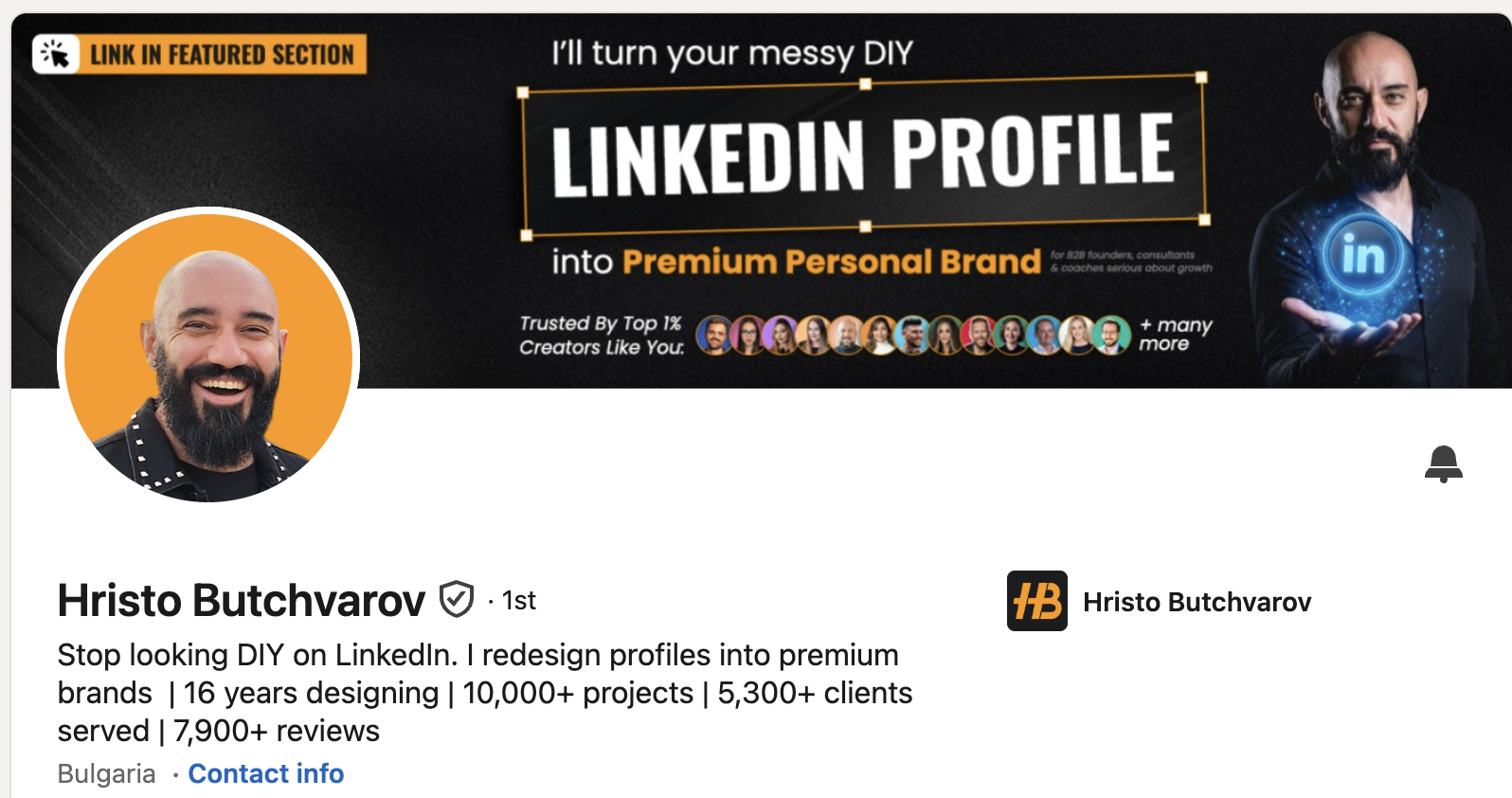
Banners: We’re tired of the EU flags, stripes, and, worse, empty banners. Your banner is the biggest space you have, right at the very top of your profile. Do something useful with it.
Headlines: Please: Stop the 30 titles. Make your headline interesting or fun.
Hooks: Devote more attention to the first lines of every post. A boring hook means nobody will click “more” and then all your hard work remains unseen. Use the first person.
DNA-rich posts: Replace generic expertise that anyone could have written with your real work, opinions and experience.
Niche down: Nobody is going to associate you with anything specific if you keep changing tune. Decide what you want people to come to you for, pick a small number of subjects around that, and speak about them all the time, in different ways.
Write posts that people will want to save because they are just so useful.
Don’t sell: Teach people how to do what you do.
Ask for comments only when you care about the replies. Ask for something simple enough for people to do quickly. Stay around to answer them.
Stop hashtag carpet-bombing.
Readability. Tiny text on visuals, emoji overload and decorative fonts make posts less accessible.
Now, let us explain....
1. LinkedIn profile: people visit and still don’t know what you do
Your headline follows you around LinkedIn. Hristo Butchvarov opens his headline with “Stop looking DIY on LinkedIn.”
Source: Hristo's Linkedin
Eli Sundelson uses “I write things people screenshot.”
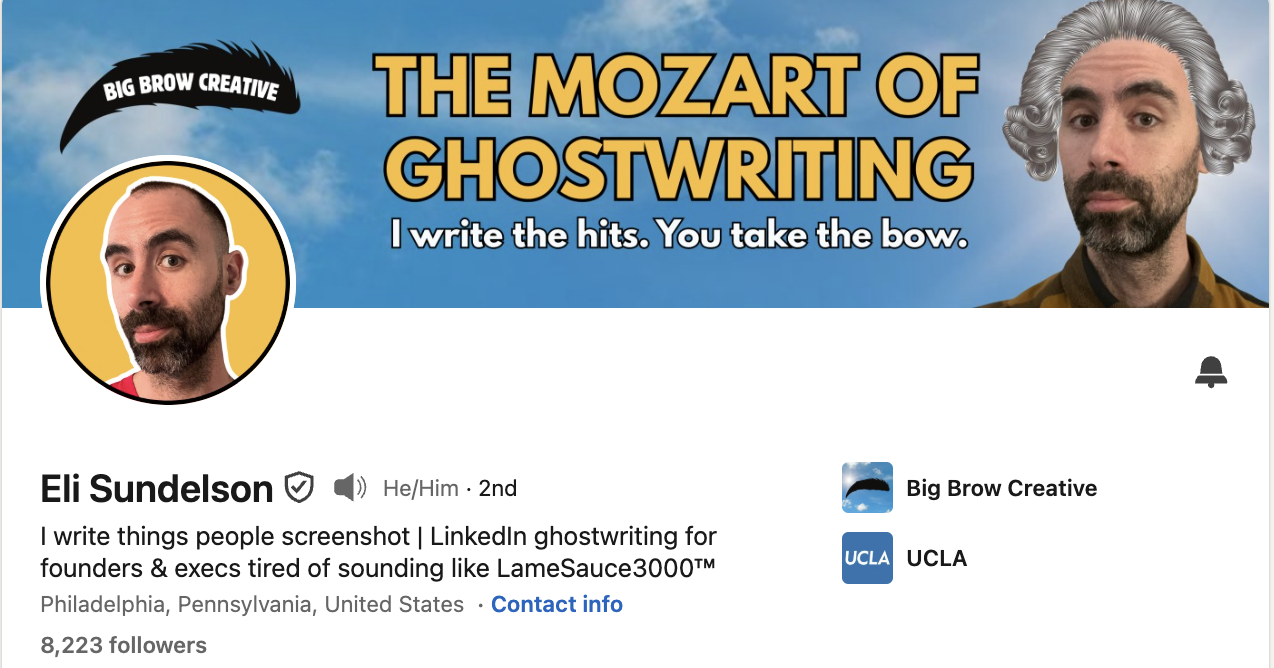
Source: Eli's Linkedin
You may be in a completely different field, but that doesn't mean yours should be boring or unclear. Don’t fill your headline with eight job titles. Don’t use a random quote. Be like Hristo.
2. LinkedIn hooks: you wrote a good post and nobody opens it
A visual stops the scroll, but only a good hook makes them click “more”.
Be aware that the hook is not the same size for everyone, and it also depends if you are on mobile or desktop. LinkedIn has started showing longer previews for some, with five lines instead of three.
But your very first sentence still is the most important one.
A hook in the first person, performs better. Use “I” or “my”.
Compare: “10 tips about LinkedIn” with “I analyzed 365 of my posts, and here is what I found.”
Most good hooks do one or more of these five things:
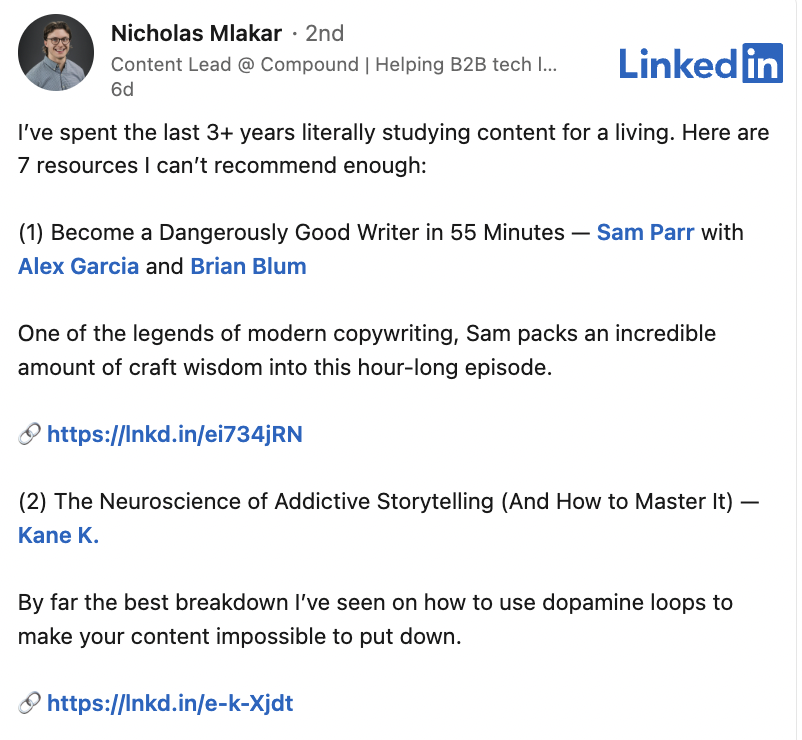
Create curiosity. Give people enough information to make them want the missing piece. Nicholas Mlakar does this well in this post, opening with: “I’ve spent the last 3+ years literally studying content for a living. Here are 7 resources I can’t recommend enough.” You know what is coming, but you still need to open the post to get it.
Break an expectation. Say something that makes the reader stop because it clashes with what they expected. “Stop trying to be confident” works because most advice tells you how to become more confident. An unusual word can do the same job.
Name a problem people recognize. This is especially useful for professional content. Describe the frustration precisely enough and the right reader thinks: yes, that is exactly my problem. A vague “Are you struggling with your marketing?” will do very little. A specific problem faced by the people you’re trying to reach, will do much better.
Make the payoff clear. Tell me what I will get if I keep reading. A useful template, a specific explanation, a list of mistakes, a result you achieved, or the answer to a problem can all work. Just make sure the post delivers what the opening promised (Never not deliver!).
Make it immediately relevant. People stop when they recognize their work, industry or daily experience. “10 questions you get when you tell people you work in Public Affairs” by Lennart Wetzel works partly because the intended reader knows within seconds that the post is for them.
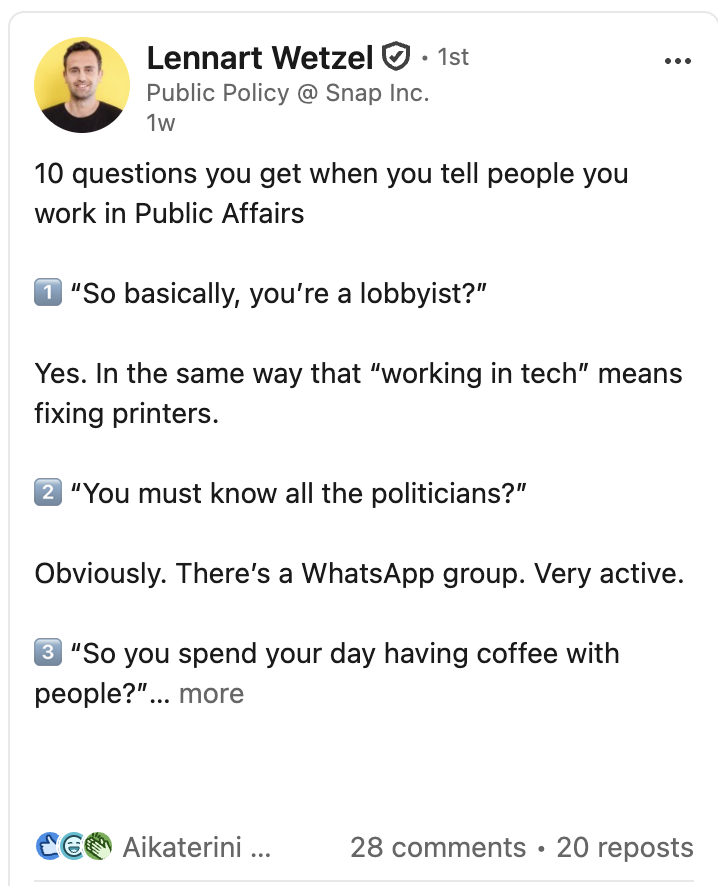
Source: Lennart Wetzel's profile
Or the way Andrea Bittnerova goes about it in this post: “I left the largest think tank in Brussels to build my own business.” It is specific, personal and leaves enough unanswered to keep reading.
What doesn’t work as a hook?
Generic questions that could introduce 5,000 other posts or people.
And hooks that promise fireworks so they get you to click, followed by a post about a minor and uninteresting update. Never disappoint.
“No particular reason I’m writing this, but…”
“Artificial intelligence is reshaping how businesses operate…”
“Every challenge you overcome builds resilience…”
“In today’s fast paced environment…”
....Do you see our point?
Write the post first if that works better for you. Then go back and spend serious time on the opening. Ask yourself what gives your intended reader a reason to continue. Or start with the hook and once you find a great one write the rest.
3. LinkedIn positioning: people read you and still don’t remember you
Random posts create random associations. If you want to be known for a subject, talk about it often enough that people connect your name to it.
Example 1: In his Policy Narratives newsletter Rowan Emslie examines how European policy gets shaped by narratives and how information moves through Brussels. It's a "monthly analysis of the stories European policymakers tell themselves, and what they're missing."
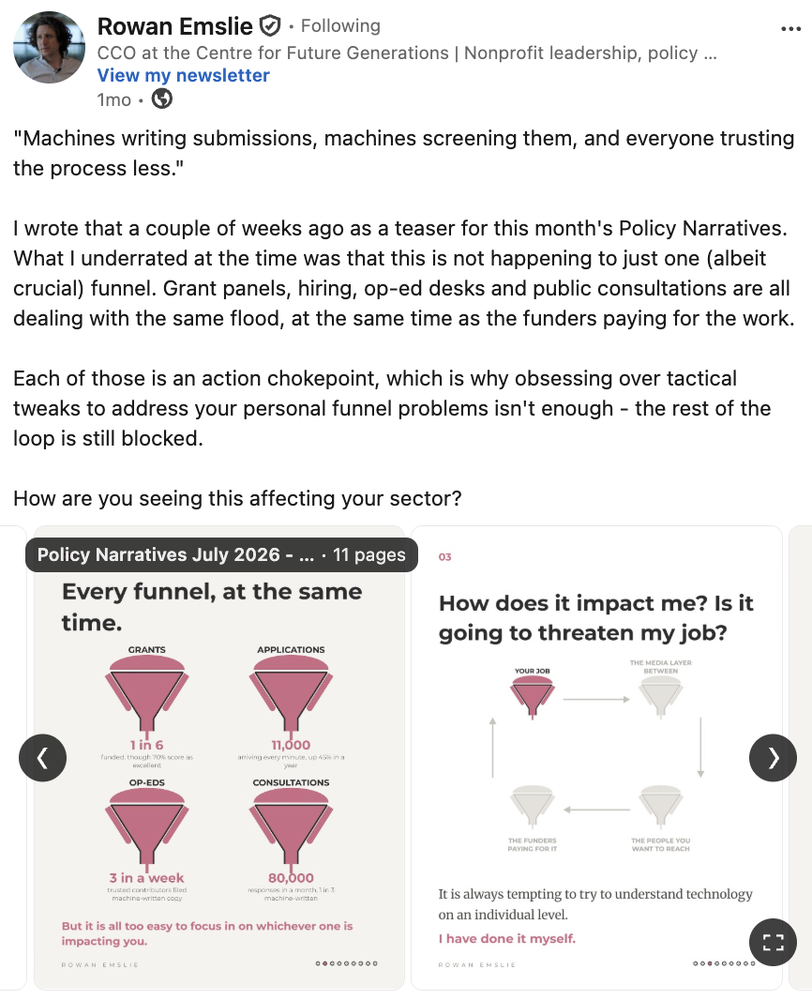
Source: Rowan's Linkedin
Example 2: Nik Pearson's posts bring business and communications onto the same page. He makes sure each post has something unique to him, or his point of view. Take a look at this viral post. He starts from a change inside his own communications team, moving from activity delivery towards strategic advice, and explains what changed in their work.
Source: Nik's Linkedin
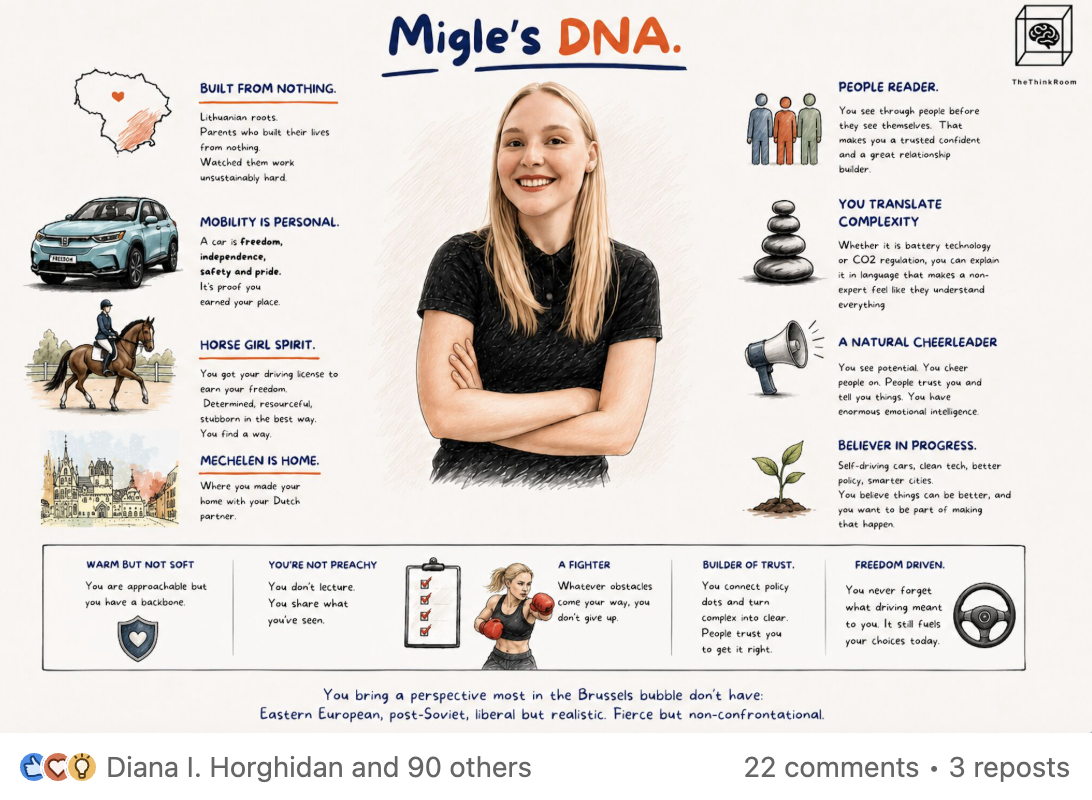
Miglė Blusevičiūtė connects mobility, Lithuania, technical translation and her experience as a woman in a male-dominated sector in this post. Her DNA makes her professional point of view impossible to copy.
Source: Miglė's Linkedin
Don’t rotate through every subject you can talk about. In a crowded market, repeated association helps people know when to call you.
4. LinkedIn reach: you are getting attention from the wrong people
Brussels is based on small policy communities. For a given file, the audience that matters may be dozens or hundreds of people.
This changes how you judge LinkedIn advice. Mass-market creator advice often prizes the widest reach, frequent posting and strong provocation.
EU public affairs depends heavily on subject knowledge, trust and relevance among a smaller group.
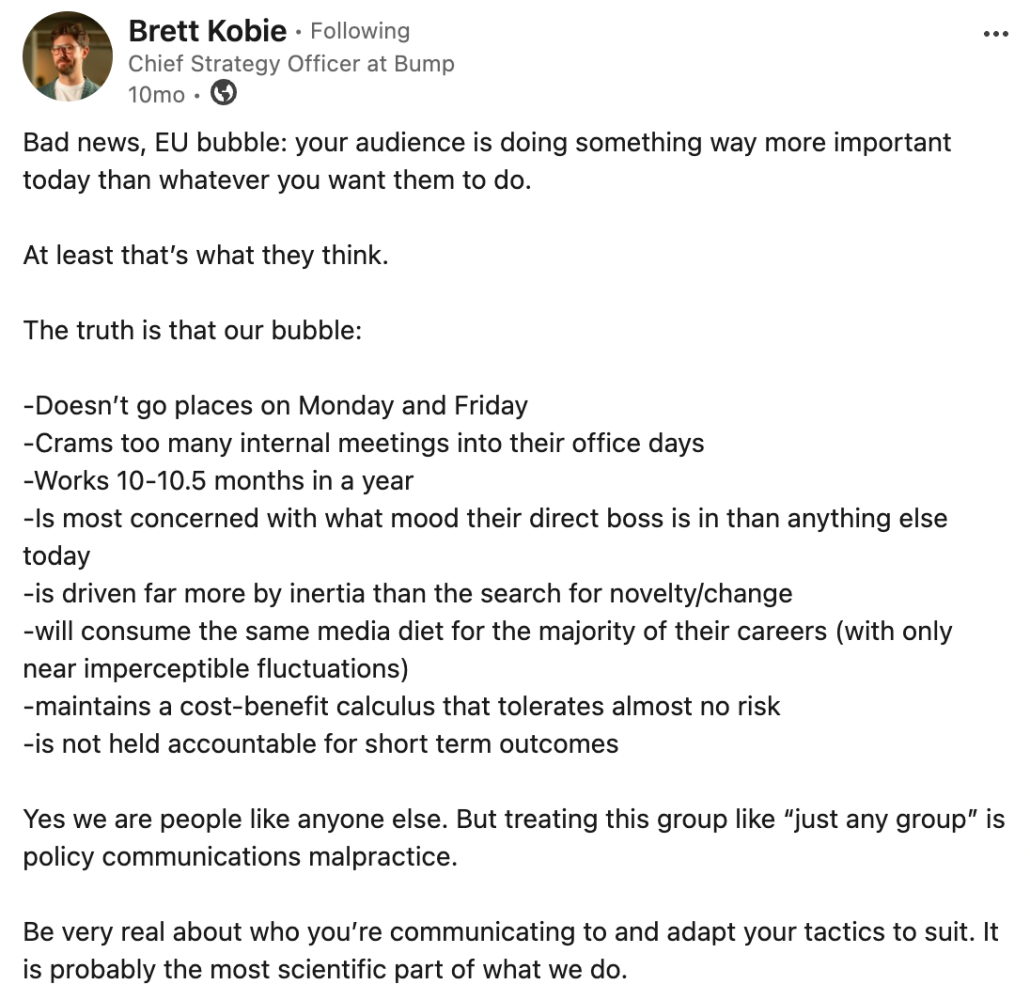
Source: Brett Kobie's Linkedin
Brett Kobie makes the Brussels problem concrete in this post. He argues that EU audiences have their own habits and constraints, so communications need to reflect them. His piece on EU policy micro-communities goes further into the small groups where policy discussions happen.
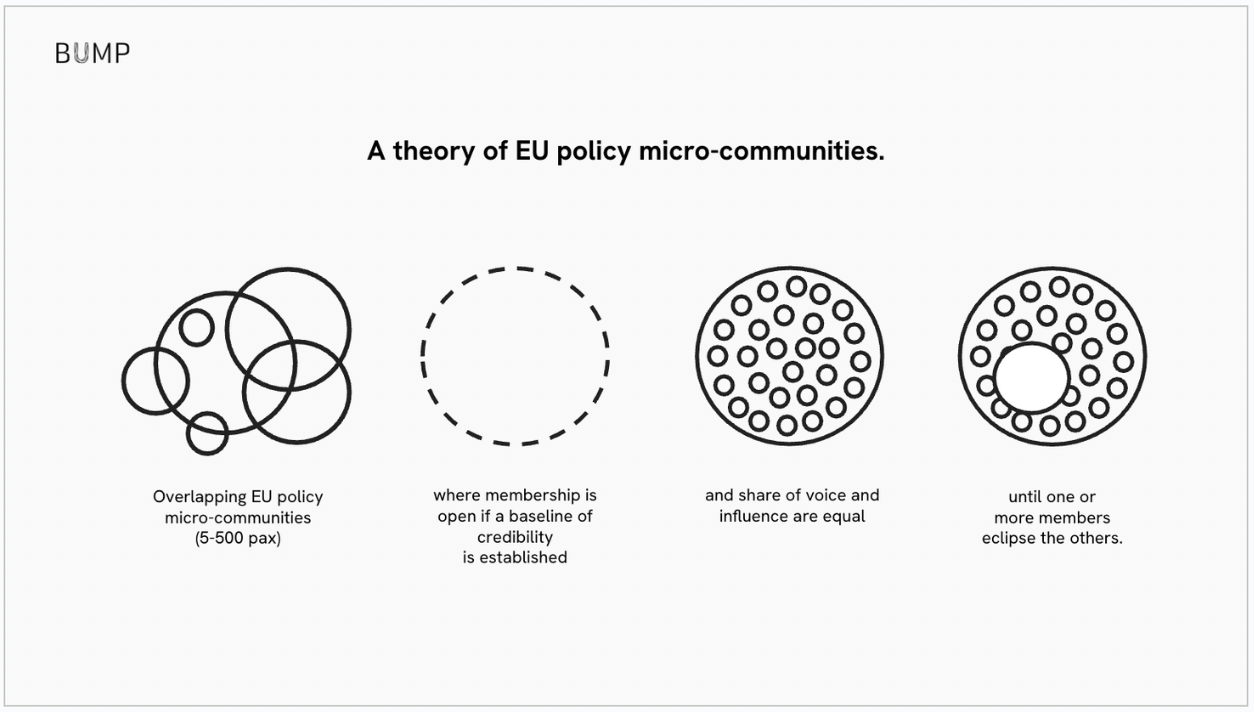
Source: Bump by Brett Kobie
Don’t copy any rules. Decide who needs to remember you and what you want them to associate with your name. And more than anything: Try, test, and post, and see what works, and do more of that.
5. LinkedIn value: people like your posts, then forget them
Give away something people can use without hiring you. That is one of the simplest ways to become associated with a problem people need solved.
Ruben Hassid does this repeatedly with AI. His posts give readers checklists, guides and steps they can use themselves. This ChatGPT privacy post shares 10 habits for safer usage (and points readers to a longer free guide).
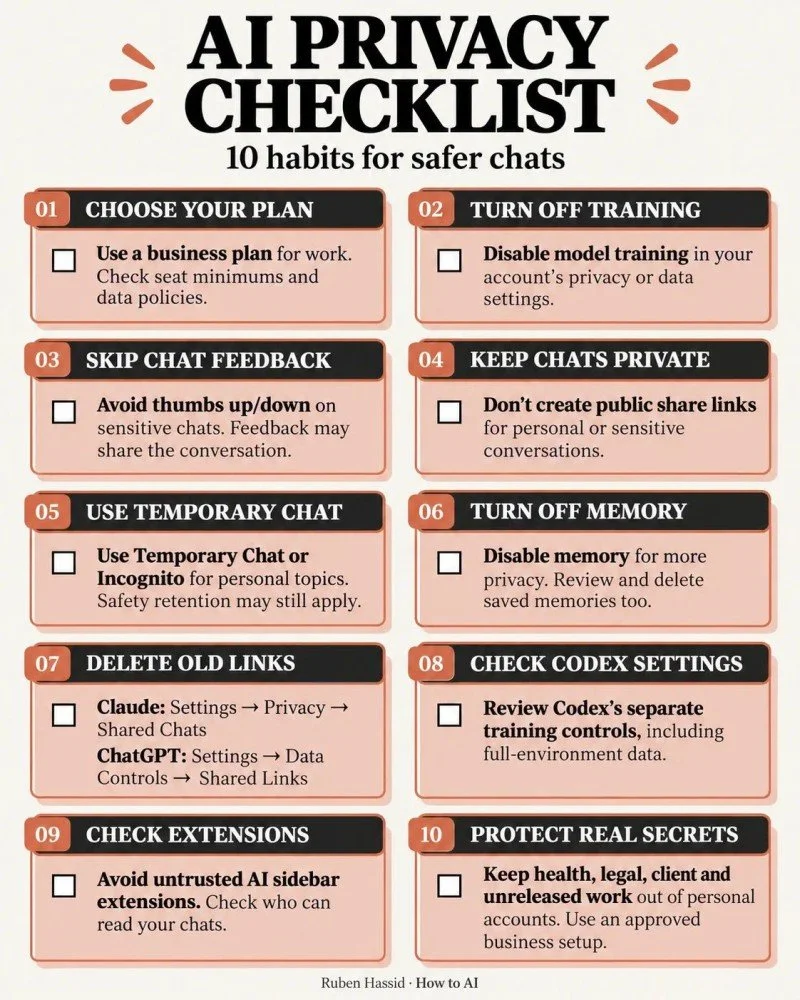
Source: Ruben Hassid, How to AI
Teach enough that someone can try to do what you do. At some point they may realize they are too busy to do what they’re not specialized in, and they’ll reach out.
6. LinkedIn comments: nobody responds, or the replies feel forced
End with something easy to answer and connected to the post. Then stay around to reply.
Jasmin Alić asks, “What’s on your LinkedIn wishlist?” in this post.
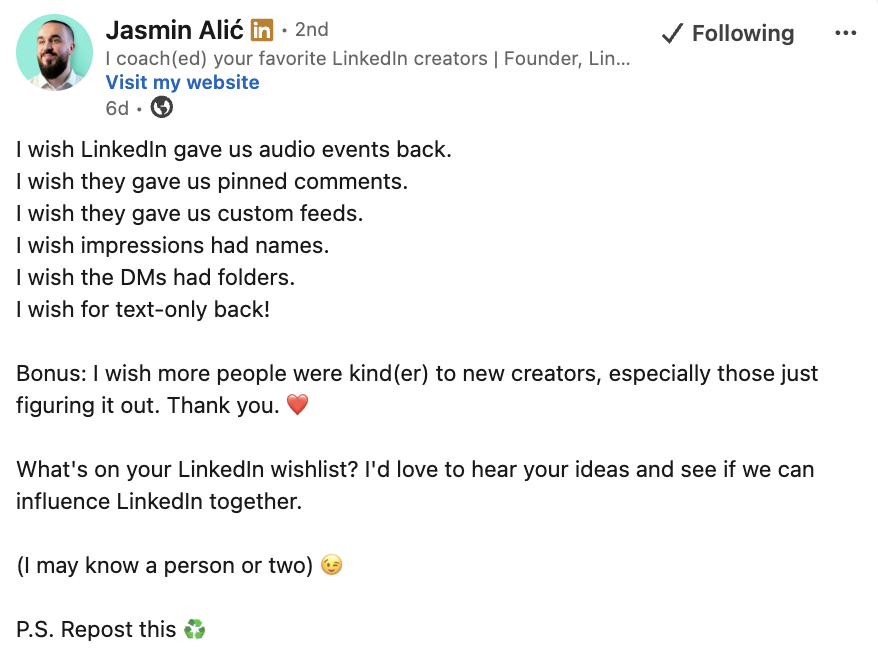
Source: Jasmin's Linkedin
Marco Andre ends this list of awkward habits with, “Please help me feel less inadequate. It’s a cry for help.” The ending gives people an easy way to recognize themselves in the post, without the dead “Thoughts?
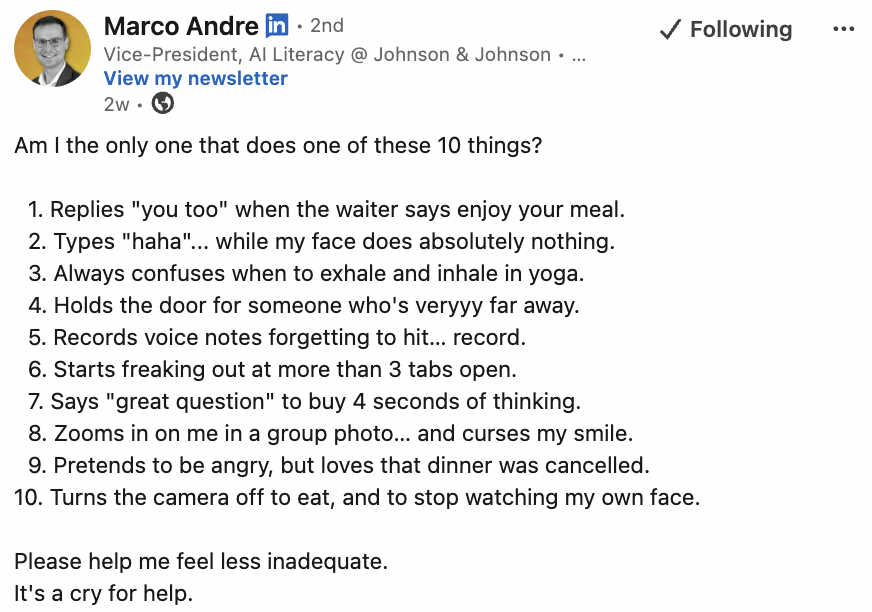
Source: Marco's Linkedin
Don’t add a fake question for engagement. If you do not care about the replies, leave it out. If you ask, don’t disappear for three days, but answer people. It's polite, you know.
8. LinkedIn writing: your posts sound like everyone else’s
AI can help with writing, and many people outsource it. The risk, however, is generic copy that don't help you with your positioning. So why would you do it.
As Sebastián Rodríguez said during his live LinkedIn session with Liora Kern 🍒 "If you are already writing a post, you may as well make it a good one."
AVOID: “In today’s fast-paced world”, AI advice, piles of hashtags, decorative fonts and emoji overload that make a post terrible. (We don't like Decorative Unicode fonts as they can cause problems for people using screen readers.)
Be specific: Add names, decisions, examples, numbers and details from your own work.
One sharp observation from your own experience will do more for your reputation than a page of generic leadership advice.
9. LinkedIn ideas: you have run out of things to post
Look outside LinkedIn. Formats often appear first on Instagram, TikTok or X.
If something gives you an idea, borrow the (proven) format and credit the source. Add your own experience instead of copying someone’s words.
See this example in Liora Kern 🍒's post, taken from X, and adapted for an international audience:
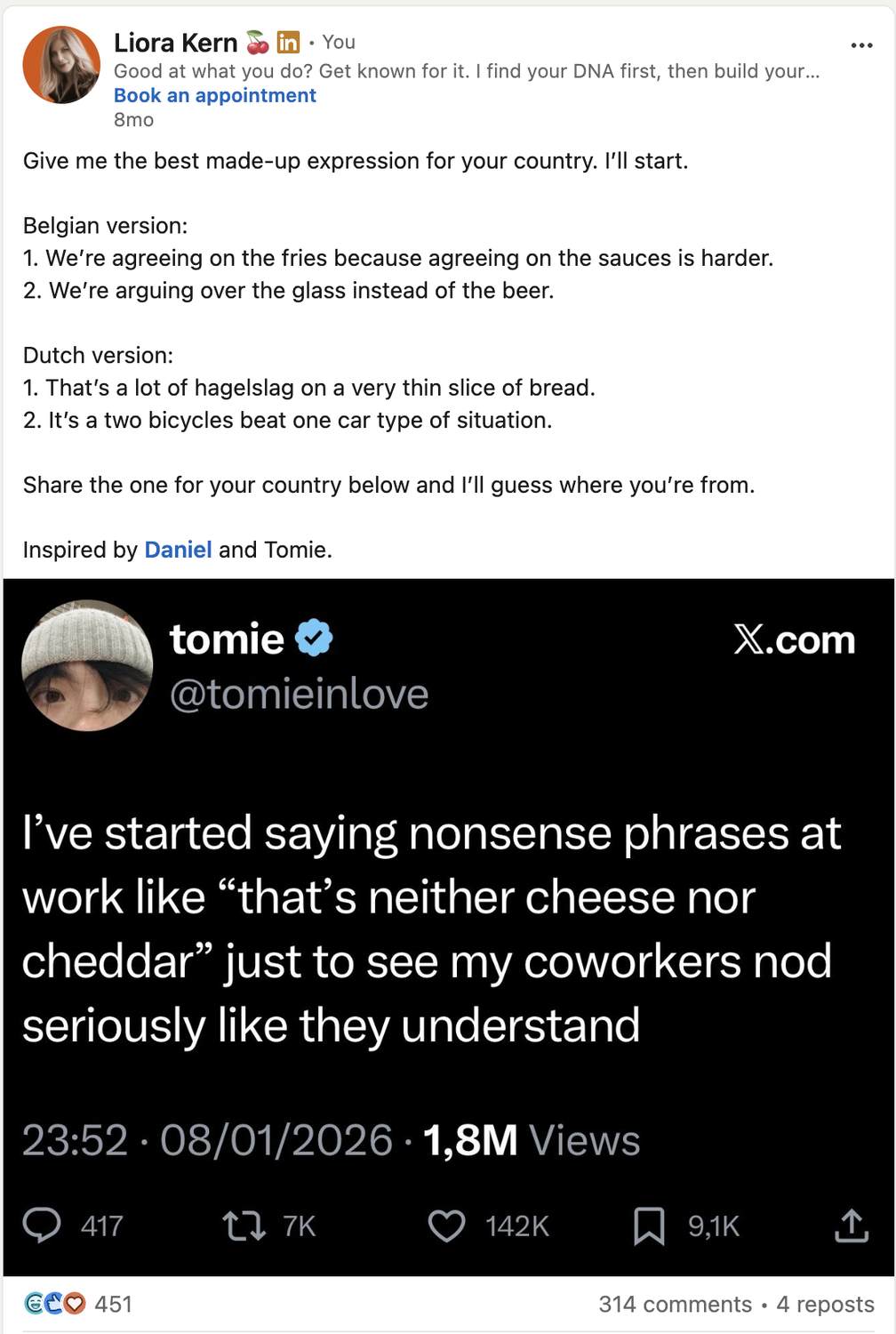
Source: Liora Kern's LinkedIn
Use real evidence and tell the story in language busy people can read quickly. Judge the results against the outcome you wanted (a job? invitation to panels? calls by the media?), rather than likes and impressions alone.
LinkedIn makes the right people remember your name and connect it with something specific. Decide who those people are and what you want them to associate with you. Keep giving them useful evidence over time, and with valuable as well as light posts about your topic, and in different formats: Text-only, video, carousel, infographics...
A quick test: open your profile and give it to someone who does not know your work well. Ask them what they think you do. If they cannot answer in 20 seconds, start there.
Yours,
The Think Room team
We make you visible, credible and human in the age of algorithms.
Forward this to someone who needs some help with LinkedIn.
P.S. Liora gives brilliant LinkedIn workshops if your team wants to go deeper...
