Hello everyone!
It's Wednesday, so time for our next DNAI newsletter, #7.
If you spend more than five minutes scrolling through your LinkedIn feed right now, you will inevitably hit a wall of panic disguised as productivity advice. Every single day, a new AI feature launches promising to do your job for you, faster, better, and cheaper.
“The overarching message on the timeline is clear: if you aren't automating your entire professional life, you are already obsolete.”
We hear the resulting anxiety all the time from communicators, founders, and association leaders. You are told you need to adapt, but no one is telling you exactly how to do it.
Also, AI is expensive; you are constantly running out of tokens, and building automations feels like something best left to "experts".
The good news is that you do not need an engineering degree.

Source: Supermeme.ai
If you are a human being who can read the screen in front of you, you have all the “technical skills” you need to automate your workflows today.
Plain language and common sense instructions are enough.
But there is a right way and a wrong way to approach this. Below our AI automation tips for you.
The golden rule: manual first, then automate
Just like you can't scale a business if the basics aren't working, you can't automate a process if the manual process is flawed. So don’t think about future processes you want to automate; look at processes that you’re already doing or have done and start there. The better you know what needs to be done, the easier automation will be.
However, if your manual workflow is inefficient, confusing, or broken, your AI workflow will simply perform that disaster at lightning speed.
Only automate processes that you already have a strong grip on manually.
You must know the end-to-end workflow yourself before you ask an LLM to do it.
Your manual process must be as efficient as possible so you can instruct the AI to perform the task exactly like you do, or ideally, even better.
Never assume the first version of your automation is going to be perfect. It almost never is.
You must test the output, iterate on the instructions, and continually refine the automation until it’s ready to stand on its own.
Even then, it can break and needs regular maintenance, but that maintenance is a fraction of the time it would take you to do the same task manually.
If you struggle to write down the exact steps of your own processes, use technology to document them for you.
Tools like Scribe or Limesync will run in the background, track your mouse movements, record your keystrokes, and automatically generate a beautiful, step-by-step document outlining exactly what you did. You can then plug that precise document directly into your AI to generate workflows.
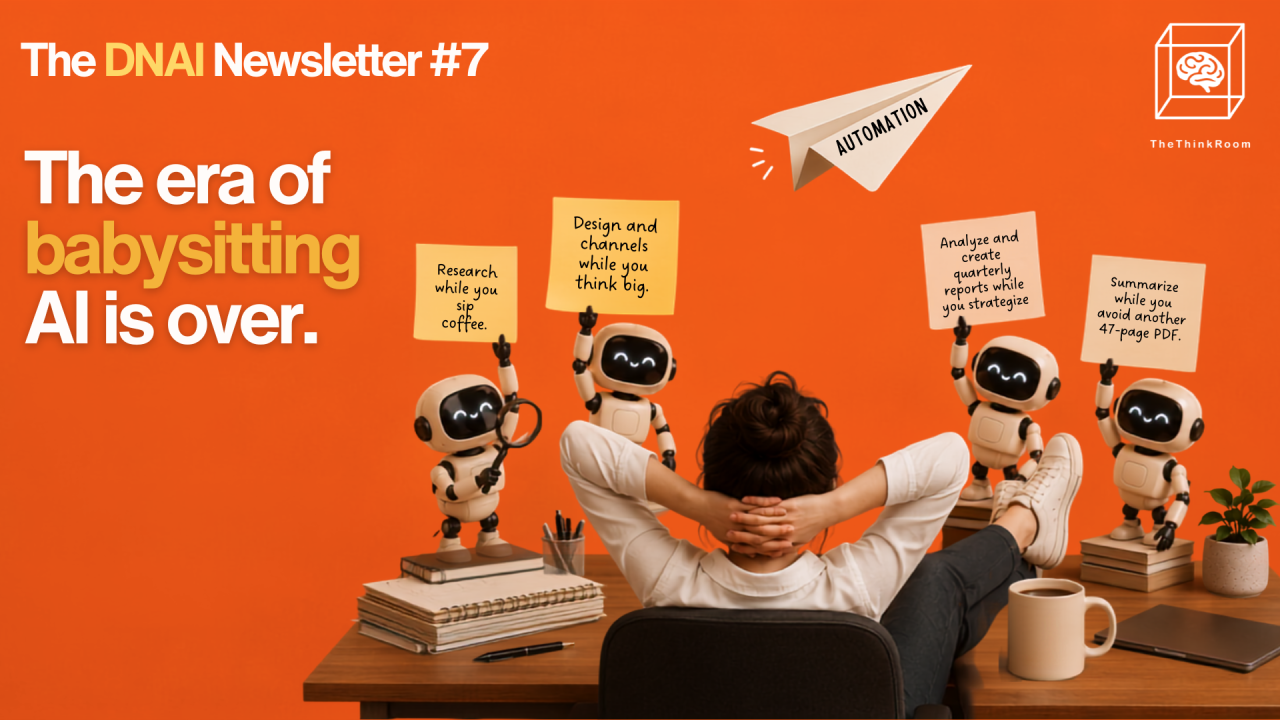
Stop chatting. Start working.
The days of basic "chatting" with AI are fading. If you are still typing a prompt, waiting for an answer, typing a correction, and babysitting AI through a task, you are wasting your time. We are moving rapidly toward "CoWork" or "Work" modes in tools like ChatGPT and Claude, and Computer in Perplexity (still one of our favorites).
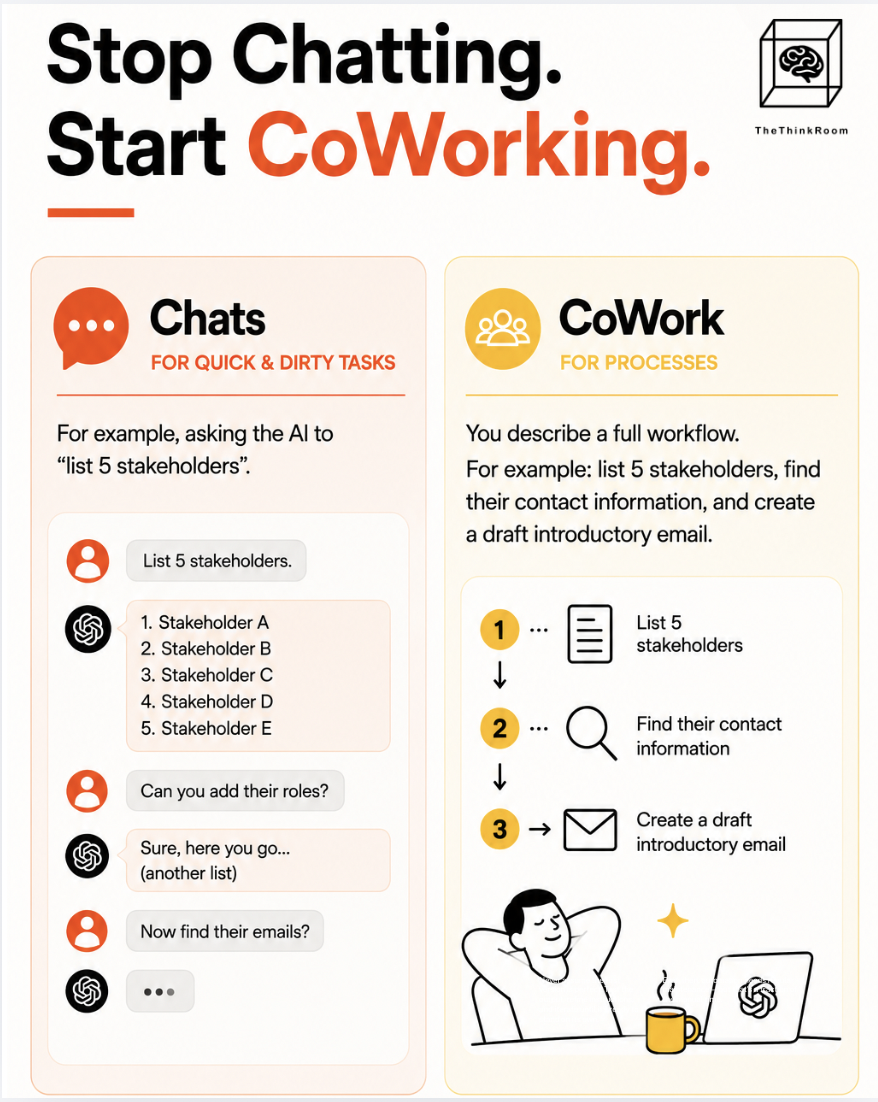
Chats are for quick and dirty tasks you do once: For example, asking your AI to "list 5 stakeholders". You get an answer, you reply, and you end up hand-holding the model.
CoWork is for processes you want to do repeatedly: You describe a full workflow. For example: list 5 stakeholders, find their contact information, and create a draft introductory email, all while you sip your coffee and lay back (or more likely: move on to other things.)
When you use CoWork, you are describing a multi-step process. The AI runs the steps sequentially, without needing you to intervene.
Source: The Think Room
However, boundaries are necessary.
You should never give an AI the instruction to actually send emails on your behalf; the final human check is non-negotiable. Have the LLM stage the drafts in your folder so you finally have control.
Use "Skills" to package your brain
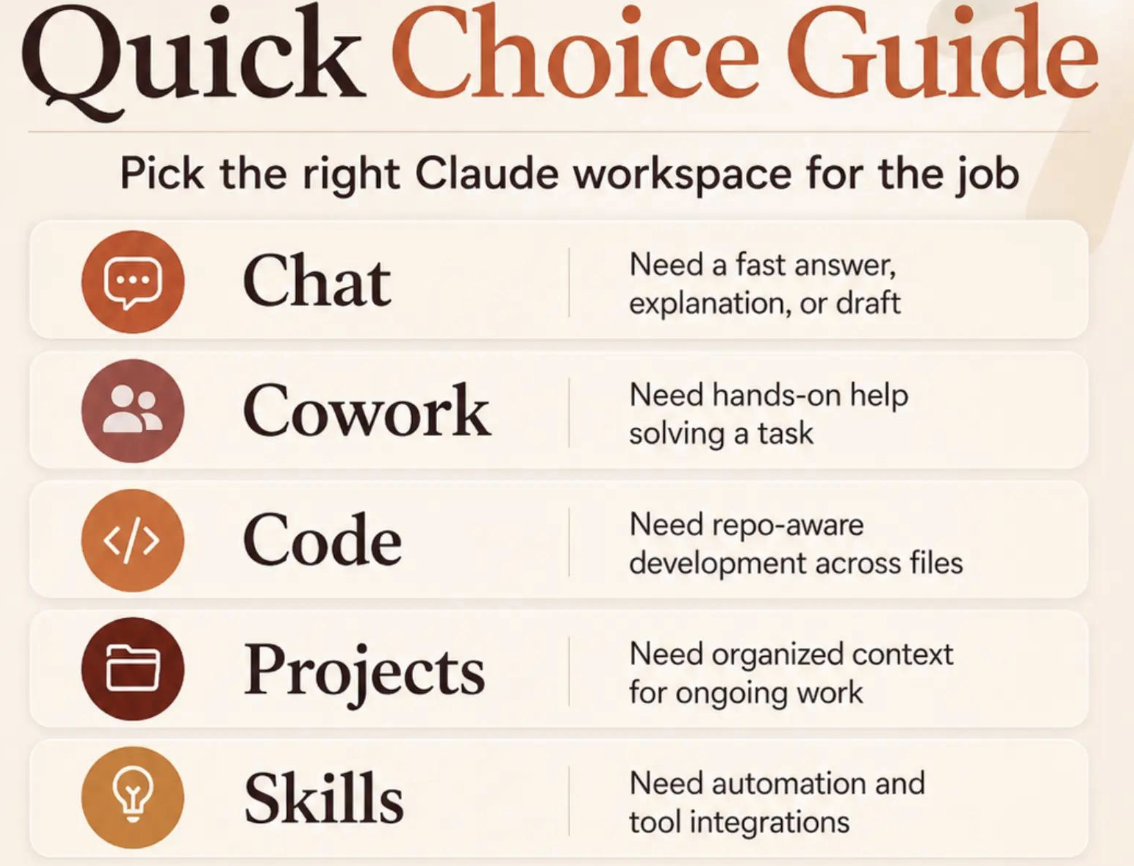
A Skill is a feature available in tools like Claude CoWork, ChatGPT Work, and Perplexity. It acts as a package for your repetitive workflows.
For example, nobody likes formatting documents. Changing text colors, adjusting boxes, and fixing capitalization is a drain on your energy. If you have a template of how your document should look like every time, with all of the technology that we have, it is a waste of time to format your documents manually. This is where "Skills" come in.
A Skill takes all of your previous feedback, prompts, and specific inputs used to complete a task and saves them into a single Markdown (.MD) file inside a skill folder.
The next time you need to do that identical task, you simply run the saved skill. You don’t need to go back and forth and give it the same feedback over and over.
You can take your hands off the computer and watch the AI complete 85% to 90% of the work automatically.
You can create a skill by first manually guiding the AI through a perfect workflow once, and at the end, instructing it: "Whatever I just did, turn that into a skill". (Brilliant!)
The AI will intelligently analyze the steps and package them into a repeatable format, that with some iteration can get up to 90-95% of the output you want.
If you look back at previous chats with AI, you probably have a manuscript of inputs and outputs that you gave in order to get an output you wanted. Just select all, copy, paste into ChatGPT Work, or the equivalent, and ask it to turn that into a skill.
A key benefit of using these skill files is that they are model-agnostic. If you use the desktop application, they live on your computer, meaning if you ever get locked out of an account, or if a platform radically changes its pricing, you can take your carefully crafted skills and plug them into an entirely different Large Language Model (LLM) and get very similar outputs.
Source: AI Career Suite
TIP: If you use Claude and want to set up Co-Work, then this Substack Guide by Ruben Hassid is the best thing you can read anywhere on the net.
Source: Ruben Hassid, Substack
The token economy and corporate AI failures
Tokens are the currency of AI, and they are expensive. Tools like Claude and ChatGPT operate at luxury price points, and running out of tokens mid-task is a common frustration.
“When building automations, you do not always need the most powerful, expensive model (like Claude Fable) for every single step. For example, you do not need Fable to do basic formatting.”
Always start your automation testing with the lightest, cheapest model available.
Test its limits; if it fails the task, only then should you upgrade to a heavier model.
For bulk processes, schedule your automations to run during the night.
Claude, for instance, requires a waiting period of 5 hours to regenerate tokens once depleted. Scheduling heavy runs for 1:00 AM saves your active tokens for the workday.
Organizations aren't adopting AI fast enough, and many CEOs at big tech companies report seeing zero Return on Investment (ROI).
In a misguided attempt to force adoption, some Silicon Valley and Wall Street firms began rewarding employees based purely on token usage, equating high token consumption with high productivity. This resulted in a ridiculous situation where employees set up useless AI agents that did nothing but talk to other AI agents, burning through expensive tokens just to inflate their individual usage metrics.
Let's answer some questions we keep getting about automation
We consult with teams across the EU Bubble, and certain questions about AI workflows come up constantly.
"Whenever I use AI to adapt a document, it completely ruins my formatting and text boxes. How do I fix this?"
This happens if you ask the AI to multitask. AI still has trouble handling content generation and complex formatting simultaneously. The fix is to separate the two. Get the text perfect first, and then create a separate "Skill" dedicated solely to formatting. It might not be 100% perfect, but it will get you 95% of the way there without breaking your layout.
"Is AI always the answer, or should we still use old-school scripts?"
AI is not always the answer. If you have a simple, binary task (like routing downloaded files to a specific folder), a standard script is perfect. The problem with standard scripts is they get confused and break the second a website updates its user interface. The easier way: you can use natural language in tools like Claude CoWork to build those old-school scripts for you.
"What happens to our operations if we get banned from ChatGPT or they drastically raise their prices?"
This is exactly why you must remain model-agnostic. By saving your automations as Markdown (.MD) "Skill" files on your local drive, you own the process. If ChatGPT shuts you out, you can plug those exact same files into Claude or Perplexity. For ultimate security and fixed costs when scaling a business, host an open-source model (like DeepSeek) on your own private servers.
"Our AI budget is exploding because the team uses it for everything. How do we control this?"
You need to train your team on model limits. When employees aren't paying for the tokens, they will happily fire up a luxury model like Claude Fable just to check the weather. You need strict internal guidelines on usage, and eventually, we might see platforms automatically select the appropriate, cheapest model for a given prompt.
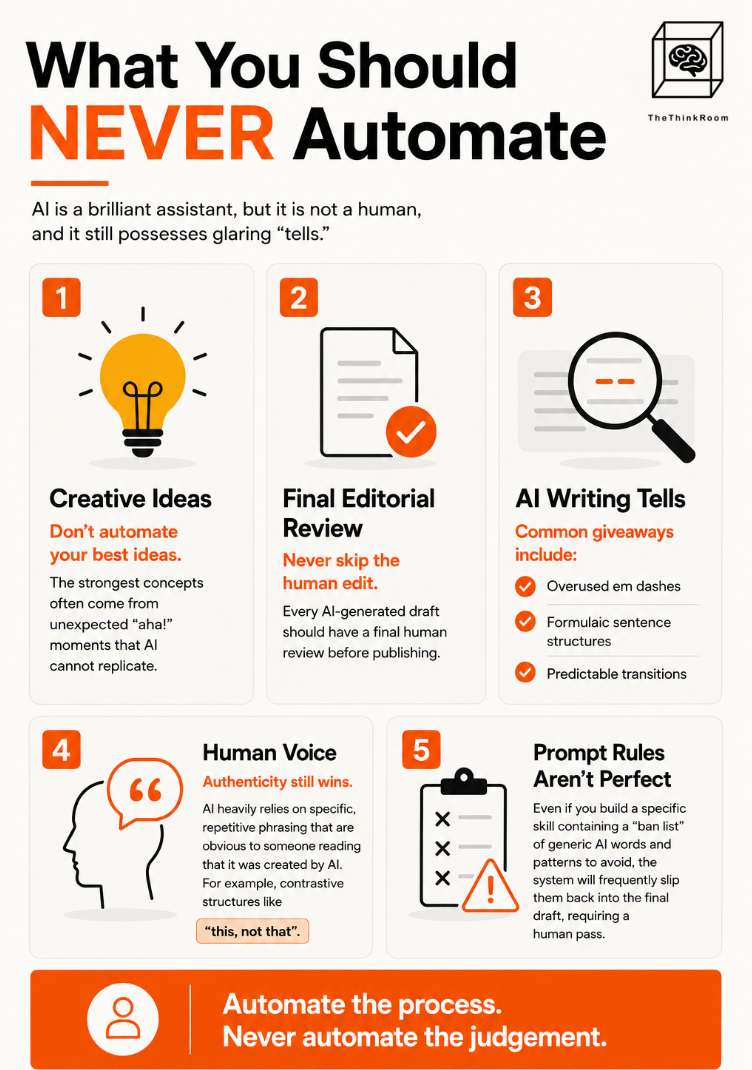
What you should NEVER automate
AI is a brilliant assistant, but it is not a human, and it still possesses glaring "tells."
You can never automate human creativity, as a lot of the creative ideas we get come from these “aha” lightbulb moments that hit you out of nowhere.
You can never automate the final human review when it comes to writing.
AI heavily relies on specific, repetitive phrasing that is obvious to someone reading that it was created by AI. For example, contrastive structures like "this, not that" and words like "quietly".
Even if you build a specific skill containing a "ban list" of generic AI words and patterns to avoid, the system will frequently slip them back into the final draft, requiring a human pass.
Source: The Think Room
You can never automate the soul of your writing. The distinct personality, the lived experience, and the unique voice that makes your content worth reading can only come from you.
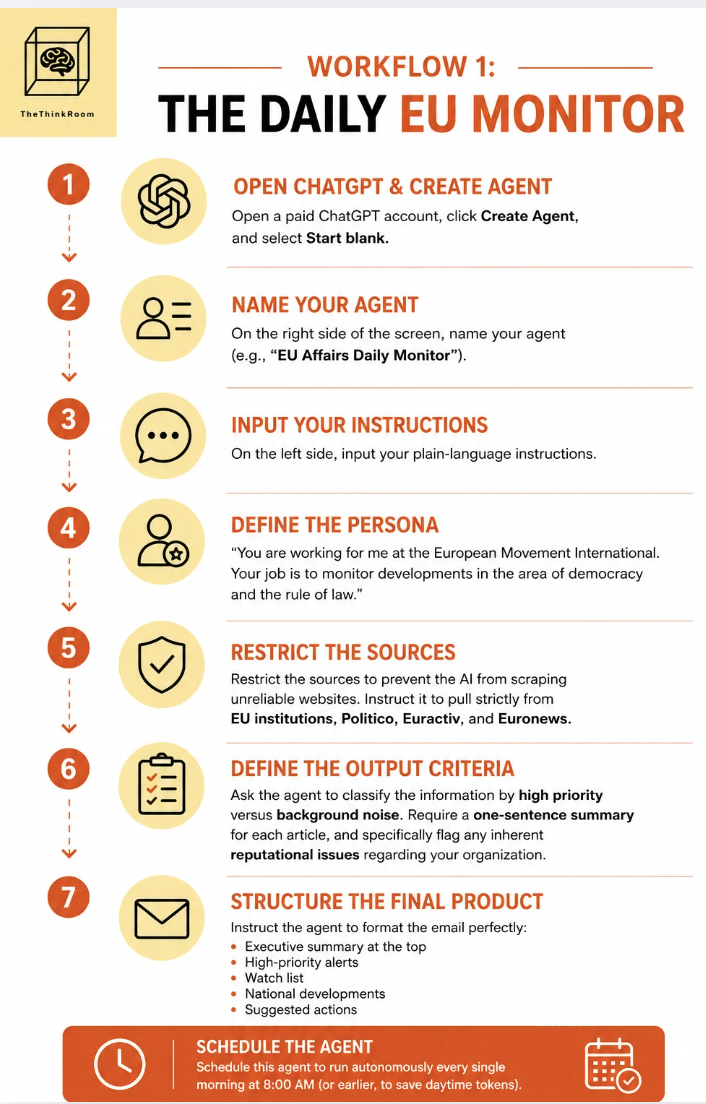
Workflow 1: The Daily EU Monitor
One of the most valuable tasks for any professional in the EU bubble is monitoring the news. Organizations pay thousands of euros annually for media monitoring services that you can build yourself using an agent inside ChatGPT.
Agents speak directly to the underlying model, bypassing conversational barriers. These are the exact setup you can use to build it today:
Open a paid ChatGPT account, click Create Agent, and select Start blank.
The screen will split. On the right, name your agent (e.g., "EU Affairs Daily Monitor"). On the left, input your plain-language instructions.
Define the persona: "You are working for me at the European Movement International. Your job is to monitor developments in the area of democracy and the rule of law."
Restrict the sources to prevent the AI from scraping unreliable websites. Instruct it to pull strictly from EU institutions, Euractiv, Politico, and Euronews, for example.
Define the output criteria. Ask the agent to classify the information by high priority versus background noise. Require a one-sentence summary for each article, and specifically flag any inherent reputational issues regarding your organization.
Structure the final product. Instruct the agent to format the email perfectly: an executive summary at the top, followed by high-priority alerts, a watch list, national developments, and finally, suggested actions.
Schedule this agent to run autonomously every single morning at 8:00 AM (or earlier, to save daytime tokens)
Source: The Think Room
Without you having to open the application, this agent will do the search, format the data, and drop a perfectly structured intelligence briefing directly into your email inbox before you start your day.
Workflow 2: The Walking Content Creator
We always suggest recording voice notes whenever and wherever ideas strike. Ideas often arrive when we are walking outside, looking at the trees, far from a keyboard.
But how often do you have a brilliant "aha moment," promise yourself you will write it down later, and completely forget it by the time you get home?
You can design a workflow to automate the gap between a spoken idea and a finalized LinkedIn post.
Record a quick voice memo on your phone while walking.
Upload that audio file directly to a designated folder in Google Drive or Microsoft OneDrive.
Instruct a CoWork agent to check that specific cloud folder every single hour for new uploads.
When the agent detects a new voice file, it automatically triggers a "Meta-Skill".
This Meta-Skill starts a chain reaction: it transcribes the audio, runs a skill to clone your specific voice and tone, runs another skill to ruthlessly strip out banned AI language, and formats the output.
Finally, it drops a clean, structured Google Document back into your Drive.
By the time you return from your walk, a highly tailored LinkedIn post is waiting for your final review and human touch.
Your task this week
The biggest barrier to automation is hesitation. We spend too much time overthinking the technology instead of utilizing it.
Audit the repetitive tasks you currently handle manually.
Identify the one task with the highest ROI for your time.
Try building a simple automation for it by talking to AI as if it were a human. You don’t need to know how to build it. Let the AI figure it out.
Iterate based on the output.
The absolute worst thing that can happen is that you run out of tokens. So what? Stop thinking and start doing. You will be incredibly surprised by how accessible and easy this technology actually is.
That is it for this week.
Thank you for reading, or scrolling.
Turn our bell on "always" so you don't miss anything
The Think Room Team
We make you visible, credible and human in the age of algorithms.
