
8 ways to help your team become known for its expertise among the people you need to reach.
Employees are trusted to post more accurate information than the leader or "influencers", according to Edelman's Trust Barometer.
And, as Edeje Onwude 🧭 explained during a live session on LinkedIn with our founder Liora Kern 🍒 , 77% of employees are proud to tell others where they work, but 64% RARELY OR NEVER post about their work.
What a missed opportunity.
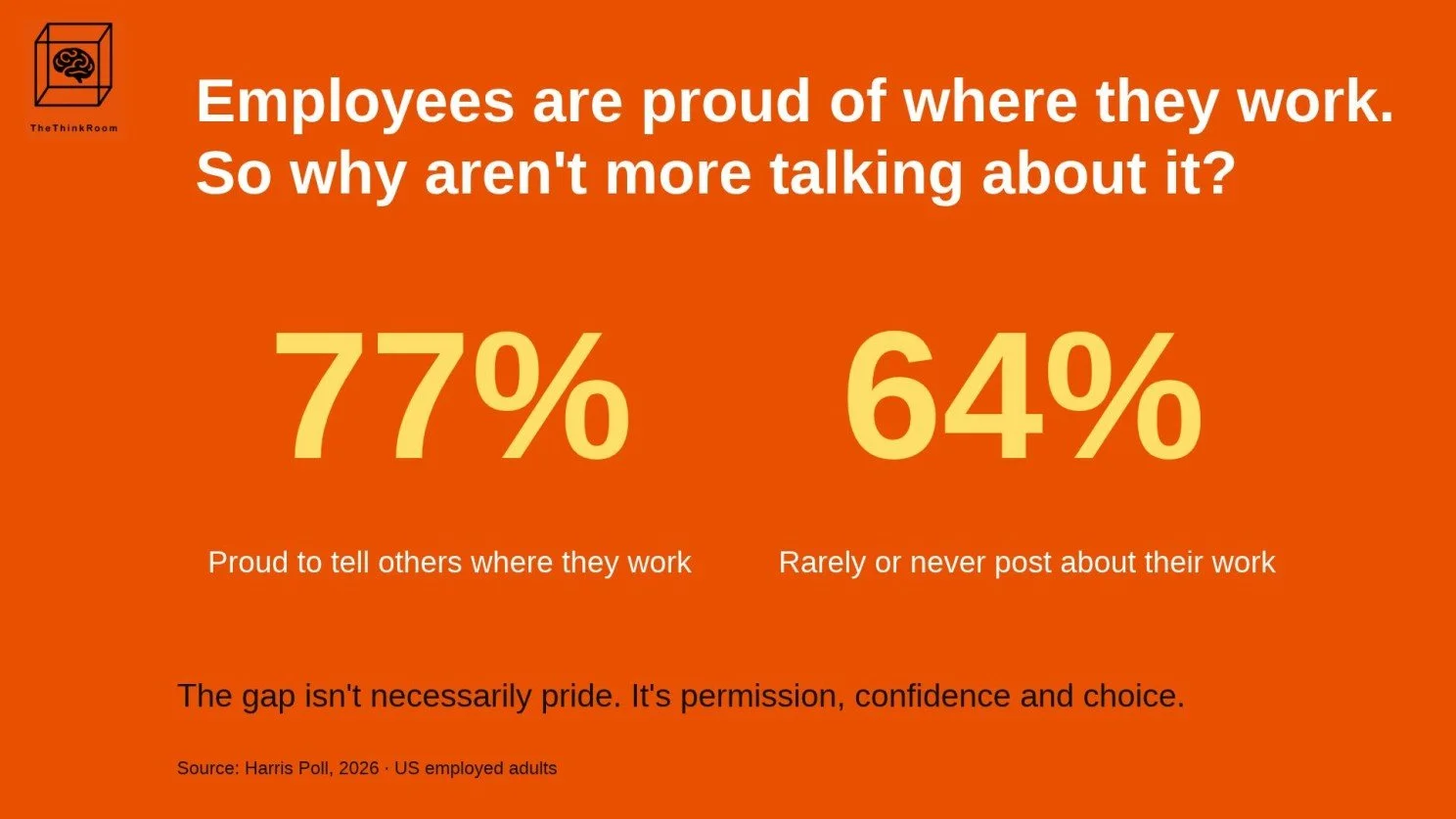
Source: Harris Poll 2026
Why aren't they posting?
Because they are not confident they can share their takes on their work without being reprimanded.
Because they lack confidence, and they are in need of training.
Because they haven't received any guidelines.
Again, that's a shame.
Because, imagine your association publishes its important response to an EU consultation. You share the obligatory LinkedIn post announcing it, and ask everyone on the team to “like and share.”
Now think about the policy adviser who actually wrote the response and spent weeks talking to members. She knows exactly which part of the proposal could create problems for a small supplier, why it matters, and what would make it workable.
Wouldn't you rather read her take than another repost? And don't you think that is exactly what policymakers and other stakeholders would prefer too?
Her perspective gives people working on the same file a reason to engage with her, follow her, and associate her expertise with your organization.
This is why it is important your team, and especially your experts, are active on LinkedIn.
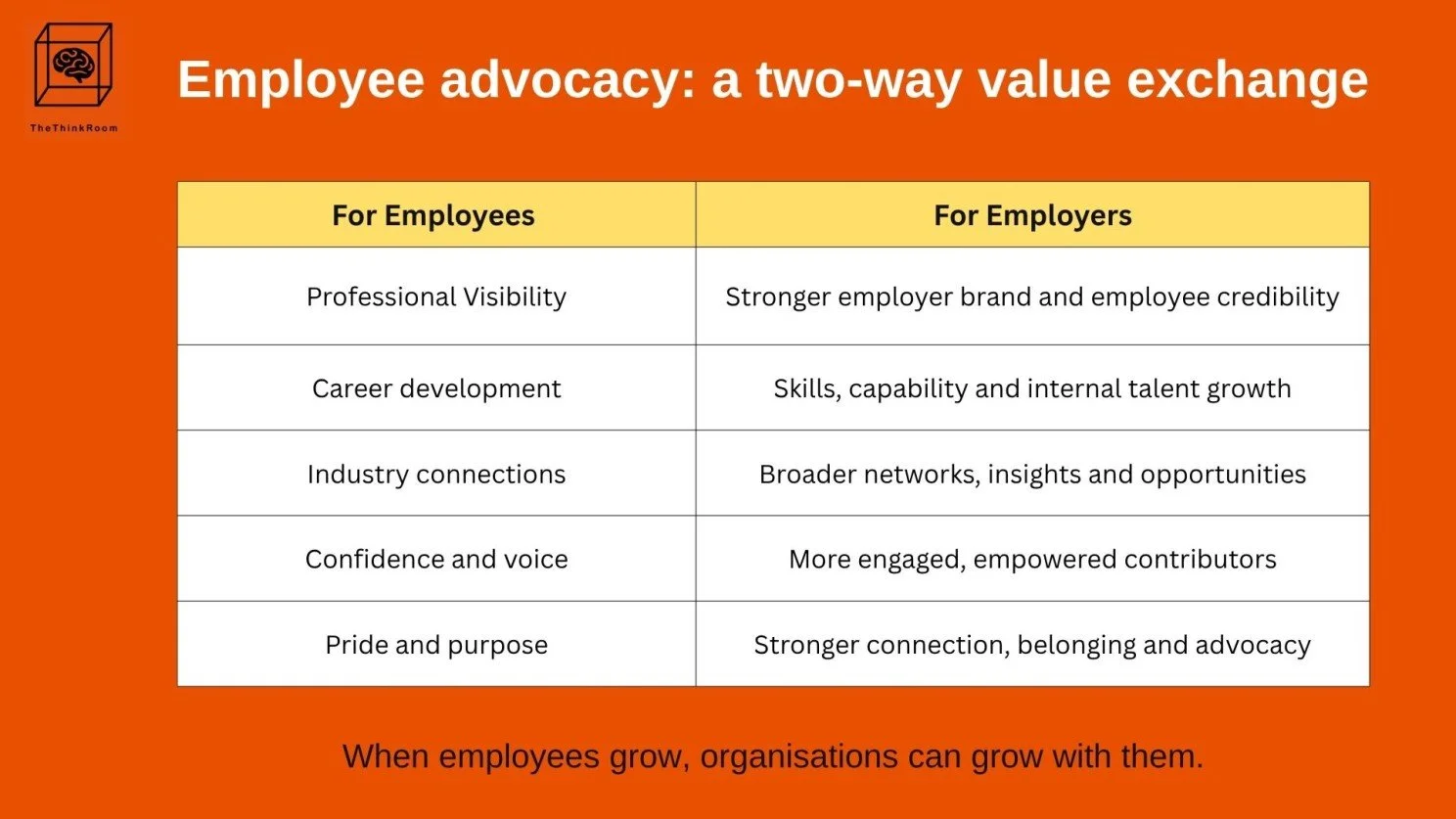
Give your employees the time and encouragement to build their presence on LinkedIn.
As they become known for their expertise, your organization benefits too. People start connecting your association with the people who understand the issues and have something useful to say about them.
And yes, yes, those employees might eventually leave.
But think about what it says about your organization when someone builds a strong professional reputation while working for you. Even after they've moved on, that association remains. Their success reflects well on the organization that gave them the opportunity to grow and become visible.
That's a pretty good advertisement.
Let's look at the numbers
Metricool analyzed 673,658 posts in a 2026 LinkedIn study. Among accounts with 2,000 to 10,000 followers, personal profiles averaged 982 impressions per post, compared with 710 for company pages. That’s 38% more impressions per post.
The clickthrough rate is twice as high, for the EXACT SAME content, according to LinkedIn.
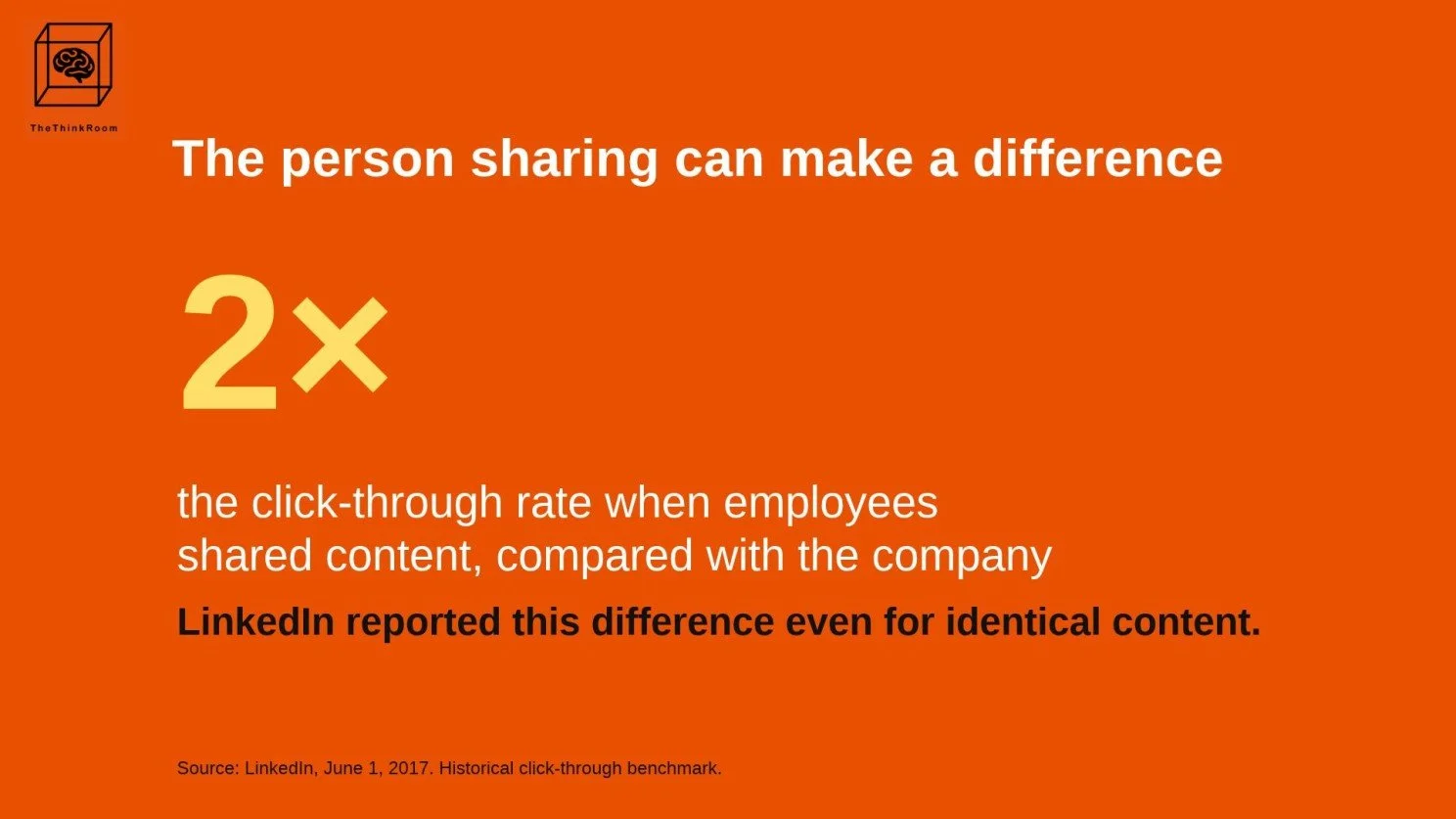
Source: LinkedIn
More importantly, personal profiles generated 3.4 times as many comments per post overall. In other words, they engage people. People engage people. That's just how it works.
Of course this completely depends on the effort the team member puts in, and the quality of the accounts involved.
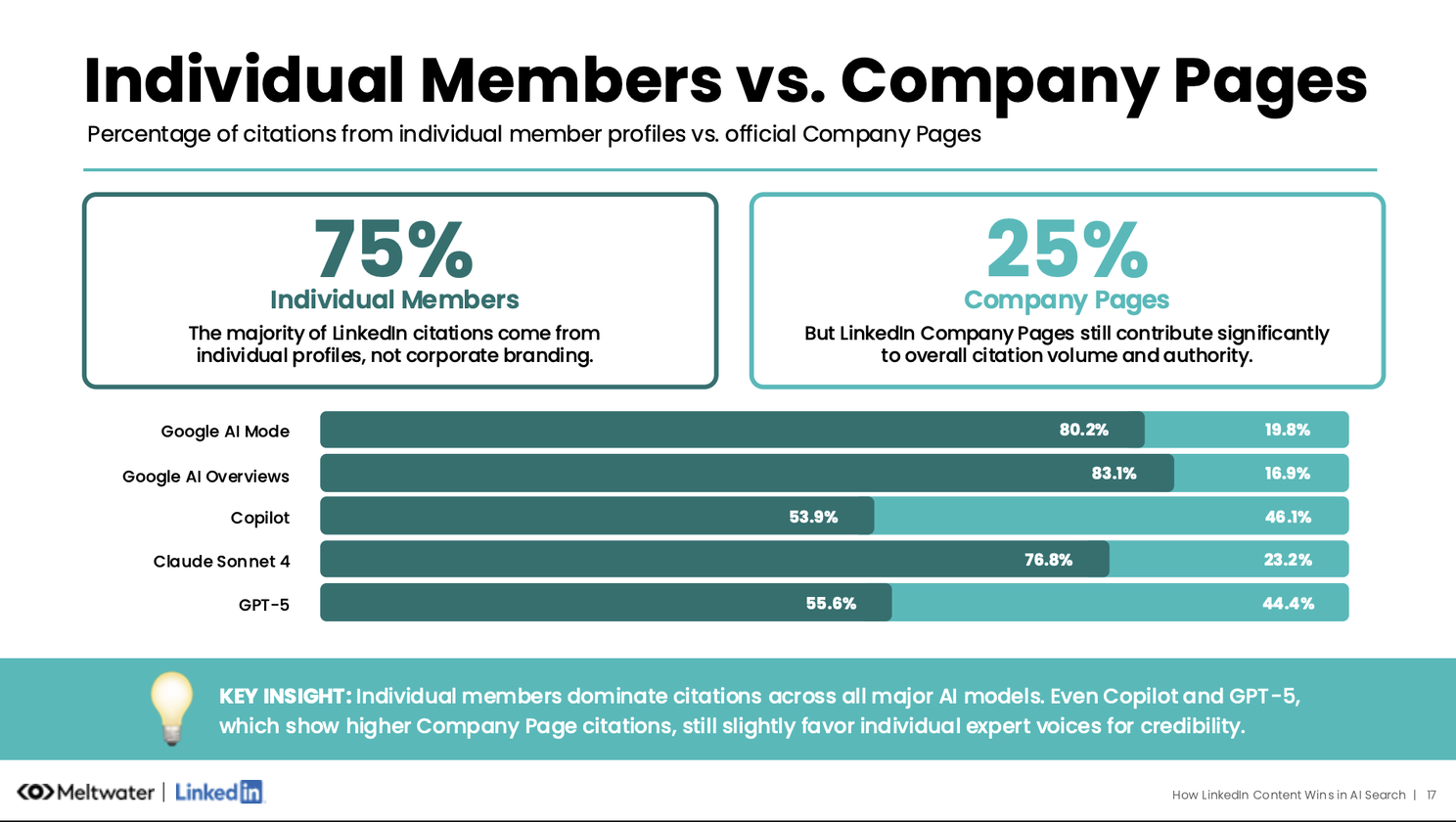
Fact is that LinkedIn is an important source for AI source. The most important source even, for professional queries. In a study with LinkedIn, Meltwater analyzed 9.5 million AI citations. And about 75% of the citations that pointed to LinkedIn in that study came from individual profiles.
Source: Meltwater & LinkedIn
So how to start?
1. Start with volunteers and support them
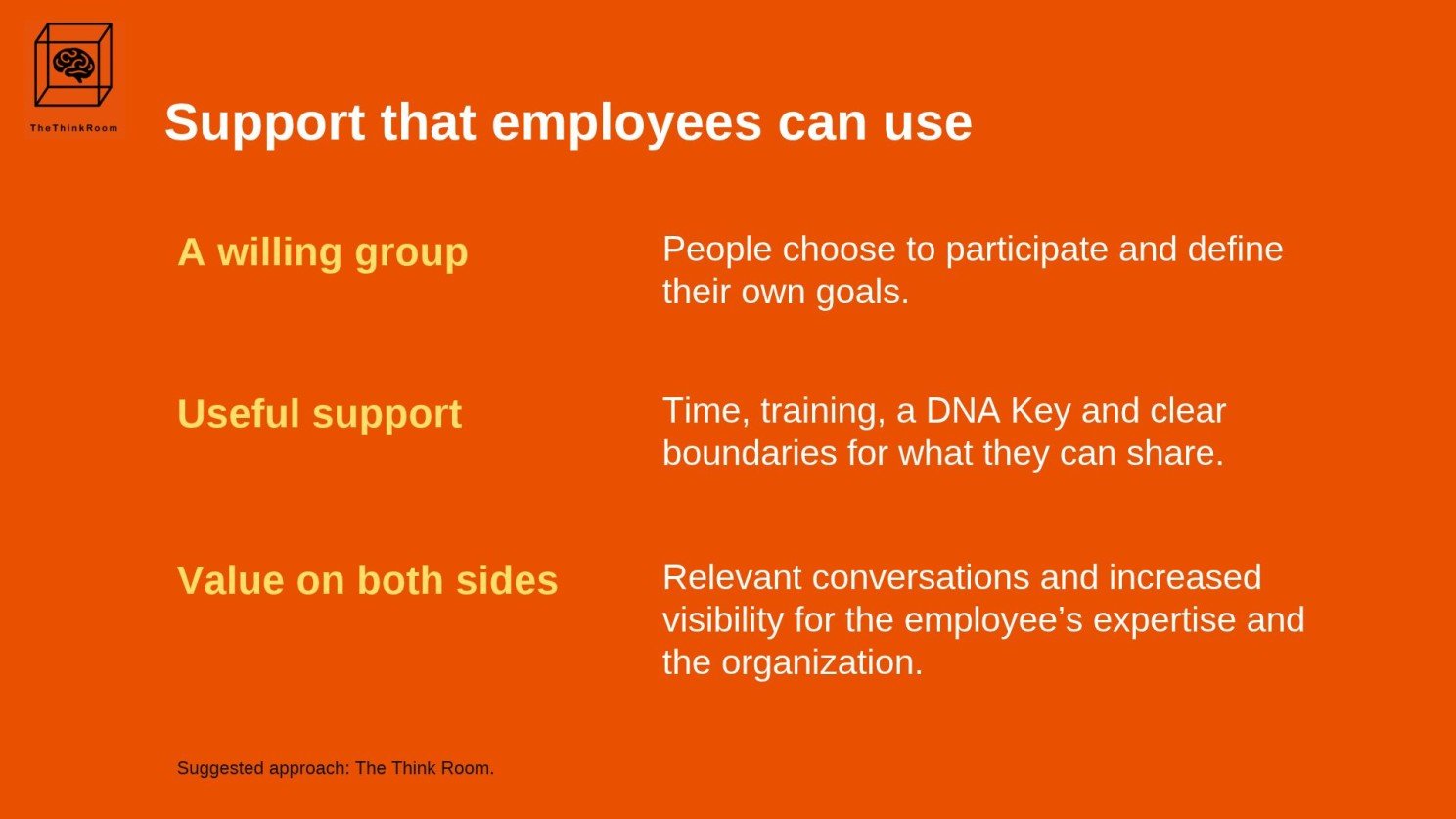
Invite a few people who have firsthand experience of an issue and are happy to get more active on LinkedIn.
In Tribal Impact’s 2026 study of 860 B2B companies, 6% to 7% of employees posted on LinkedIn in an average month. That's okay. A handful of willing colleagues is enough to run a first pilot. And a successful pilot usually gets a larger group excited.
Many people need guidance when they first get started. Support them with a training and/or a DNA Key that determines their unicity and creates a detailed strategy, voice book, schedule and example posts for them. Or book a call with Liora to discuss.
After a training agree on frequency and feasibility, and plan a monthly check-in moment where the participating team members can discuss strategies and plans.
2. Ask managers to back it publicly
Ask managers to tell their teams why they want specialists to be visible and to recognize it in a positive way when a team member manages to post consistently and when a post does well.
If the team feels the LinkedIn activity is frowned upon, or not supported by management, they are much less likely to continue.
3. Put the rules on one page
Give people the public facts they can use and examples of when to ask for a check. Make it clear but keep it simple.
Include these things in your social media guidelines.
Explain what employees can share freely
What needs permission
Who can speak on behalf of the organization
Whom to ask when they’re unsure
If anything needs to be avoided (words, topics, etc.)
Branding: do they need to follow yours?
AI and transparency about usage
Use examples from your own work. For example: An employee can explain an EU proposal that’s already public but quoting a member from a closed-door meeting calls for a permission check.
For a starting point, see Hootsuite’s checklist for employee social media guidelines.
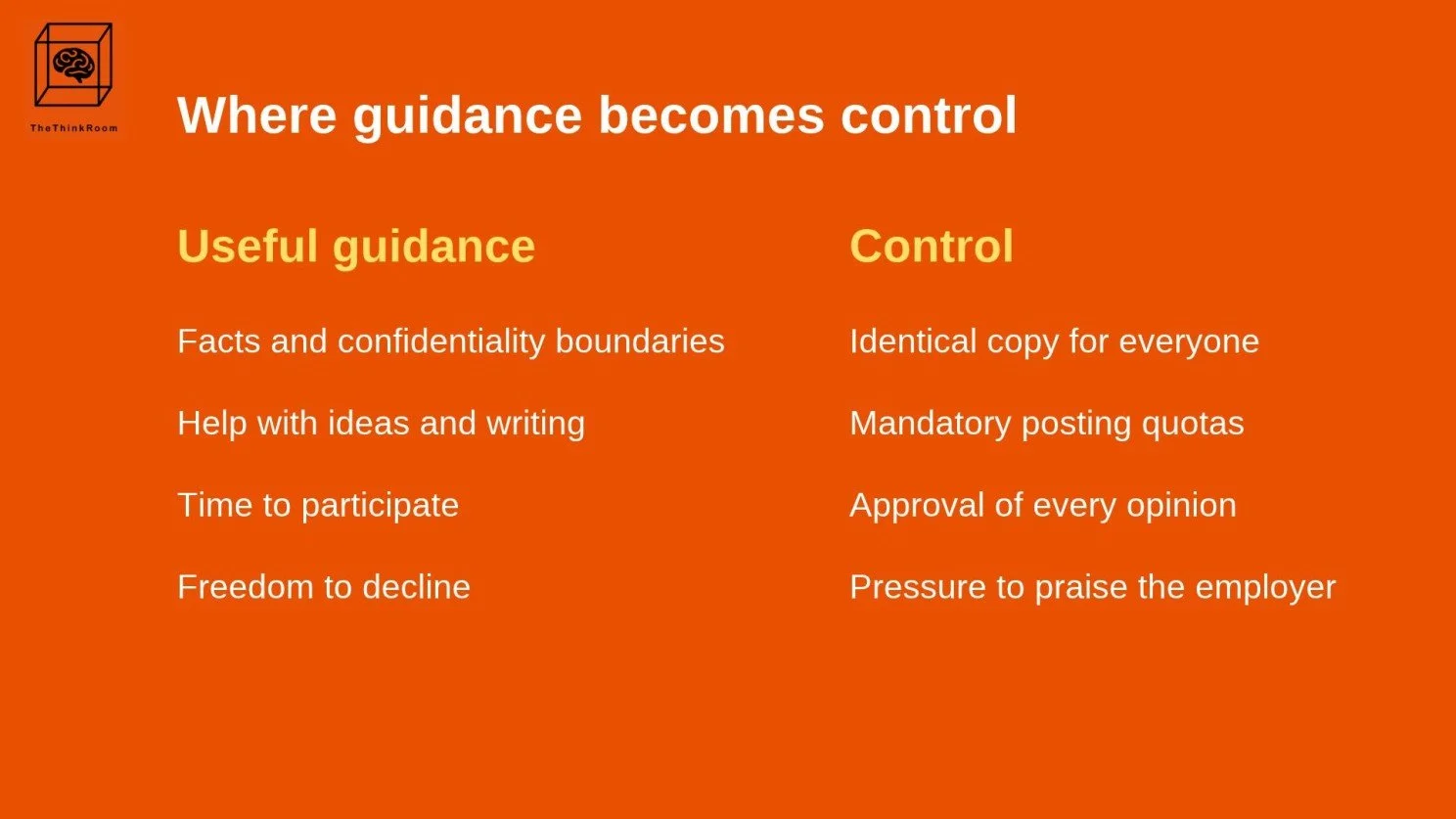
But make sure that guidance doesn't turn into control. No mandatory posting quota, no identical copy, no approval systems for private accounts, no pressure to say something specific.
4. How to help each person find their "niche"
Is your team unsure what to write about? Ask them which questions they keep getting from stakeholders. Give them the background and any public links, if needed. Then let them write the answer as they’d explain it to a peer. In their OWN voice.
For example: After speaking at a CLEPA conference in Brussels, Angelika Steinbrecher used her post on the EU battery passport to explain a practical difficulty for suppliers. They had a deadline to work toward, and some of the technical details they needed to prepare were still pending.
Another example: “Brussels loves debate. Until someone disagrees.” That’s how Patrick Keating, Head of Government Affairs at Honda Motor Europe, opens his LinkedIn post on how the EU measures car emissions. He makes the technical debate easy to follow: measuring emissions at the tailpipe gives you a different picture from measuring them across the vehicle’s life cycle. He also points out that the paper he’s discussing found lower lifetime emissions for battery-electric cars on average.
The line about disagreement is what makes this an important employee post. On Honda’s company page, it would not have worked. Coming from Patrick, it reads as a public affairs professional openly telling peers what frustrates him about a debate he works on and it welcomes people to discuss this with him.
5. Ask them to add their perspective
Don't just ask colleagues to share your post, ask them to write a few lines about the part they worked on or the issue they wish more people understood. Better yet, avoid the reposts and let them write their own post about it.
6. Make time for LinkedIn during working hours
Stop frowning when you see your employees spending time on LinkedIn. It is an important part of many jobs these days, where they see how their "targets" think about specific topics, where they can network and make themselves (and your organization) known. If public communication is part of someone’s role, say so explicitly and give it time alongside their other work.
7. Support your team
Let colleagues try formats they’re comfortable with. Create templates in Canva to make it easier. Explain if you're okay with them using AI for visuals and if so, how they're supposed to use. Clarify if they need to use your font and colors, or can choose whatever they prefer. Also give them access to your message house and relevant stories.
Encourage them to reply to questions on their own posts and add something specific to other people’s discussions too.
8. One workshop is good, two is better
Bring the volunteers back after a month for a follow-up workshop. Agree that they will use the month to test what they've learned. Look at the posts they wrote and ask what made it easy or hard to publish. Count the responses that tell you you’ve reached the right people. That might be a regulator asking for a source, a member forwarding a checklist to their team, or an invitation to brief a group you wanted to reach.
Pick one issue already on your public affairs calendar and start there. Two or three colleagues, one post each, and a date to compare notes is a great start.
If you need help, contact Liora Kern 🍒
Thanks for reading or scrolling. Save this if it was helpful.
The Think Room team
We make you visible, credible and human in the age of algorithms
Read about our LinkedIn workshops. We also have ambassador programs (DNA Keys + content). Plan a call with Liora if you'd like to discuss your personal challenge.
